

Best Automated Trading Platforms
We tested automated trading platforms available to UAE traders, evaluating Expert Advisor marketplaces, execution speeds, backtesting capabilities, and programming flexibility. Our analysis focused on which platforms provide the most robust automation tools, from MT4’s massive EA library to cTrader’s advanced C# coding and ProRealTime’s institutional-grade backtesting.



Our broker reviews are reader supported and we may receive payment when you click on a partner site.
Best Automated Trading Platforms
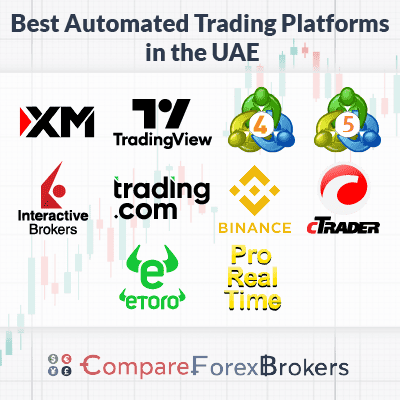
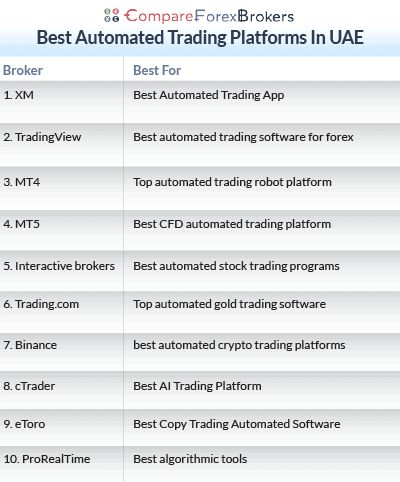
- XM - Best Automated Trading App
- TradingView - Best Automated Trading Software For Forex
- MetaTrader 4 - Top Automated Trading Robot Platform
- MetaTrader 5 - Best CFD Automated Trading Platform
- Interactive Brokers - Best Automated Stock Trading Programs
- Trading.com - Top Automated Gold Trading Software
- Binance - Best Automated Crypto Trading Platforms
- cTrader - Best AI Trading Platform
- eToro - Best Copy Trading Automated Software
- ProRealTime - Best Algorithmic Tools

| Broker Review | Our Rating | Regulation | Raw EUR/USD Spread | Raw GBP/USD Spread | Raw AUD/USD Spread | Commissions (USD Base) | Standard EUR/USD Spread | Standard GBP/USD Spread | Standard AUD/USD Spread | MetaTrader 4 | MetaTrader 5 | cTrader | Execution Speed | Minimum Deposit | Currency Pairs | Crypto CFDs | Retail Leverage | Prof. Leverage | Visit Broker |
|---|---|---|---|---|---|---|---|---|---|---|---|---|---|---|---|---|---|---|---|
 | 83 | DFSA | 0.3 | 0.9 | 0.8 | $3.50 | 1.1 | 1.3 | 1.4 |  | |  | 148ms | $5 | 41 | 40 | 30:1 | 400:1 |  |
 | 94 | FMA, FSA-S | 0.1 | 0.1 | 0.1 | $3.00 | 1.10 | 1.40 | 1.20 | | | | 72ms | $0 | 67 | 16 | 500:1 | 500:1 | |
 | 98 | DFSA | 0.10 | 0.30 | 0.10 | $3.50 | 1.10 | 1.30 | 1.10 | | | | 77ms | $0 | 94 | 44 | 30:1 | 500:1 | |
 | 90 | ASIC, FSA-S CySEC | 0.01 | 0.04 | 0.02 | $3.50 | 1.0 | 1.2 | 1.0 | | | | 134ms | $200 | 61 | 18 | 30:1 | 500:1 | |
 | 88 | DFSA | - | - | - | $2.00 | - | - | - | | | | 110ms | $0 | 117 | 4 | 30:1 | 500:1 | |
 | 50 | NFA/CFTC | - | - | - | - | 1.2 | 1.8 | 1.2 | | | ||||||||
 | 57 | FCA, CySEC, DFSA SCB, FSC-M, FSCA, FSA-S | 0.5 | 0.58 | 0.55 | $3.50 | 1.52 | 1.87 | 2.08 | | | | 151ms | $100 | 69 | 28 | 30:1 | 200:1 | |
 | 52 | ADGM | - | - | - | - | 1.00 | 2.00 | 1.00 | | | | 130ms | $100 | 68 | 127 crypto coins + 106 other crypto options | 30:1 | 400:1 | |
 | 77 | DFSA | 0.16 | 0.59 | 0.29 | $6.00 | 1.13 | 1.66 | 1.01 | | | | 174ms | $0 | 97 | 30 | 30:1 | 200:1 | |
What platforms support automated trading?
MetaTrader 4 is the best automated trading platform with the largest Expert Advisor marketplace hosting over 1,700 trading robots and 40 million users globally. Other automated trading platforms were shortlisted based on strategy compatibility, execution stability and support for different algorithmic trading setups.
1. XM - Best Automated Trading App

Forex Panel Score

Average Spread
EUR/USD = 0.3 GBP/USD = 0.9 AUD/USD = 0.8
Trading Platforms
MT4, MT5, XM App/Tablet
Minimum Deposit
$5
Why We Recommend XM
XM delivers the best mobile automated trading experience through MT4 and MT5 apps letting you monitor Expert Advisors, adjust EA parameters, and manage running strategies directly from your phone without needing desktop access.
The platform imposes zero restrictions on EA types – scalping robots, grid systems, martingale strategies, and hedging EAs all run without broker interference.
You get 148ms execution speeds on 41 currency pairs with $5 minimum deposit letting you test Expert Advisors live with tiny 0.01 lot sizes before committing larger capital, validating EA performance under real market conditions rather than relying solely on backtests.
Pros & Cons
- MT4/MT5 mobile apps for EA monitoring
- Zero EA restrictions
- 148ms execution speeds
- $5 minimum deposit for live EA testing
- 41 currency pairs available
- DFSA regulated
- 30:1 leverage limit
- Smaller EA marketplace than global MT4
- Limited to mobile monitoring vs desktop control
Broker Details
Mobile EA monitoring and control
The XM App lets you adjust EA input parameters directly from your phone – changing your grid trading system’s step size from 20 pips to 30 pips when volatility increases, or modifying stop-loss distances from 50 pips to 40 pips during uncertain markets.
Push notifications alert you when your EA opens positions, hits stop-losses, or encounters errors, keeping you informed without constantly watching screens. You see real-time account equity curves updating as your EA trades, margin utilization preventing over-leveraging, and floating profit/loss on open positions, critical when running multiple EAs simultaneously across different pairs.
MT5 automation advantages
MT5’s 38 technical indicators versus MT4’s 30 give your EAs more data points when making trading decisions, particularly useful for complex strategies requiring multiple indicator confirmations. The 21 timeframes versus MT4’s 9 options let your EA analyse 2-hour or 8-hour charts unavailable on MT4, useful for swing trading strategies.
Multi-threaded backtesting uses all your CPU cores simultaneously, testing 10,000 parameter combinations in 30-45 minutes instead of MT4’s 6-hour single-threaded approach, letting you optimise more thoroughly before deploying EAs live.
Live testing with minimal capital
The $5 minimum deposit lets you deploy EAs with real money using 0.01 micro lots, experiencing actual spreads, slippage, and execution delays that demo accounts often hide. You validate your scalping EA’s performance during London open volatility or test your grid system’s behaviour when ranges break into trends, all while risking minimal capital.
The Strategy Tester runs your EA across historical data from 2005 onward showing how your strategy would’ve performed during the 2015 Swiss Franc crisis or 2020 COVID crash, but nothing replaces live validation with small positions before scaling to standard lots.
2. TradingView - Best Automated Trading Software For Forex

Forex Panel Score
Average Spread
N/A
Trading Platforms
TradingView
Minimum Deposit
N/A
Why We Recommend TradingView
TradingView brokers automates forex strategies through Pine Script programming, letting you code custom indicators, build trading algorithms, and backtest strategies directly within the charting interface without switching applications.
The social features let you browse thousands of community-shared Pine Script strategies with full source code visible, copy their logic, and modify parameters rather than coding everything from scratch.
You backtest strategies across years of historical data with detailed performance reports, then connect directly to brokers like Pepperstone, Capital.com, XM, and OANDA for automated execution. The platform runs cloud-based so your strategies execute from TradingView’s servers without requiring your computer running 24/7 or paying for VPS hosting.
Pros & Cons
- Pine Script for custom automation
- Community sharing of strategy code
- Cloud-based execution
- Direct broker integration
- 100+ indicators, 50+ drawing tools
- Multi-device sync
- Pine Script learning curve
- Limited broker integration vs MT4
- Premium features require subscription
- Execution depends on broker connection
Broker Details
Pine Script automation
Pine Script uses straightforward syntax closer to natural language than MQL4’s C-like complexity, making it accessible for traders without professional coding backgrounds. You code a moving average crossover strategy in 10-15 lines of Pine Script versus 30-40 lines of MQL4, with built-in functions handling indicator calculations and order management.
The community library hosts thousands of public strategies with source code visible, showing you exactly how experienced traders implement trailing stops, pyramiding into trends, or managing multiple positions simultaneously. You copy code directly into your scripts and modify parameters to match your trading style.
Backtesting and strategy validation
The Strategy Tester displays profit factor, maximum drawdown percentage, Sharpe ratio, win rate, and equity curves showing your strategy’s account balance over time. You backtest across multiple timeframes simultaneously, testing whether your daily chart strategy performs when market structure differs from 4-hour analysis.
Replay mode steps through historical data bar by bar, showing exactly what your strategy would’ve done during the 2020 COVID crash or major news releases. Forward testing validates whether optimised parameters work on out-of-sample data, preventing curve-fitting where EAs perform brilliantly historically but fail live.
Cloud execution and broker connections
Direct integration with Pepperstone, Capital.com, XM, and OANDA lets you execute trades from TradingView charts without copying signals to MT4 or manually entering orders. Your Pine Script strategies send orders directly when conditions trigger – automatically buying EUR/USD when price breaks above the 200-MA while RSI climbs above 50.
Cloud-based execution runs on TradingView’s servers continuously, eliminating VPS hosting costs of $20-$50 monthly required for MT4/MT5 automation. However, you’re limited to brokers TradingView supports, unlike MT4’s availability across hundreds of brokers globally, and premium subscriptions cost $15-$60 monthly unlocking multiple alerts and advanced features.
3. MT4 - Top Automated Trading Robot Platform

Forex Panel Score
Average Spread
N/A
Trading Platforms
MetaTrader 4
Minimum Deposit
$0
Why We Recommend MT4
MT4 dominates automated trading with over 40 million users and the largest Expert Advisor marketplace globally, hosting over 1,700 trading robots and 2,100+ technical indicators you can download.
The MQL4 programming language works like C, making it accessible for anyone with basic coding knowledge, though you don’t need to code at all since the marketplace hosts free and premium EAs priced $30-$500 with user ratings and performance stats.
Strategy Tester shows exactly how your EA would’ve performed during the 2015 Swiss Franc crisis or 2020 COVID crash using 10+ years of tick-by-tick historical data. MT4 provides 30 built-in technical indicators across 9 timeframes, with three execution modes and two market/stop order types giving you flexibility in how your EAs execute trades.
Pros & Cons
- 1,700+ robots, 2,100+ indicators marketplace
- 40 million users, massive community
- MQL4 programming (C-like syntax)
- Strategy Tester with 10+ years data
- 30 indicators, 9 timeframes
- Three execution modes
- Outdated interface from 2005
- Limited to forex and basic CFDs
- Single-threaded backtesting slower
- No customer support from MetaQuotes
4. MT5 - Best CFD Automated Trading Platform

Forex Panel Score
Average Spread
N/A
Trading Platforms
MetaTrader 5
Minimum Deposit
$0
Why We Recommend MT5
MetaTrader 5 brokers expands beyond forex into stock CFDs, letting you automate strategies across Apple shares, S&P 500 index, crude oil, and Bitcoin from the same platform running coordinated Expert Advisors. The MQL5 programming language based on C++ runs faster than MT4’s MQL4, with 64-bit memory handling both 32-bit and 64-bit EAs for improved overall platform performance and faster automated trading.
Multi-threaded backtesting uses all your CPU cores simultaneously, testing 10,000 parameter combinations in 30 minutes instead of MT4’s 6-hour single-threaded approach.
The platform provides 46 analytical indicators and 38 technical indicators across 21 timeframes versus MT4’s 30 indicators and 9 timeframes, plus 4 execution modes and 6 pending order types including stop-limit orders and trailing stop-limits.
Pros & Cons
- Stock CFDs, indices, commodities support
- 64-bit memory, faster performance
- Multi-threaded backtesting, all CPU cores
- 46 analytical + 38 technical indicators
- 21 timeframes vs MT4’s 9
- 4 execution modes, 6 order types
- Smaller EA marketplace than MT4
- No backward compatibility with MT4 EAs
- Steeper learning curve for MQL5
- No customer support from MetaQuotes
5. Interactive Brokers - Best Automated Stock Trading Programs

Forex Panel Score
Average Spread
EUR/USD = N/A GBP/USD = N/A AUD/USD = N/A
Trading Platforms
IBKR Workstation, IBKR Global Trader, IBKR Mobile
Minimum Deposit
$0
Why We Recommend Interactive Brokers
Interactive Brokers’ Trader Workstation (TWS) provides access to over 135 global markets with real-time data feeds and 110ms execution speeds, letting you automate stock trading across NYSE, NASDAQ, London Stock Exchange, Tokyo Stock Exchange, and exchanges many brokers never touch.
The platform supports API-based automation in Python, Java, C++, and other professional programming languages with $2.00 commissions per side, giving you flexibility to build institutional-grade algorithms.
TWS includes algorithmic order routing automatically finding the best execution venue across multiple exchanges, basket trading for managing portfolios of 50+ stocks simultaneously, and paper trading mirroring live conditions. You automate actual stock ownership across 117 currency pairs and global markets rather than CFDs, receiving dividends and voting rights with $0 minimum deposit.
Pros & Cons
- TWS accesses 135+ global markets
- API supports Python, Java, C++
- 110ms execution, $2.00 commission
- 117 currency pairs available
- Real stock ownership, not CFDs
- $0 minimum deposit
- Complex setup for beginners
- Steep TWS learning curve
- Requires coding knowledge
6. Trading.com - Top Automated Gold Trading Software

Forex Panel Score
Average Spread
EUR/USD = 1.2 GBP/USD = 1.8 AUD/USD = 1.2
Trading Platforms
MT5
Minimum Deposit
$50
Why We Recommend Trading.com
Trading.com specialises in automated gold trading platforms through MetaTrader 5 platform access, letting you run Expert Advisors specifically targeting XAU/USD volatility and precious metals market patterns.
The broker provides MT5’s full automation capabilities including custom EA development, strategy backtesting across historical gold price data, and algorithmic execution during volatile sessions when geopolitical tensions or Federal Reserve announcements move gold 50+ points in minutes.
You get access to automated trading on gold alongside other precious metals, commodities, and forex pairs from the same platform running coordinated multi-asset strategies with $50 minimum deposit under NFA/CFTC regulation.
Pros & Cons
- MT5 platform for EA automation
- Specialised in gold trading
- Full backtesting capabilities
- Multi-asset automation support
- NFA/CFTC regulation
- $50 minimum deposit
- Limited to MT5 only
- Smaller platform than major brokers
- Higher spreads than ECN brokers
- Limited educational resources
7. Binance - Best Automated Crypto Trading Platforms

Forex Panel Score
Average Spread
N/A
Trading Platforms
Binance
Minimum Deposit
N/A
Why We Recommend Binance
Binance dominates automated crypto trading through their comprehensive API supporting algorithmic execution across hundreds of cryptocurrency pairs unavailable at traditional forex brokers.
The platform lets you code trading bots in Python, JavaScript, or other languages accessing real-time market data, order book depth, and execution capabilities for Bitcoin, Ethereum, and altcoins with significantly lower fees than crypto CFD brokers charge.
You can automate spot trading by buying actual cryptocurrency, futures contracts for leveraged exposure, or grid trading strategies capturing volatility in ranging markets. The exchange provides extensive historical data for backtesting crypto strategies across multiple market cycles including 2017’s bull run, 2018’s crash, and 2021’s rally.
Pros & Cons
- Hundreds of crypto pairs available
- Comprehensive API for automation
- Spot and futures trading
- Lower fees than CFD brokers
- Extensive historical data
- Grid trading bot templates
- Crypto-only, no forex/stocks
- Requires understanding blockchain
- Regulatory uncertainty in some regions
- Steeper learning curve than MT4
8. cTrader - Best AI Trading Platform

Forex Panel Score
Average Spread
N/A
Trading Platforms
cTrader
Minimum Deposit
$0
Why We Recommend cTrader
cTrader dominates for algorithmic traders through C# programming language giving you the full power of .NET framework versus MT4/MT5’s proprietary languages with limited capabilities. cTrader Automate lets you code custom robots (called cBots) using professional development tools with advanced debugging capabilities and fast execution speeds exceeding most platforms.
The platform displays Level II pricing showing exact order book depth with multiple price levels visible, providing excellent Depth of Market access helping your algorithm gauge market liquidity before entering positions.
Multi-threaded backtesting runs significantly faster than MT4’s single-core approach, while cTrader Copy lets you automate trading by following Strategy Providers who are experienced traders with verified performance records.
Pros & Cons
- C# programming with .NET framework
- Level II pricing, excellent depth of market
- cTrader Automate for custom cBots
- Fast execution speeds
- Strategy Providers for copy trading
- Multi-threaded backtesting
- Fewer brokers support cTrader
- Smaller cBot marketplace than MT4
- Does not support all asset classes
- Limited broker availability
9. eToro - Best Copy Trading Automated Software

Forex Panel Score
Average Spread
EUR/USD = 1
GBP/USD = 2
AUD/USD = 1
Trading Platforms
eToro Trading Platform
Minimum Deposit
$50
Why We Recommend eToro
eToro automates trading through CopyTrader functionality letting you allocate funds to experienced traders and automatically mirror every position they open or close in your account proportionally.
The platform displays verified performance statistics for each trader including monthly returns, maximum drawdown, average holding period, and win rate percentages before you commit funds. CopyPortfolios use AI algorithms to create diversified portfolios of top-performing traders or specific market sectors, automating your entire investment strategy with single-click allocation.
You trade 68 currency pairs and over 200 crypto CFDs with 1.0-2.0 pip spreads, 130ms execution speeds, and $50 minimum deposit under ADGM regulation, accessing what 30 million registered users are buying and discussing.
Pros & Cons
- CopyTrader automates position mirroring
- CopyPortfolios with AI diversification
- 30 million users for selection
- 68 forex pairs, 200+ crypto CFDs
- 130ms execution speeds
- $50 minimum, ADGM regulated
- No MT4/MT5 Expert Advisor support
- 1.0-2.0 pip spreads vs ECN
- Proprietary platform only
- Copy trading dependent on trader performance
10. ProRealTime - Best Algorithmic Tools

Forex Panel Score
Average Spread
N/A
Trading Platforms
ProRealTime
Minimum Deposit
$0
Why We Recommend ProRealTime
ProRealTime delivers institutional-grade backtesting incorporating more historical data than competing platforms, letting you test strategies across deeper market history to validate performance through multiple economic cycles.
The platform provides advanced charting with extensive technical analysis tools and automated trading through ProOrder programming language similar to BASIC, making it more accessible than C# or C++ for traders without professional coding backgrounds.
You get comprehensive risk management tools, multi-threaded backtesting capabilities, and a sleek interface that’s easier to navigate than MT4’s outdated design, though the platform operates on a subscription model rather than being free like MetaTrader with $0 minimum deposit requirement.
Pros & Cons
- Extensive historical backtesting data
- Advanced charting and analysis tools
- ProOrder language (BASIC-like syntax)
- Professional-grade interface
- Comprehensive risk management
- Multi-threaded backtesting
- Subscription-based pricing (not free)
- Limited broker support
- Steep learning curve initially
- Smaller user community than MT4
How To Choose A UAE Forex Broker?
Choose brokers based on platform uptime exceeding 99.5%, security protocols protecting your algorithms from unauthorised access, and proven track records running Expert Advisors without restrictions.
Test platforms with demo accounts first, running your EAs or copy trading strategies with virtual funds to verify execution quality matches advertised performance before depositing real money.
Prioritise brokers offering real-time market data with low-lag feeds under 50ms, advanced charting tools for strategy development, and best UAE forex brokers. Verify the broker supports your preferred automation platform – MT4 for the largest EA marketplace, cTrader for C# coding, or TradingView for Pine Script strategies.





Pros and Cons of Using Automated Trading Software
- Eliminates emotional decision-making removing fear and greed from execution
- Executes strategies 24/7 without sleep, capturing opportunities across all sessions
- Backtests strategies across years of data before risking capital
- Processes thousands of data points simultaneously across multiple instruments
- Maintains discipline following rules exactly without deviation
- Scam EAs promise unrealistic returns, damaging industry credibility
- Requires monitoring for technical failures and unexpected market changes
- Over-optimization creates strategies fitting historical data but failing live
- Cannot adapt to unprecedented conditions outside training data
- Setup demands technical knowledge
What automated platform offers the lowest spreads?
MetaTrader 4 and MT5 brokers with ECN accounts deliver competitive spreads for automated trading, with Pepperstone offering 0.10 pip EUR/USD raw spreads and $3.50 commission per side according to our testing. Low spreads become critical when your Expert Advisor executes high-frequency strategies with dozens of trades daily, since small spread differences compound significantly over time.
Test your broker’s spreads during your EA’s most active trading hours rather than relying on advertised averages, as lowest spread forex brokers affecting your actual trading costs.
What automated software is suitable for beginner traders?
eToro suits beginners through CopyTrader requiring zero coding knowledge – you select traders and automation handles everything. MetaTrader 4 works well if you’re learning programming since thousands of free YouTube tutorials explain MQL4 coding step-by-step.
TradingView’s Pine Script offers the easiest programming language with extensive documentation and community support. Beginners should prioritise platforms with advanced risk management including automatic stop-loss orders, position sizing calculators preventing over-leveraging, and global kill switches stopping all EAs instantly during technical failures.
Start with learn forex trading before attempting complex grid strategies.
Can you get a demo account with automation?
Yes, most UAE brokers provide demo accounts supporting full Expert Advisor functionality without time limits or feature restrictions. MetaTrader 4 and MT5 demos let you install EAs, run Strategy Tester backtests, and execute automated trades with virtual funds indefinitely.
cTrader demos support cBot automation with identical features to live accounts. TradingView offers paper trading for Pine Script strategies. Demo accounts should mirror live execution speeds, spreads, and slippage characteristics – if your EA shows perfect fills on demo but slips 5 pips live, the demo isn’t realistic for forex demo accounts.
FAQ
What are trading bots in automated trading?
Trading bots are software programs using algorithms to execute trades automatically based on predefined criteria like technical indicators, price levels, or market conditions. They monitor markets continuously, opening and closing positions when your preset rules trigger without requiring manual intervention.
What are Expert Advisors (EA) in automated trading?
Expert Advisors are automated trading programs specifically for MetaTrader platforms, coded in MQL4 or MQL5 languages. EAs execute your trading strategy automatically, managing entries, exits, stop-losses, and take-profits based on algorithms you program or download from the marketplace.
Do Islamic brokers offer automated trading?
Yes, swap free brokers with swap-free accounts. AvaTrade provides MT4 and MT5 platforms supporting Expert Advisors on Islamic accounts, while XM offers automated trading without overnight interest charges. Your EAs execute normally while maintaining Shariah compliance.
Can you trade CFDs with automation?
Yes, you can automate CFD trading across stocks, indices, commodities, and cryptocurrencies using MetaTrader 5, cTrader, or TradingView. MT5 supports stock CFD automation through Expert Advisors, while cTrader offers cBots for algorithmic CFD execution across multiple asset classes.
What is algorithmic trading?
Algorithmic trading uses automated trading systems (ATS) executing trades based on predefined rules, mathematical algorithms, or real-time market analysis. These systems monitor price movements, technical indicators, and market conditions, automatically opening and closing positions when criteria match without human intervention.
How automated trading software works
Automated trading software monitors markets continuously, analysing price movements, technical indicators, and market conditions based on your programmed rules. When criteria match (like RSI dropping below 30 while price breaks support) the system executes trades instantly without manual confirmation.
Expert Advisors on MetaTrader use MQL4 or MQL5 code defining entries, exits, and risk parameters. cTrader cBots employ C# programming for sophisticated algorithms, while TradingView uses Pine Script.
AI and machine learning increasingly integrate into automated systems, optimising strategies by analysing thousands of historical patterns and adapting to changing conditions. These systems learn from past performance, adjusting parameters like stop-loss distances to improve results. However, they require extensive training data and monitoring since they can overfit to historical patterns that don’t repeat live.
The software connects via API, sending orders directly when conditions trigger. Execution speeds matter significantly for scalping strategies targeting small movements.


Forex Brokers Offering Automation



Ask an Expert
what is the best path to go down when experimenting with auto trading
This depends on the broker you are with (or considering) and the products and trading platforms they offer. Given most brokers offer MetaTrader 4 and 5 and the relative ease of setting up an Expert Advisor for automated trading, this might the path to go down. The best part is that most brokers do have a demo account for MetaTrader so you can test out the platforms first