
Some of the abbreviations on this page are expanded to the regulator's full name: a broker regulated by ASIC is regulated by the Australian Securities and Investments Commission; by FCA, the Financial Conduct Authority; by CIRO, the Canadian Investment Regulatory Organization.
What US App Is Best For Forex Trading?
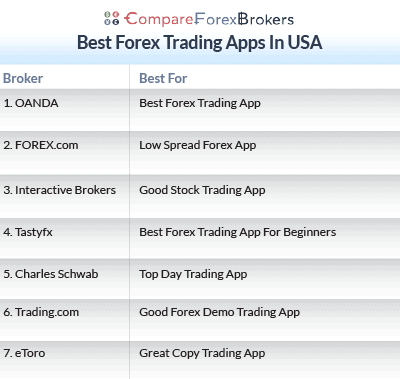
OANDA offers the best forex trading app for US traders with a customisable interface, advanced price alerts and charting with over 70 technical indicators. Other trading apps were shortlisted based on spread competitiveness, market access and mobile trading functionality.
Trade forex on the go with these great apps
Ordered by our overall rating, highest first.
- OANDA - Best Forex Trading App
- Tastyfx - Best Forex Trading App For Beginners
- FOREX.com - Low Spread Forex App
- Interactive Brokers - Good Stock Trading App
- eToro - Great Copy Trading App
- Trading.com - Good Forex Demo Trading App
- Charles Schwab - Top Day Trading App
Broker comparison table
| Rank | Broker | Score | Regulation | EUR/USD raw | EUR/USD standard | Commission | Min. deposit | Platforms | Leverage | Visit |
|---|---|---|---|---|---|---|---|---|---|---|
| 1 |  OANDA OANDA | 92 | NFA/CFTC | - | 0.99 | - | $0 | MetaTrader 4 | 50:1 | Visit |
| 2 |  Tastyfx Tastyfx | 68.2 | NFA/CFTC | - | 1.2 | $6.00 | $450 | - | 50:1 | Visit |
| 3 |  FOREX.com FOREX.com | 67.6 | NFA/CFTC FCA,CIRO | 0.02 | 1.2 | $7.00 | $100 | MetaTrader 4 | 50:1 | Visit |
| 4 |  Interactive Brokers Interactive Brokers | 62.3 | NFA/CFTC | 0.2 | - | $2.00 | $0 | - | 30:1 | Visit |
| 5 |  eToro eToro | 54.9 | FINRA,SEC ASIC,FCA,CySEC | - | 1 | - | $50 | - | - | Visit |
| 6 |  Trading.com Trading.com | 53.5 | ASIC, FCA, CySEC, NFA/CFTC | - | 1.2 | - | - | MetaTrader 5 | - | Visit |
| 7 |  Charles Schwab Charles Schwab | 51.2 | SEC, NFA/CFTC FINRA | - | 1.4 | - | $2000 | - | 50:1 | Visit |
Broker reviews
1. OANDA

Average spread
EUR/USD = 0.94 GBP/USD = 1.73 AUD/USD = 1.5
Platforms
MT4, TradingView, OANDA Trade (FxTrade)
Minimum deposit
$0
Why We Recommend OANDA
We recommend OANDA based on its stellar global reputation, excellent customer support and collection of seven Tier-1 licenses from major global regulators. This broker scored 100/100 in the ‘Trust’ category in our independent analysis of major forex brokers, taking the top spot. This broker offers more than just security, however. We also like OANDA for its competitive spreads and excellent selection of trading platforms. In addition to OANDA Trade, you can trade forex spot markets using MetaTrader 4 and TradingView.
Pros & cons
- Great mobile charting features
- TradingView for advanced charting
- No minimum deposit
- Inactivity fees
- Customer service can be slow
- Withdrawal fees
Broker Details

We recently rated OANDA as our most trusted broker, scoring them a perfect 92/100. The main reason was the fact that OANDA is regulated globally by several tier-1 regulators, including NFA/CFTC (USA), FCA (UK), CySEC (EU), and ASIC (Australia). OANDA has also been around since 1996 and helped create today’s online trading industry. With its age, experience, and regulated status, this gave us huge trust signals, which is why we scored them so highly.
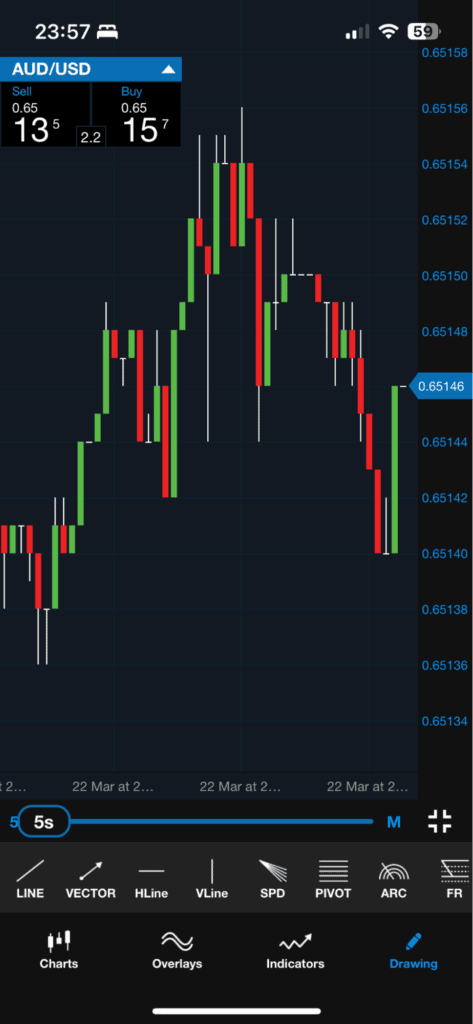
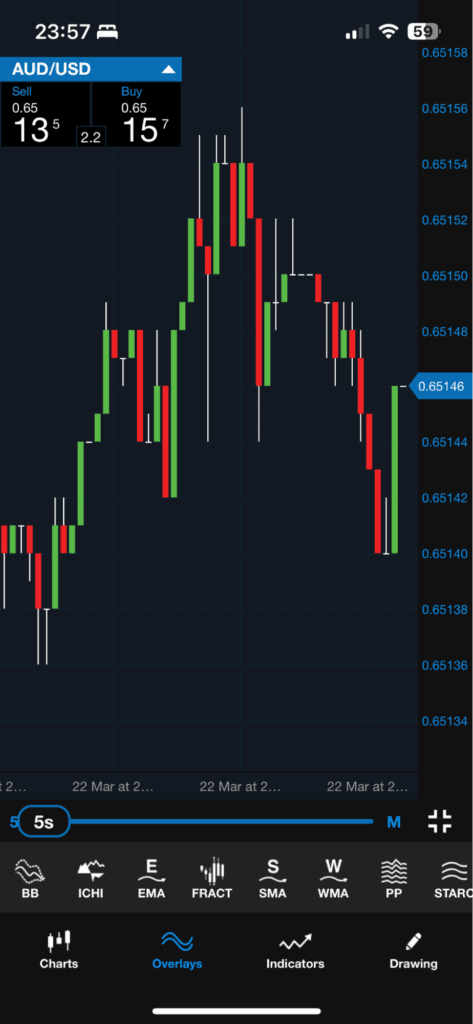
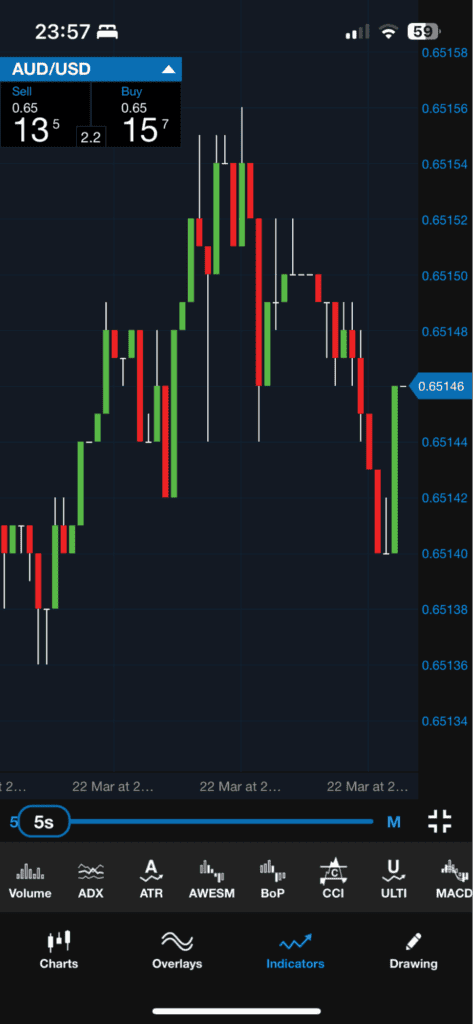
Even though OANDA offers popular platforms MetaTrader 4 and TradingView, it’s the OANDA Trade that gets our recommendation as the trading app of choice. While testing the app, we found it uses TradingView’s charting (a big plus), so you get all the same charting features from TradingView, including 100+ indicators and 50+ drawing tools.
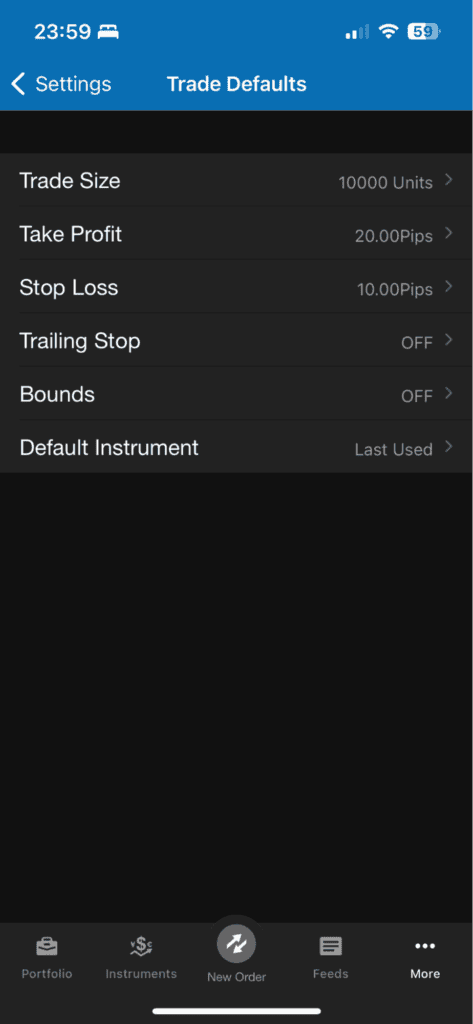
What stood out on the OANDA Trade app was the settings you could use to set a default trade ticket. This allowed us to set up our trade size, stop-loss, and take profit levels and store them to be used by default every time we buy and sell, making the process faster. A hidden benefit is that it can also prevent mistakes by preventing you from adding extra zeroes, which are costly mistakes if you get filled.
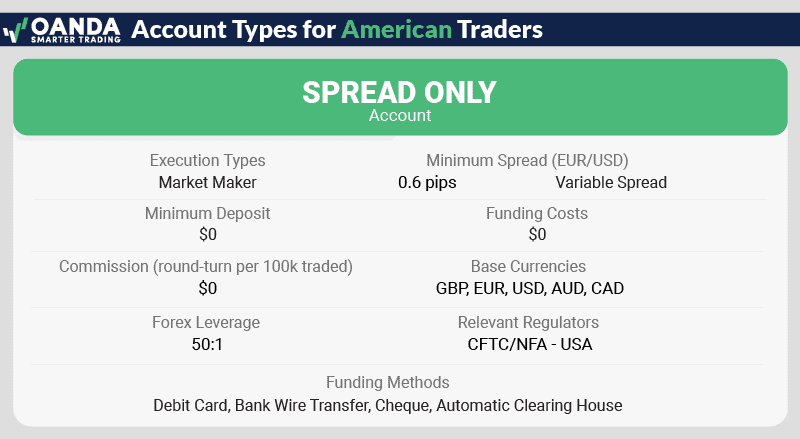
In our live testing, we found that OANDA’s spreads were decent on the commission-free Standard account, averaging 1.4 pips on EUR/USD. These no-commission spreads are about average for US brokers.
Exclusive 10% Cashback Offer Available (Terms and Conditions Apply)
OANDA screenshots
2. Tastyfx

Average spread
EUR/USD = 1.2 GBP/USD = 1.9 AUD/USD = 1.4
Platforms
MT4, tastyfx Web Platform, tastyfx Mobile App, ProRealTime
Minimum deposit
$250
Why We Recommend Tastyfx
We recommend Tastyfx for its impressive range of trading platforms. Whether you prefer an award-winning web trader with extensive features, an intuitive trading app, MetaTrader 4, or ProRealTime for advanced charting and automated trading, Tastyfx has options to suit various trading styles and experience levels.
Additionally, Tastyfx has a strong reputation in the industry. Formerly known as IG Markets, the broker has been a leader in retail investing and is now rebranded as Tastyfx. It is highly regulated, holding licenses from top-tier jurisdictions including the UK, US, and Australia, which adds to its credibility and trustworthiness.
Pros & cons
- Tight spreads
- Fast execution speeds
- Top-Tier Platforms and Tools
- Restrictions in a few US states
- Limited financial markets on MetaTrader 4
Broker Details
When testing tastyfx’s trading platforms, we found their suite of trading apps comprehensive. MetaTrader 4, ProRealTime, and tastyfx’s proprietary platform cater to different trader preferences.
The TASTYFX mobile app is fast, reliable, and always at your fingertips, letting you create watchlists, analyze charts, and trade with confidence from anywhere. Its intuitive interface is enhanced by over 40 technical indicators, including key tools like moving averages and MACD. Plus, it’s the only app that gives you access to tastyfx’s entire range of more than 17,000 products, making it a standout choice for traders in the US.
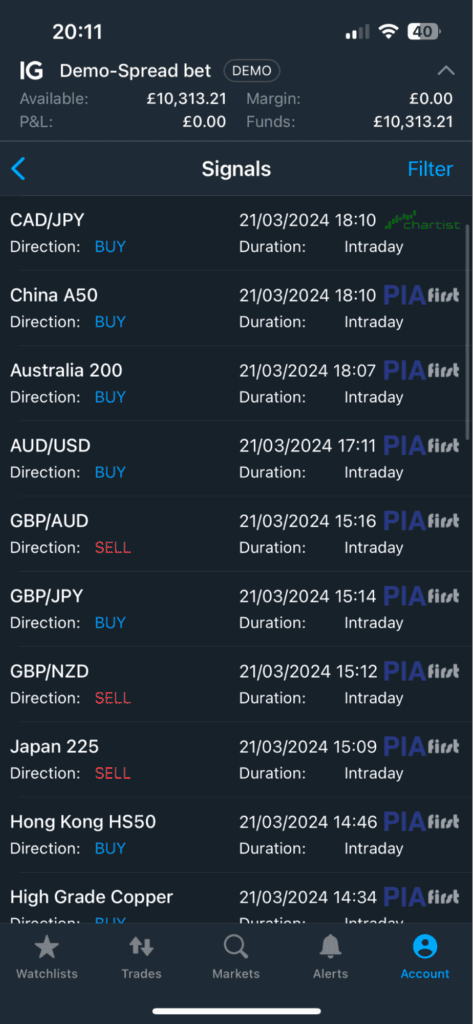
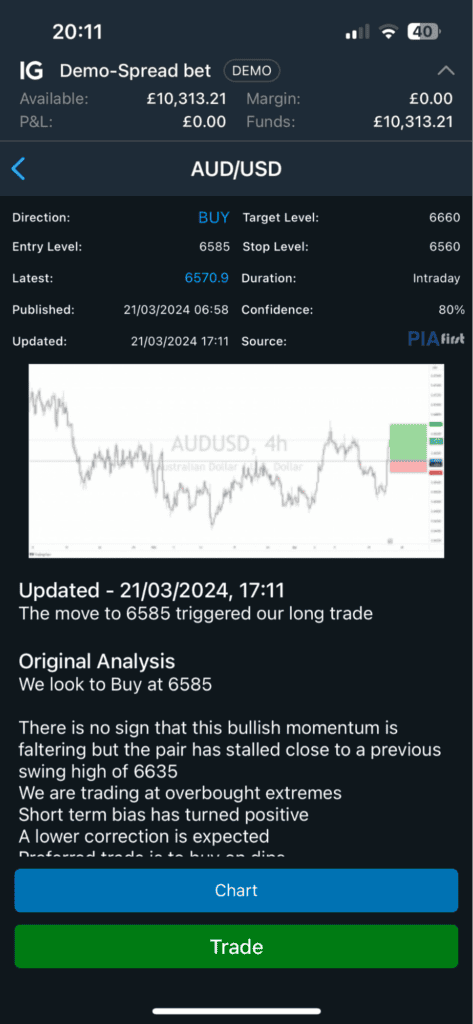
One feature we were drawn to was the built-in Signal Centre on the platform, which offered chart pattern recognition tools from Autochartist and PIA First services. We set our platform up to test these signals and liked that each signal given had commentary and analysis. Plus, tastyfx has a feature to copy the prices into an order ticket to execute the trade fast.
Most traders can go from “Create Live Account” to their first trade in under 10 minutes on tastyfx. Tastyfx now offers three live account types: Standard, Zero+, and Prime, along with Demo accounts and IRA accounts for tax-advantaged retirement trading. The platform is user-friendly with consistent execution speed for trades from 0.01 to 1,000 standard lots.
Frequent traders might even earn rebates on spreads, which we found to be highly competitive among the best forex brokers for beginners traders. For example, tastyfx’s average spread on EUR/USD was 0.8 pips, better than the 1.24-pip industry average.
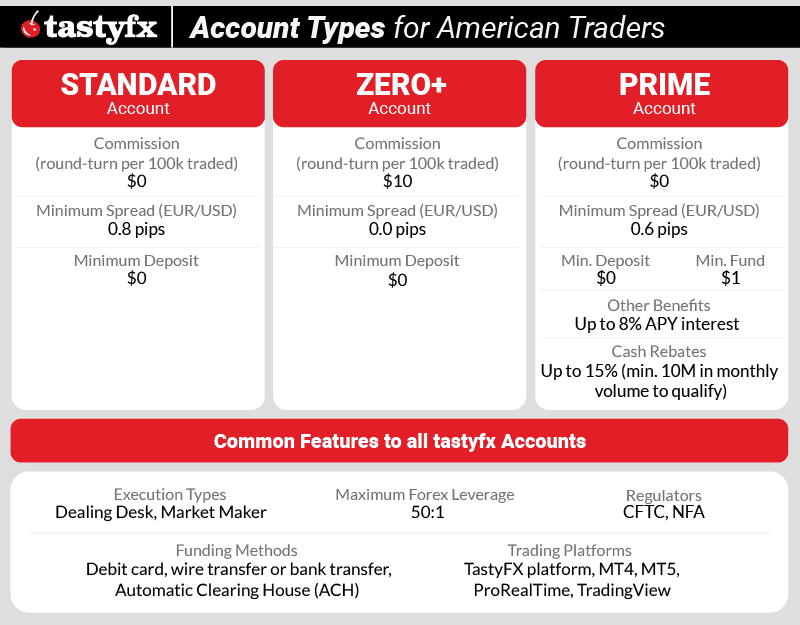
Tastyfx screenshots
3. FOREX.com

Average spread
EUR/USD = 0.1 GBP/USD = 0.1 AUD/USD = 0.45
Platforms
MT4, MT5, TradingView, Forex.com Trading Platform
Minimum deposit
$100
Why We Recommend FOREX.com
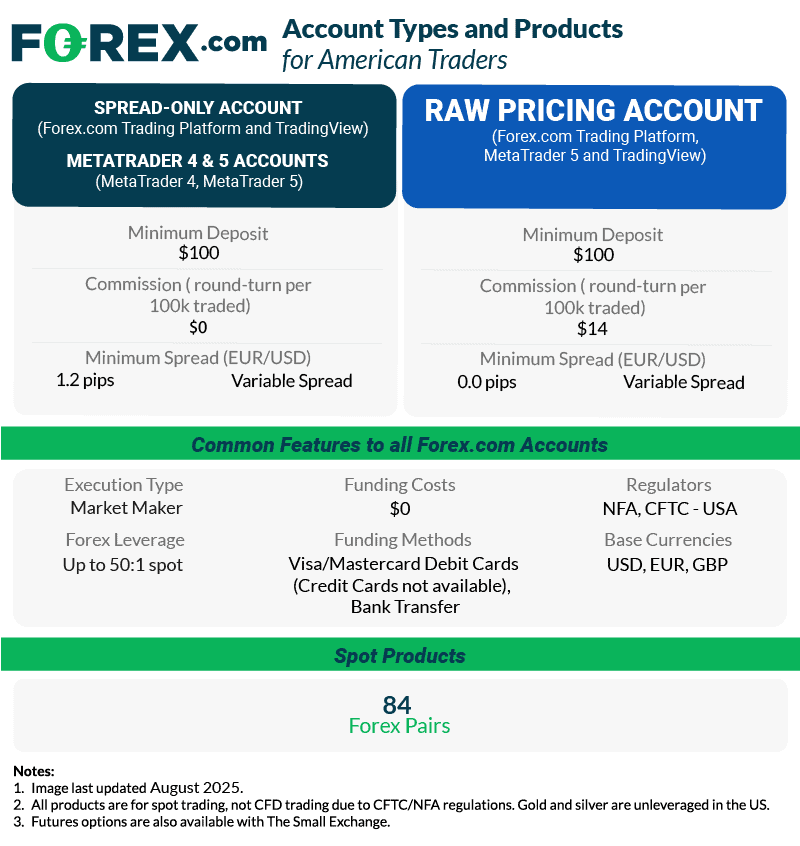
We recommend FOREX.com for competitive spreads for American traders. According to our tests, this broker offers spreads as low as 1.2 pips for the EUR/USD pair on the Standard Account. We appreciate that, unlike most NFA-licensed brokers, FOREX.com gives US clients a choice of two account types: Standard and RAW Spread.
FOREX.com also stands out for its selection of products to trade. You’ll have access to 83 currency pairs.
Pros & cons
- Dedicated account manager
- Competitive spreads
- A wide range of currency pairs
- Limited customer service contact methods
- High minimum deposit
Broker Details
In our tests, we traded with a RAW account, as they are one of the few NFA-regulated brokers offering this account type. We found that the RAW account averages 0.0 pips on EUR/USD, with a commission of $7.00 per lot traded, which is competitive for NFA-regulated brokers. This pricing structure can suit you if you trade frequently, as the tight spreads and fixed commission costs can give you stable trading costs, even during volatile markets.
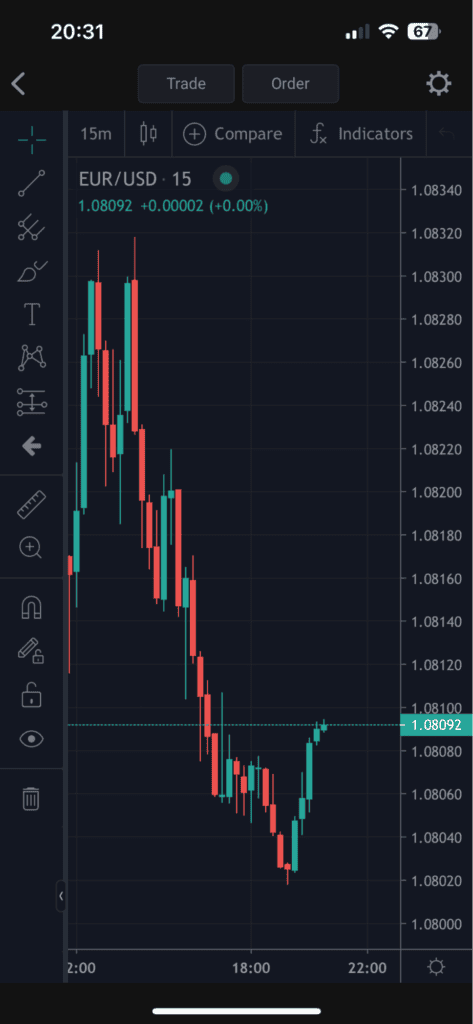
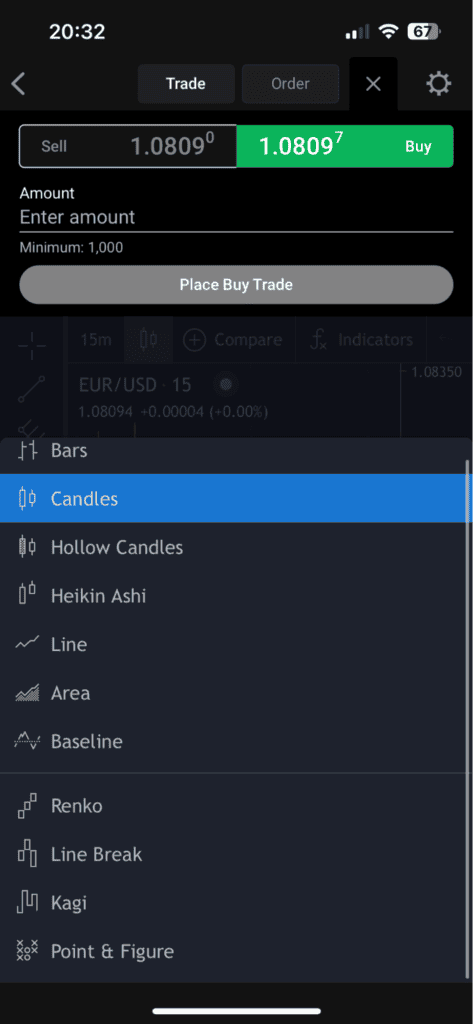
FOREX.com has a decent range of trading platforms catering to different traders, such as MetaTrader 5, MetaTrader 4, and TradingView. The integration of TradingView’s charting capabilities within the Web Trader platform caught our attention.
With over 80 technical indicators and 50+ drawing tools at your disposal, you gain access to comprehensive charting resources, enabling in-depth market analysis directly from your mobile device or desktop. The combination of tight spreads and advanced features makes FOREX.com one of the lowest spread forex brokers in the US market.
74% of retail investor accounts lose money when trading CFDs and FX with this provider.
FOREX.com screenshots
4. Interactive Brokers

Average spread
EUR/USD = N/A GBP/USD = N/A AUD/USD = N/A
Platforms
IBKR Workstation, IBKR Global Trader, IBKR Mobile
Minimum deposit
$0
Why We Recommend Interactive Brokers
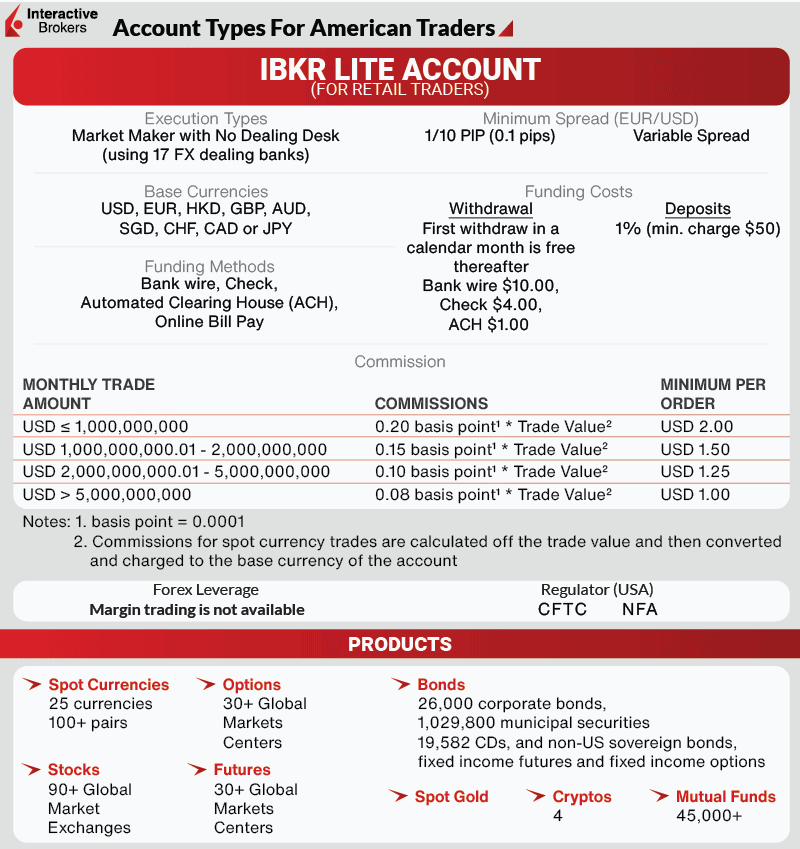
We recommend Interactive Brokers (IBKR) for advanced traders in search of low commissions. Rather than charge a flat fee, this innovative broker bases your commission on the size of your trade with a cap of 0.8 basis points. Couple this with spreads as tight as 0.1 pips and IBKR stands out as a great choice for low trading costs.
We also appreciate IBKR’s proprietary trading platform, which includes tools and features uniquely suited to experienced traders. The customizable interface adds an extra layer of efficiency.
Pros & cons
- $0 minimum deposit
- No inactivity fees
- No withdrawal fees
- Tight spreads
- Limited trading platform range
- Slow customer service
- Extended account opening process
Broker Details
Compared to most brokers, Interactive Brokers has a unique pricing model that charges commissions based on basis points rather than fixed fees. In our tests, we found the broker charges 0.20 basis points per lot traded, which equates to $2 per lot traded, one of the cheapest commissions we’ve seen. However, we noticed a $2.00 minimum commission, making trades smaller than one lot relatively expensive, which will put off traders with smaller accounts.
During our testing, we were impressed by Interactive Brokers’ tight spreads, starting from 0.1 pips on the EUR/USD pair, which is about average for US brokers with commission-based accounts. In our opinion, if you frequently trade at least one lot or higher, Interactive Brokers could be a top choice, potentially saving you substantial amounts in trading costs.
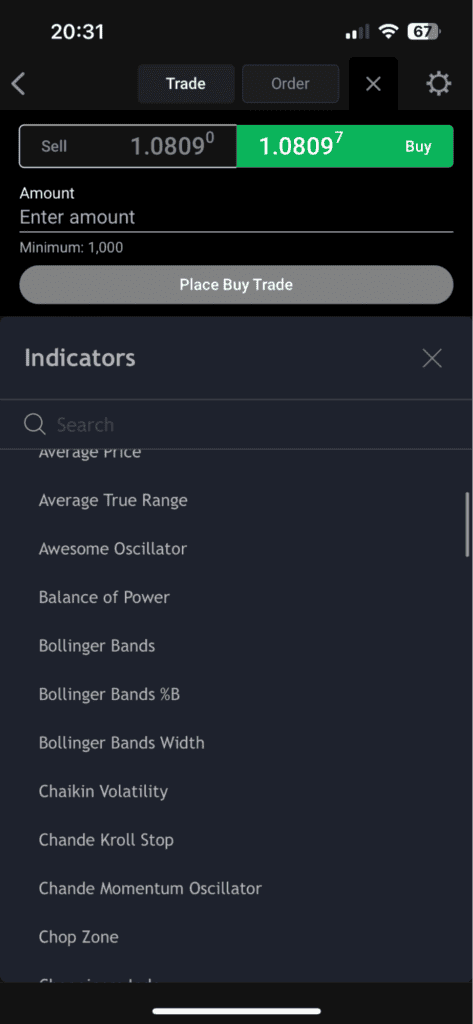
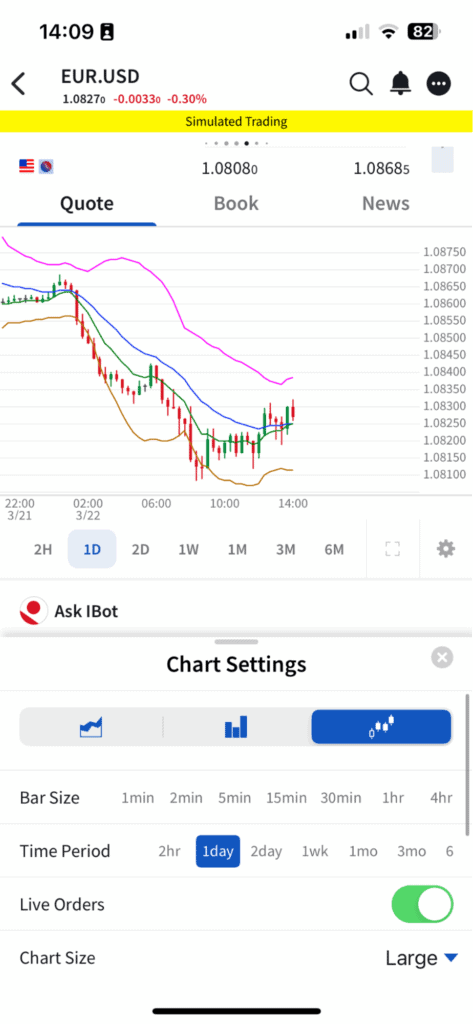
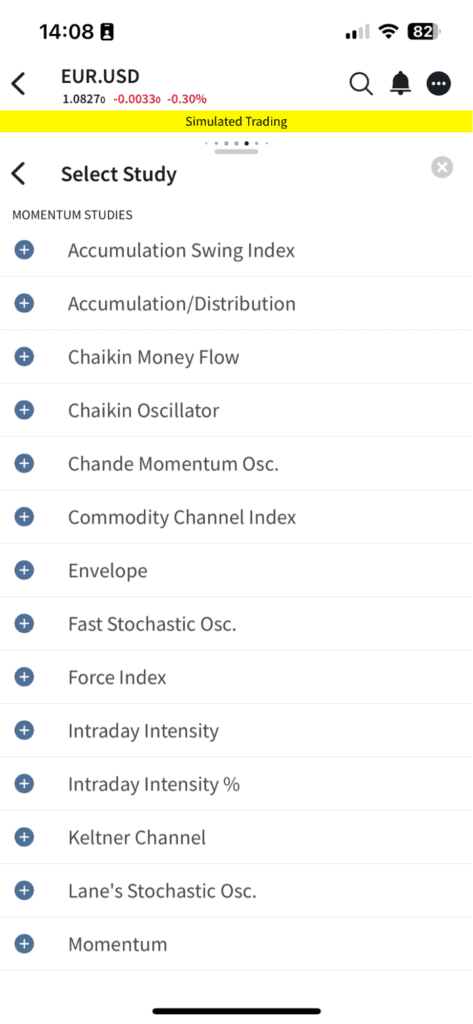
While reviewing Interactive Brokers, we utilized the IBKR Mobile App, their proprietary trading platform. The charts offer over 60 indicators and three chart types, providing plenty of choices for market analysis on a mobile device.
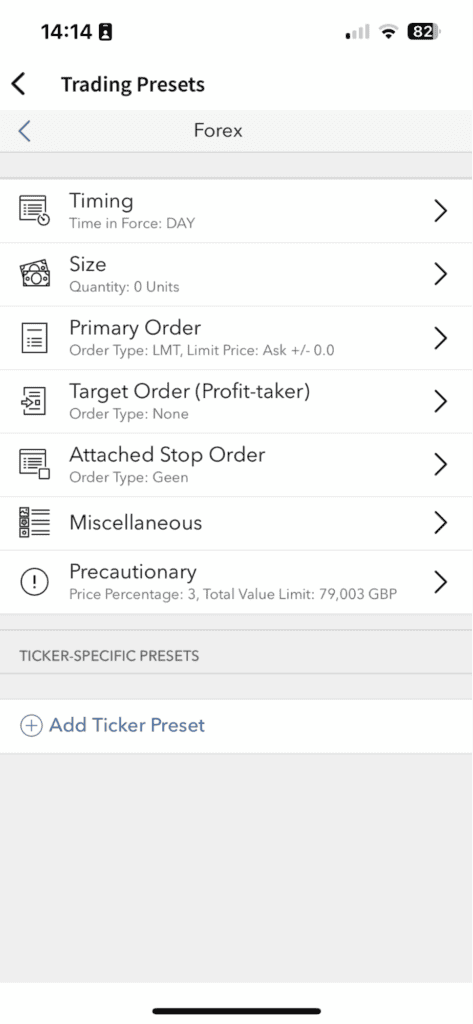
A standout feature was the trade settings, allowing us to set default trade sizes, stop-loss, and take-profit limits (e.g., 20 pips), streamlining the trade ticket completion process with your preferred settings. After setting this up, we found executing the trades on our phone much quicker.
Interactive Brokers screenshots
5. eToro

Average spread
EUR/USD = 1.0 GBP/USD = 2.0 AUD/USD = 1.0
Platforms
eToro
Minimum deposit
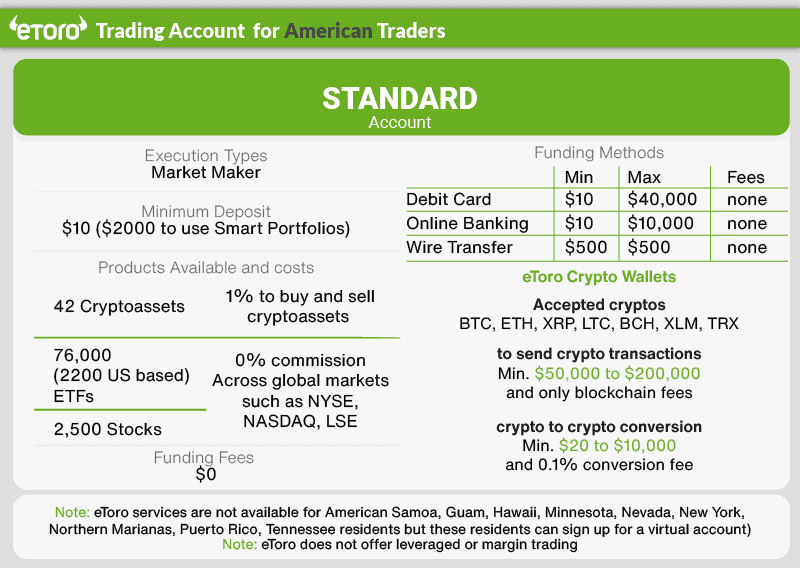
$50
Why We Recommend eToro
We recommend eToro for its unique range of trading products and commitment to copy trading. As the leading copy trading platform in the US, eToro’s CopyTrader feature allows account holders to mirror vetted professional investors, while SmartPortfolios distribute your trading budget across ‘baskets’ of complementary products. If you’re interested in trading Bitcoin or altcoins, eToro offers the most comprehensive selection of any US broker.
It also provides a straightforward, low-stress entry point to day trading for those not yet ready for advanced charting and technical analysis.
Pros & cons
- Abundant educational resources
- Beginner-friendly interface
- A wide range of cryptocurrencies
- The trading platform lacks some features
- Not licensed in all US states
- Higher-than-average spreads
Broker Details
eToro is a popular broker in the US after it simplified the process of capitalizing on higher-risk assets like forex and crypto markets through its CopyTrader platform. The broker has an extensive market range, covering 7,000+ traditional markets like forex and stocks, but now includes 230+ crypto markets, which is excellent if you want to test the water of the crypto markets with a trusted broker.
The CopyTrader platform allows you to mirror the positions of experienced traders, which is useful if you are a beginner or do not have the time to trade manually. By leveraging the expertise of successful traders, you can gain exposure to markets like Bitcoin and potentially profit from it without learning how to trade.
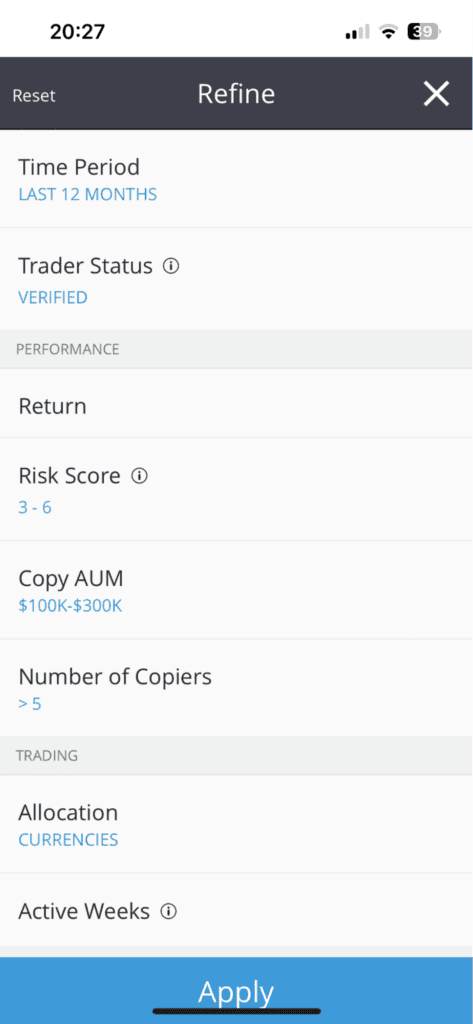
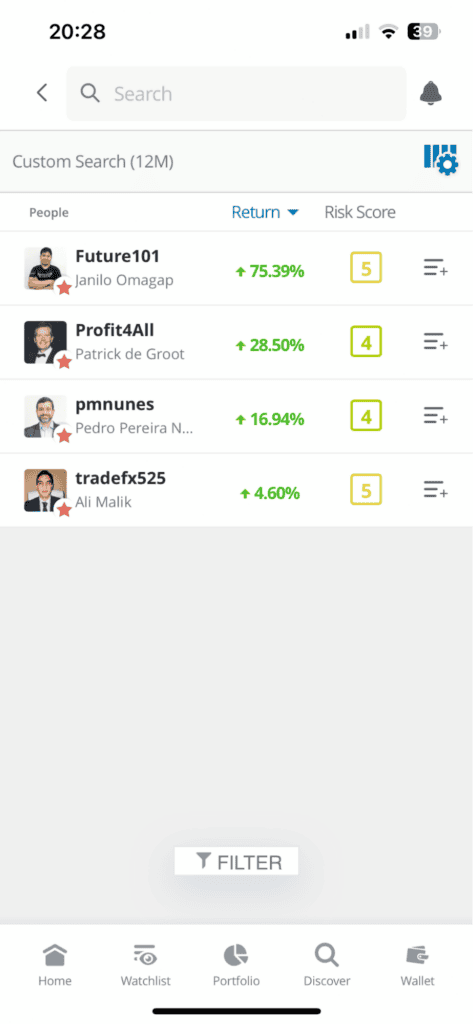
During our tests, we found eToro’s CopyTrader platform easy to set up, and accessing other traders was made simple through the filter tool. This allowed us to fine-tune the copy trader selection process by filtering traders who meet our specific trading criteria. This allowed us to narrow down over 30,000,000 options to just four, giving us an easier list of traders to validate.
Another feature we appreciated was the ability to choose traders based on their market specialization. We were able to find traders who specialize in cryptocurrencies and diversify our portfolio by allocating capital across the top three performers in this market. This approach allowed us to explore the crypto markets and mitigate the risk of copying a single trader.
eToro screenshots
6. Trading.com

Average spread
EUR/USD = 1.2 GBP/USD = 1.8 AUD/USD = 1.2
Platforms
MT5
Minimum deposit
$50
Why We Recommend Trading.com
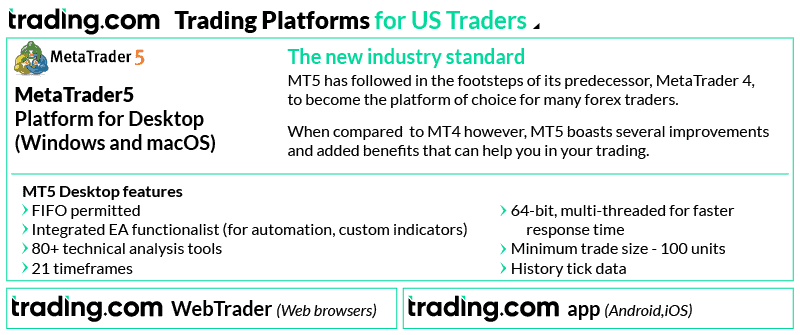
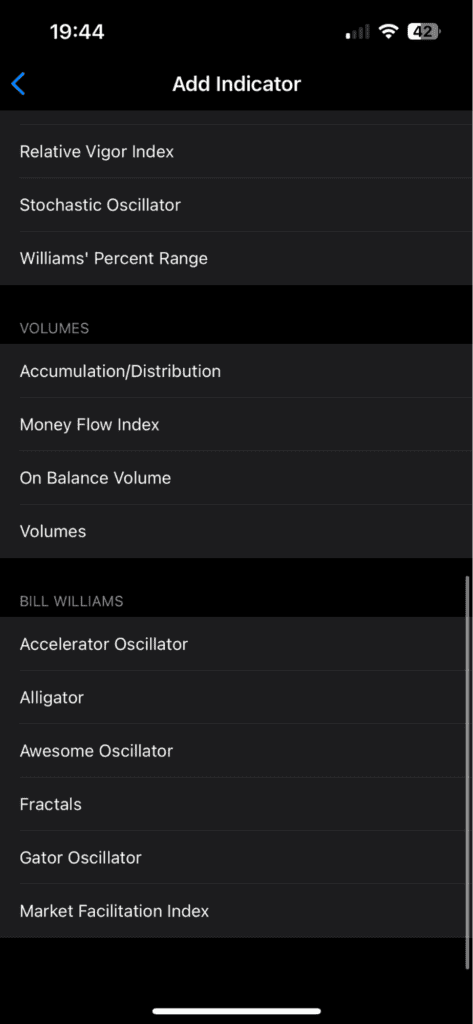
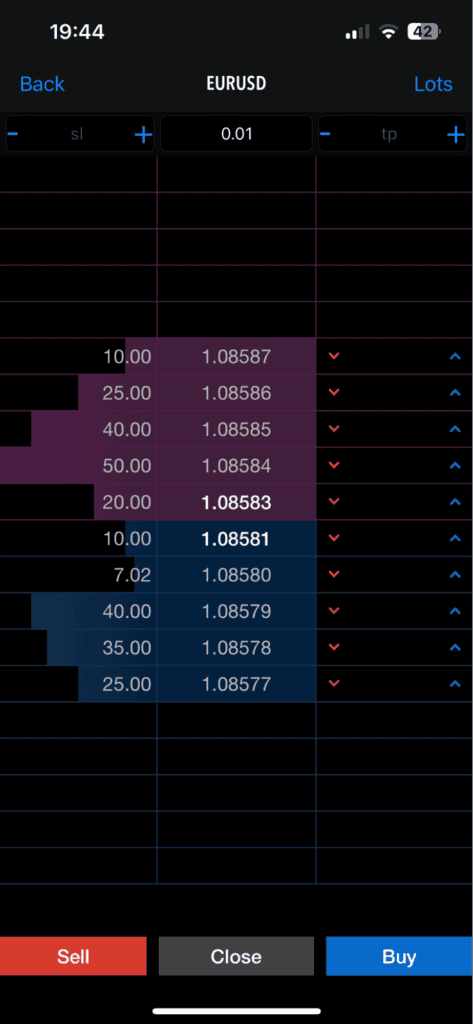
Trading.com stands out as one of the few US brokers offering dedicated MetaTrader 5 access on mobile, giving you professional-grade charting with over 38 technical indicators. The app mirrors MT5’s desktop capabilities, including automated trading with Expert Advisors and the Depth of Market tool for real-time order flow analysis.
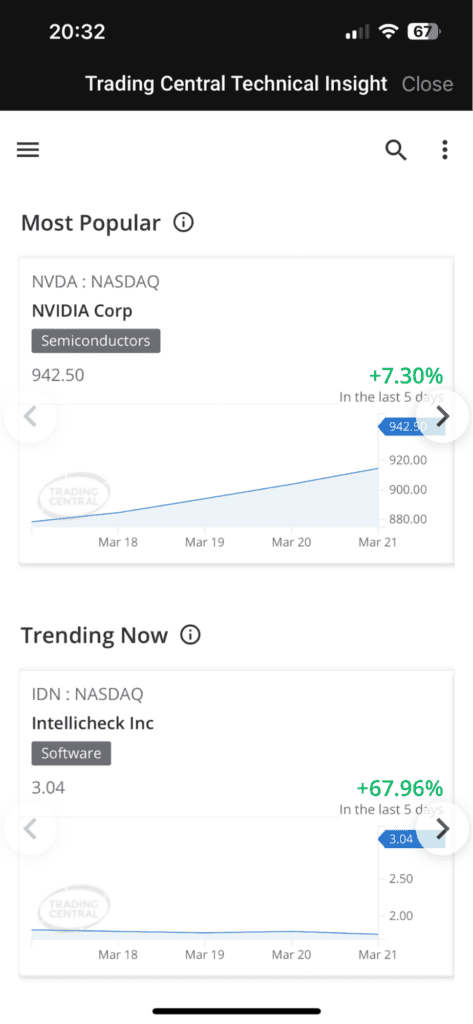
I found the T1 account offers competitive spreads averaging 1.0 pip on EUR/USD with no commissions, and you only need $50 to get started. The mobile app also integrates Trading Central’s sentiment indicators and trading signals alongside MT5’s technical analysis tools. With 70+ forex pairs and 24/5 live chat support, the broker provides a solid mobile trading experience whether you prefer manual or automated trading.
Pros & cons
- Comprehensive MetaTrader 5 offering
- Low minimum deposit
- 24-hour account activation
- No mobile app
- Newcomer to the market
- Limited products to trade
Broker Details
We appreciate MetaTrader 5’s extensive arsenal of technical indicators and analytical objects. With over 38 technical indicators, including trend-based and oscillation/momentum-based tools like Fractal Adaptive Moving Averages and Ichimoku Kinko Hyo, you have a comprehensive suite to dissect price action. The 44+ analytical objects further augment your market analysis capabilities. In our tests, we found this robust toolkit invaluable for identifying potential trade setups and refining entry/exit strategies.
The Depth of Market (DOM) tool in MetaTrader 5 caught our attention. It can give you raw information on the current order flow and valuable knowledge if you are a scalper. Its real-time insights into market liquidity and order book dynamics enable swifter execution and more informed trading decisions.
By leveraging DOM’s order flow analysis, you can better gauge market sentiment, anticipate potential price movements, and fine-tune your entry/exit points for optimal risk management. In our opinion, this feature sets MT5 apart for traders seeking a competitive edge.
Trading.com’s spreads impressed us with their competitive pricing during our live testing. We observed an average one-pip spread on EUR/USD, undercutting the industry average of 1.24 pips.
Furthermore, when we compiled the spreads from the top 5 major pairs, Trading.com averaged 1.30 pips, once again, lower than the industry standard of 1.55 pips. These tight spreads can translate into substantial cost savings over time, especially for active traders executing high trade volumes.
| Broker | Major Pair Average Spread |
|---|---|
| OANDA | 0.70 |
| IC Markets | 0.76 |
| Fusion Markets | 0.99 |
| Admirals | 1.04 |
| Eightcap | 1.06 |
| Go Markets | 1.08 |
| OctaFX | 1.10 |
| TMGM | 1.16 |
| ThinkMarkets | 1.22 |
| Axi | 1.24 |
| eToro | 1.30 |
| FP Markets | 1.30 |
| Trading.com | 1.30 |
| CMC Markets | 1.35 |
| Exness | 1.36 |
| XTB | 1.36 |
| IG | 1.38 |
| Pepperstone | 1.40 |
| Blackbull Markets | 1.42 |
| HugosWay | 1.42 |
| Saxo Markets | 1.48 |
| AccuIndex | 1.50 |
| MultiBank Group | 1.54 |
| Vantage FX | 1.54 |
| FXCM | 1.60 |
| Tickmill | 1.60 |
| FxPro | 1.62 |
| Axiory | 1.62 |
| Forex.com | 1.66 |
| Markets.com | 1.78 |
| Plus500 | 1.86 |
| Swissquote | 1.92 |
| TradersWay | 2.04 |
| FXTM | 2.12 |
| BlackWell Global | 2.52 |
| Industry Average | 1.52 |
Trading.com screenshots
7. Charles Schwab

Average spread
EUR/USD = N/A GBP/USD = N/A AUD/USD = N/A
Platforms
thinkorswim desktop, thinkorswim web, thinkorswim mobile, Schwab.com, Schwab Mobile
Minimum deposit
$0
Why We Recommend Charles Schwab
Charles Schwab provides brokerage services for futures, commodities, and forex. Formerly known as TD-Ameritrade, Charles Schwab is highly recommended for its wide range of financial markets available to US traders, including stocks, ETFs, mutual funds, futures, bonds, and indices.
The broker’s proprietary platform, thinkorswim, offers advanced charting tools and high customization options. While it has a steep learning curve, it’s well-suited for traders seeking detailed analysis and flexible trading capabilities.
Pros & cons
- $0 commissions for online listed trades
- Powerful trading platform
- Great range of markets to trade
- Limited Forex Pair
- Potential for Higher Fees on Some Services
- Complex Platform for Beginners
- No Direct Access to ECNs
Broker Details
Charles Schwab powered by TD-Ameritrade is a comprehensive multi-asset broker, offering access to 65 forex pairs and over 20,000 markets, including mutual funds. This makes it a convenient choice for consolidating all your investments with a single broker, from standard accounts for growth to traditional retirement accounts like Roth IRAs.
In forex trading, Charles Schwab provides competitive spreads starting at one pip for EUR/USD with no commissions. Traders can use leverage up to 1:50 for major pairs and 1:20 for exotic pairs, catering to both conservative and more aggressive strategies.
For traders comparing execution models, Charles Schwab operates differently from best ECN brokers, using a dealing desk structure that suits investors prioritizing simplicity over direct market access.
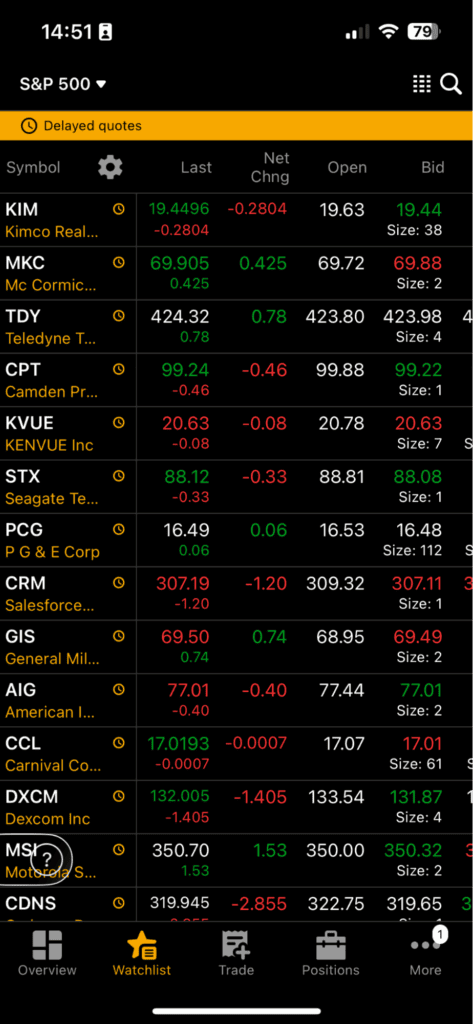
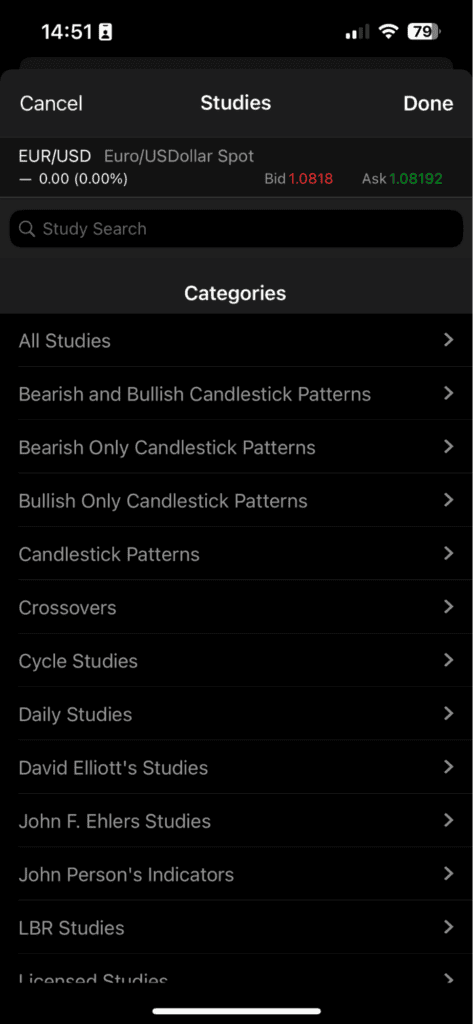
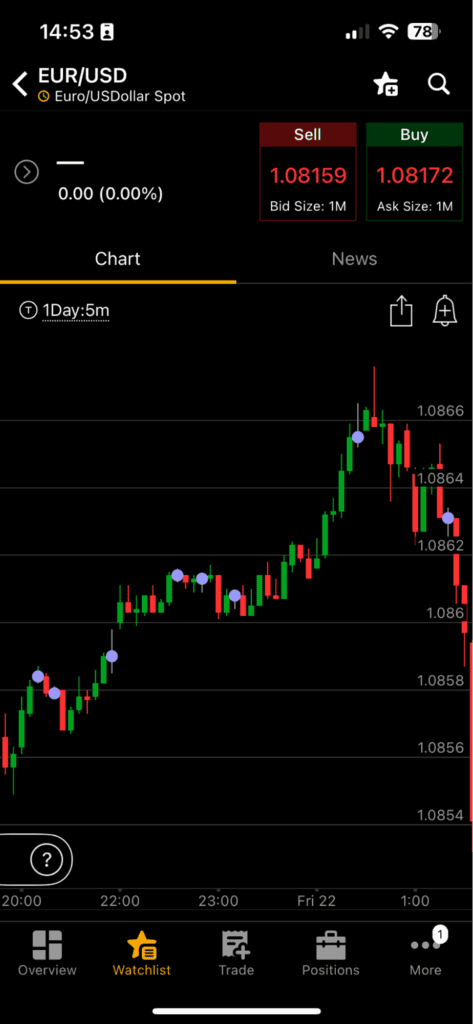
The Thinkorswim app by Charles Schwab is a versatile tool, featuring over 300 indicators for detailed market analysis. It includes advanced tools like the Simple Cloud (TSC), Schaff Trend Cycle (STC), and Standard Deviation Channel (SDC). Setting up these indicators is easy, just tap on the chart to add them, making it a strong choice for traders who rely on technical analysis.
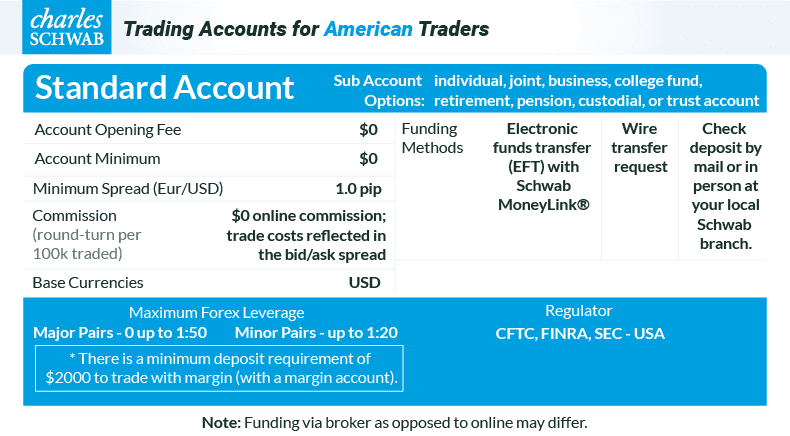
Charles Schwab screenshots
How To Choose The Right Trading App For Forex Trading
Picking the best forex trading apps starts with prioritizing regulation and low costs in terms of spreads and fees. You also want to look for reliable and fast execution time and proper stop-loss.
If I scalp I want an app that allows me to pick between market or limit orders in a few seconds. For doing swing trades, I want functionality such as advanced order types or trailing stops. If you are looking for copy or social trading, you have to ensure these features are also offered.
As a professional trader I also occasionally use my phone to trade on the go. For this reason I want to have the full functionality and features of desktop apps.
I recommend starting with a checklist of your specific needs: do you require advanced charting, or is lightning-fast execution your main priority? By comparing the best forex brokers in the US, you can see which ones offer standout proprietary apps.
1. Regulatory Status For US Forex Traders
If you are trading from within the United States, it’s crucial to ensure your broker is registered with the CFTC and is a member of the NFA.
These enti enforce strict capital requirements and “no-hedging” rules that protect you as a retail trader. After picking a competitive best forex brokers, I specifically check if they provide transparent reporting and segregated accounts.

2. Charting Tools To Consider In Apps
Doing charting on a smaller screen can be challenging, but it’s crucial to help pick your stop loss and take profit levels. I mainly look for apps that provide high-resolution candlestick charts and multiple timeframes.
When I trade, I primarily look at volume and price, but having some technical indicators available is always a plus. Some of the trading tools I find most useful are apps that include custom indicators. If you prefer scalping or swing trading, ensure you get access to proper lower time frames.
How Trade Execution Impacts App Performance
Trade execution speed can be the difference between you making a profit and a slippage-induced loss. For mobile apps, one-tap execution is non-negotiable and I want to quickly toggle between order types.
As a US-based trader, I look at how the app handles trading hours and price updates during high volatility. You want your trading app to remain stable during FOMC meetings or major news with minimal slippage.
What Forex Pairs Can I Trade On Apps?
I usually look for an app that offers the “Majors” like EUR/USD and GBP/USD with very tight spreads. If you like to trade exotic or minor pairs, it’s crucial you check the actual spreads before committing.
I find that institutional forex brokers have the most variety in terms of forex pairs, and based on my experience, lower spreads in general. If you trade certain pairs that are less common, you should check if they are supported.
In general, look for brokers that offer more than 50 forex pairs, as this is also correlated to being a well established broker.
What Algorithmic Trading Platform App Is Preferred?
If you are big on automation or wiring your own MQL code to set up trades at set conditions and times, look for algorithmic support. I’ve found that automated forex trading platforms have come a long way in terms of mobile accessibility as well.
There are many great options like OANDA or Interactive Brokers, as they support algorithmic trading, VPS hosting and indicator based algos. Overall in 2026 there are multiple competitive apps that come with great value propositions in terms of features.
I look for platforms that offer cloud-based hosting for these algorithms, so my trades continue to execute even if my mobile app is closed or I lose connection.
What MT4 Broker Has The Best Trading App?
I believe MetaTrader 4 remains the industry standard, and finding the right best MT4 forex brokers is essential if you are used to it. MT4 mobile app is a standalone product developed by MetaQuotes, but this does not make all brokers that offer it equal.
Your experience is largely dictated by the broker’s server speed and the spreads they offer through the platform.The best MT4-compatible apps I’ve used are those that offer additional “Smart Trader Tools” or plugins.
What mobile platform is best for AI?
When I look for AI trading platforms, I pick apps that offer machine learning to provide sentiment analysis or predictive price modeling. The tech has gotten so advanced, that many AI mobile platforms can generate trade ideas or recognize patterns automatically.
Platforms like FOREX.com or TastyFX give you AI-driven technical analysis and custom APIs. It’s also a big plus if you have the feature to turn on notifications for real-time alerts.
Trading App Comparisons In Other Regions
You can compare trading apps in Malaysia and Canada through the links that follow.

Our reviews are reader-supported. We may receive payment when you click a link to a partner site. Learn how we make money.
FAQs
How to download a forex trading app?
How to use a forex trading app?
What is the most accurate forex trading app?
What trading app is best for Android?
What trading app is best for iPhone?
About the author

Justin Grossbard is the CEO & Co-Founder of CompareForexBrokers established in 2014, along with Noam Korbl and works as Strategic Head Of Research.