
Some of the abbreviations on this page are expanded to the regulator's full name: a broker regulated by ASIC is regulated by the Australian Securities and Investments Commission; by FCA, the Financial Conduct Authority; by DFSA, the Dubai Financial Services Authority; by CIRO, the Canadian Investment Regulatory Organization.
What is the best MT5 broker?
Pepperstone is the best MT5 broker, earning a rating of 98 with the fastest execution speeds and raw spreads from 0.1 pips on EUR/USD. IC Markets, rated 89, offers raw spreads from 0.02 pips and $7 round-turn commissions per 100,000 units. Both provide access to MT5 alongside cTrader and TradingView.
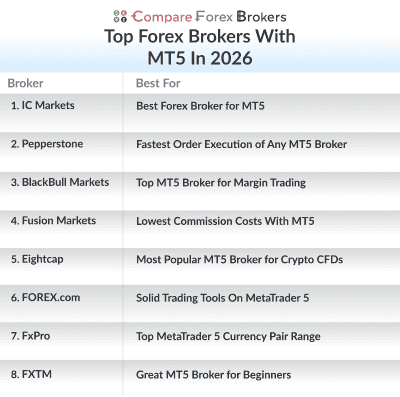
My list of the best brokers offering MT5 brokers in 2026 are:
Ordered by our overall rating, highest first.
- Pepperstone - Fastest Order Execution of Any MT5 Broker
- BlackBull Markets - Top MT5 Broker for Margin Trading
- Eightcap - Most Popular MT5 Broker for Crypto CFDs
- IC Markets - Best Forex Broker for MT5
- Fusion Markets - Lowest Commission Costs With MT5
- FOREX.com - Solid Trading Tools On MetaTrader 5
- FXTM - Great MT5 Broker for Beginners
- FxPro - Top MetaTrader 5 Currency Pair Range
Broker comparison table
| Rank | Broker | Score | Regulation | EUR/USD raw | EUR/USD standard | Commission | Min. deposit | Platforms | Leverage | Visit |
|---|---|---|---|---|---|---|---|---|---|---|
| 1 |  Pepperstone Pepperstone | 98 | ASIC, FCA, BaFin CySEC, DFSA | 0.1 | 1.10 | $3.50 | $0 | MetaTrader 4, MetaTrader 5, cTrader | 30:1 | Visit |
| 2 |  BlackBull Markets BlackBull Markets | 94 | FMA, FSA-S | 0.1 | 1.10 | $3.00 | $0 | MetaTrader 4, MetaTrader 5, cTrader | 500:1 | Visit |
| 3 |  Eightcap Eightcap | 91.8 | FCA, ASIC, CySEC SCB, FSA-S, FSC-M | 0.0 | 1.0 | $3.50 | $100 | MetaTrader 4, MetaTrader 5 | 30:1 | Visit |
| 4 |  IC Markets IC Markets | 89 | ASIC, FSA-S CySEC | 0.1 | 0.1 | $3.50 | $200 | MetaTrader 4, MetaTrader 5, cTrader | 30:1 | Visit |
| 5 |  Fusion Markets Fusion Markets | 85 | ASIC, VFSA, FSA-S | 0.03 | 0.83 | $2.25 | $0 | MetaTrader 4, MetaTrader 5, cTrader | 500:1 | Visit |
| 6 |  FOREX.com FOREX.com | 67.6 | FCA, ASIC, CIRO NFA/CFTC, CySEC, BaFin MAS, JFSA, CIMA, SFC | 0.1 | 1.2 | $6.00 | $100 | MetaTrader 4, MetaTrader 5 | 30:1 | Visit |
| 7 |  FXTM FXTM | 65.4 | FCA, FSCA, CySEC FSCM, CMA | 0.1 | 2.1 | $4.00 | $200 | MetaTrader 4, MetaTrader 5 | 30:1 | Visit |
| 8 |  FxPro FxPro | 58.5 | FCA, CySEC, DFSA SCB, FSC-M, FSCA, FSA-S | 0.64 | 1.44 | $3.50 | $0 | MetaTrader 4, MetaTrader 5, cTrader | 30:1 | Visit |
Figures marked advertised are the broker’s own published pricing; figures marked tested are our own measurements, carried over from global testing.
Broker reviews
1. Pepperstone

Average spread
EUR/USD = 0.1 GBP/USD = 0.2 AUD/USD = 0.1
Platforms
MT4, MT5, cTrader, TradingView, Pepperstone Trading App
Minimum deposit
$0
Why I Recommend Pepperstone
I liked how Pepperstone has the fastest order execution of any MT5 broker, which means your orders will be filled with minimum slippage. Pepperstone makes it dead easy to get started, especially if you’re keen on checking out the broker’s MetaTrader 5 capabilities.
Between 79.6% of retail investor accounts lose money when trading CFDs. You should consider whether you understand how CFDs work and whether you can afford to take the high risk of losing your money.
Pros & cons
- Fast execution speeds on MT5
- Competitive no-commission spreads
- Solid range of markets to trade
- Education resources are limited
- Lacks guaranteed-stop loss orders
- Demo account expires after 90 days
Broker Details
From my testing of Pepperstone, I discovered that the Australian broker offers some of the fastest speeds an MT5 broker offers, along with competitive spreads, easy account opening process, and top MT5 trading experience.
Fast Execution Speeds
While testing execution speeds of 20 top brokers, Pepperstone has offered me the third fastest execution speeds overall for an MT5 broker. Using limit and market orders, the broker recorded average limit orders speeds of 77ms and market order speeds of 100ms.
Only BlackBull Markets (72 and 90 ms) and Fusion Markets (79 and 77 ms) gave me faster execution speed results overall, when averaged out.
15/15 Account Opening Experience
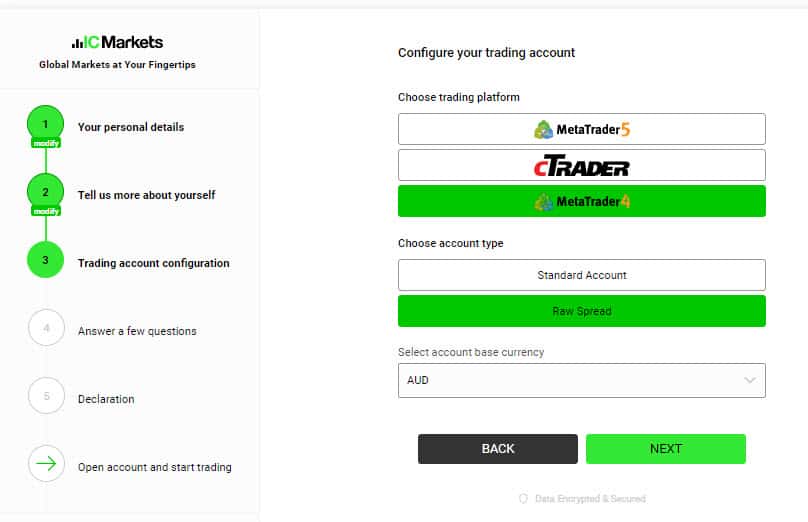
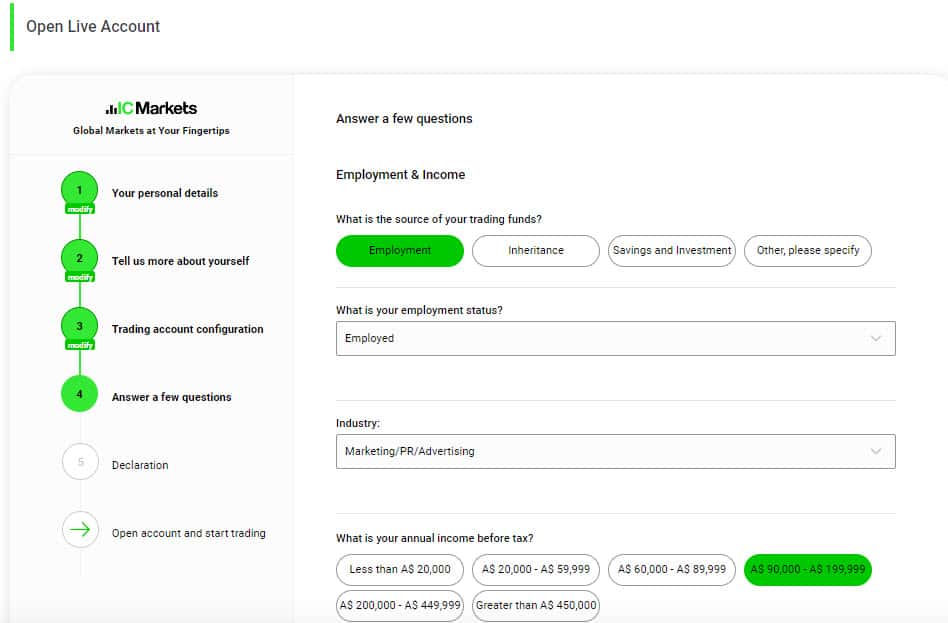
To give you a comprehensive review, I tested Pepperstone’s signup process and found the first thing you need to do is choose between a demo account and a live account. A demo account with Pepperstone is free for MT5, and what surprised me is that you don’t need to provide any documentation such as a passport or driver’s license or funding details such as your credit card. All you need to do is provide some basic personal details and verify your email or phone number, and you can test the MT5 trading platform and practice trading in just minutes.
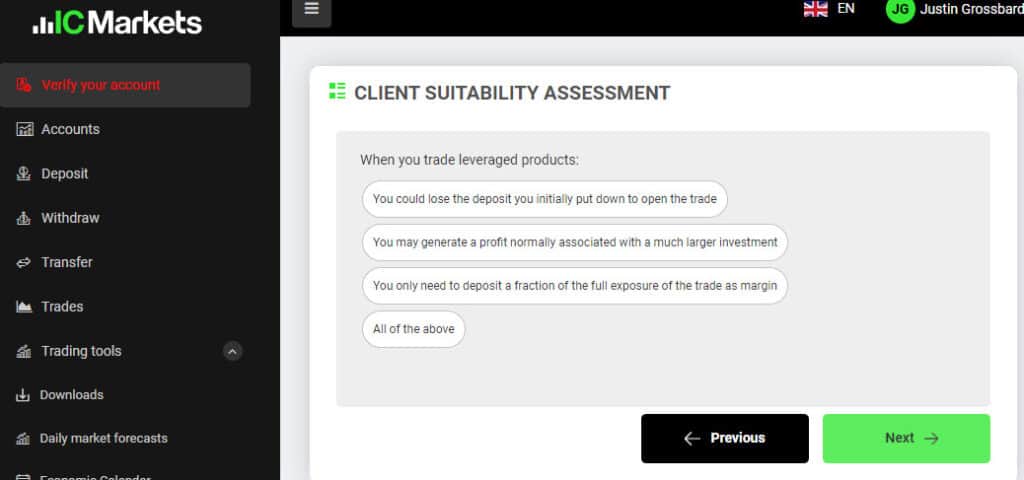
I also tested the live account opening process and found it very easy. The main challenge was the 7 questions for the appropriateness test to show I know what forex trading is and the risk involved, but if you do get one wrong, you can reset the test.
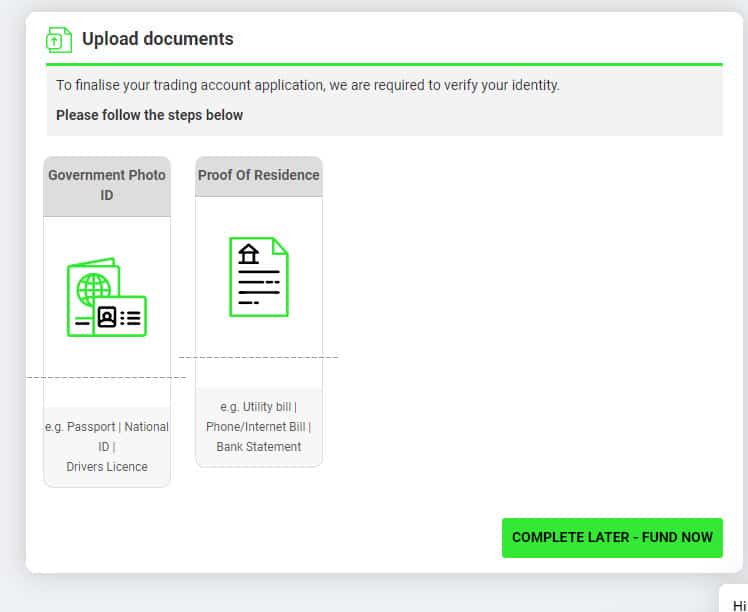
Once you pass, you need to upload documentation proof of who you are and your funding details. However, you don’t actually need to fund the account until you start trading, which I thought was a big plus. I couldn’t fault the signup experience with Pepperstone, so scored them 15/15.
Top MT5 Trading Experience
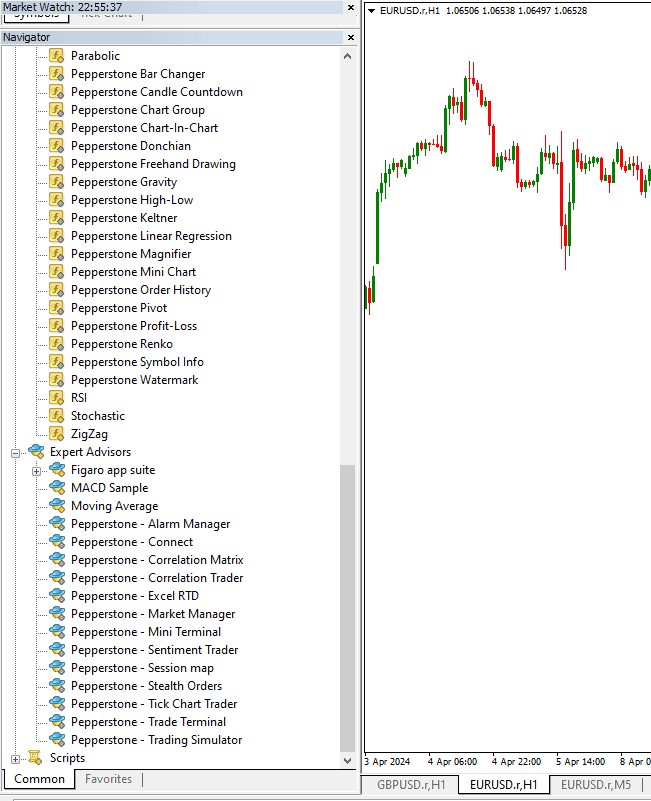
As you might’ve guessed from our name, the team at Compare Forex Brokers focuses our trading on forex. Me and my colleagues use MT4 by default because it is the most common and popular, but I have to admit that we’re big fans of the Pepperstone MetaTrader 5 trading experience.
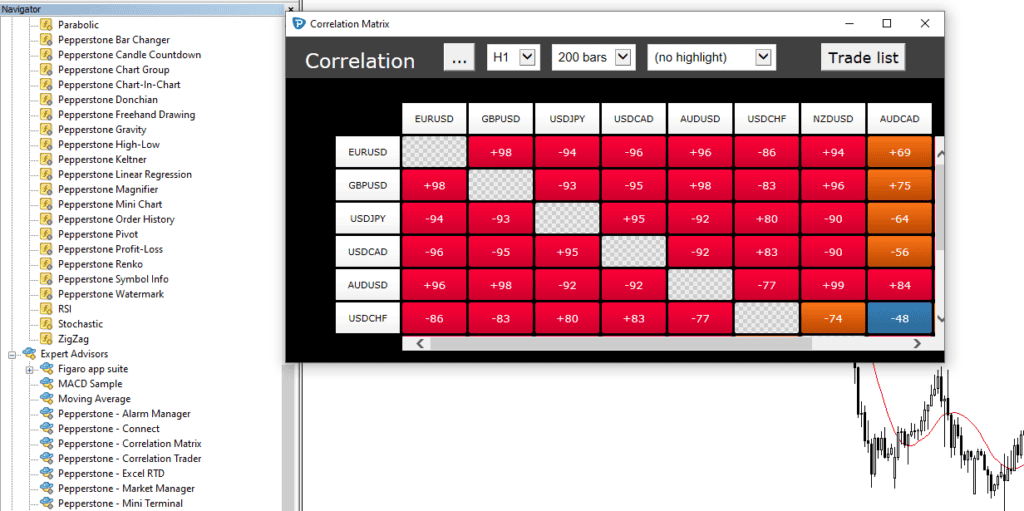
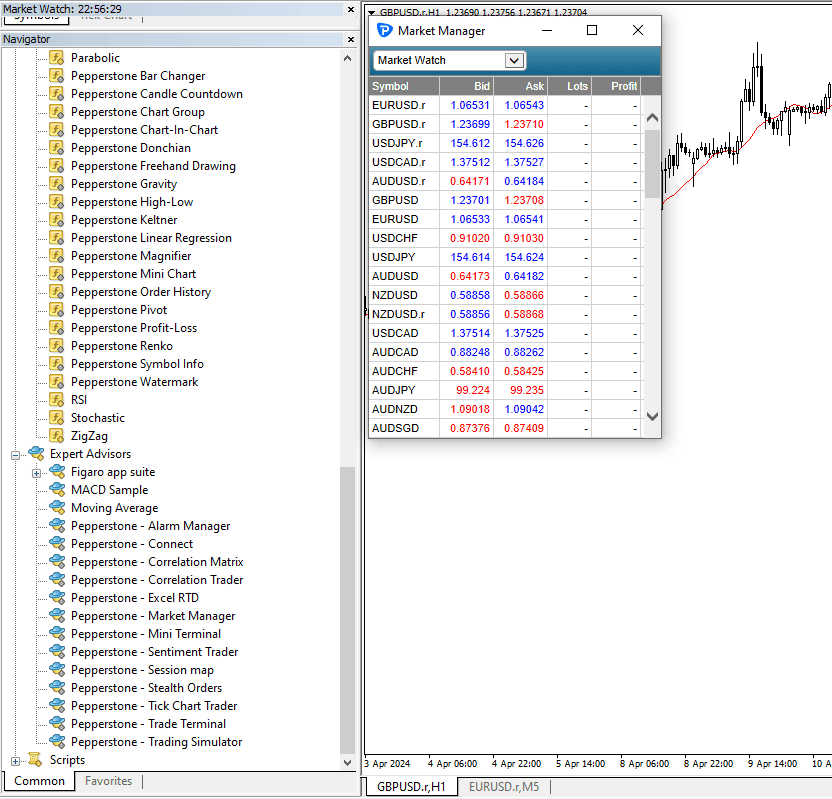
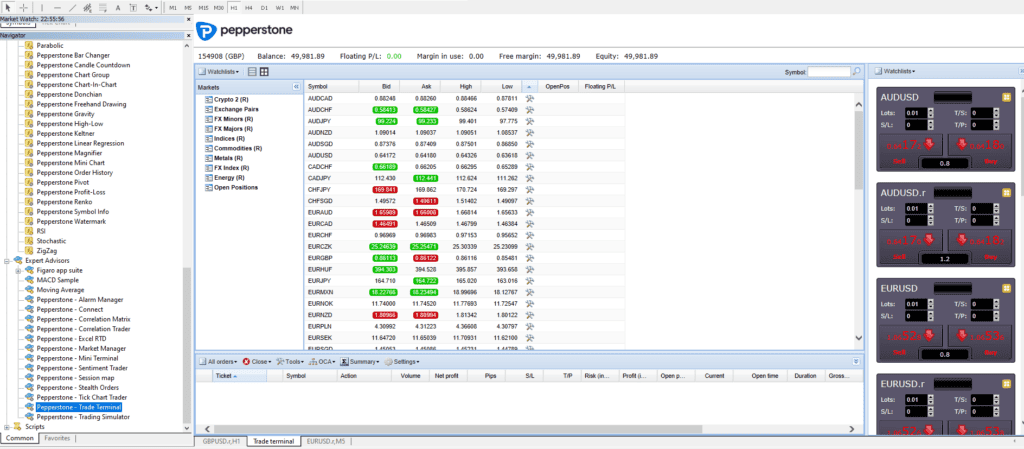
Dave and Sean, our testers, found the Trade Terminal and Market Manager tools especially useful for developing a big-picture, at-a-glance view of their trading activity. Sean also told me that he used the Correlation Matrix to identify a pattern he hadn’t previously noticed and opened a profitable position.
Pepperstone screenshots
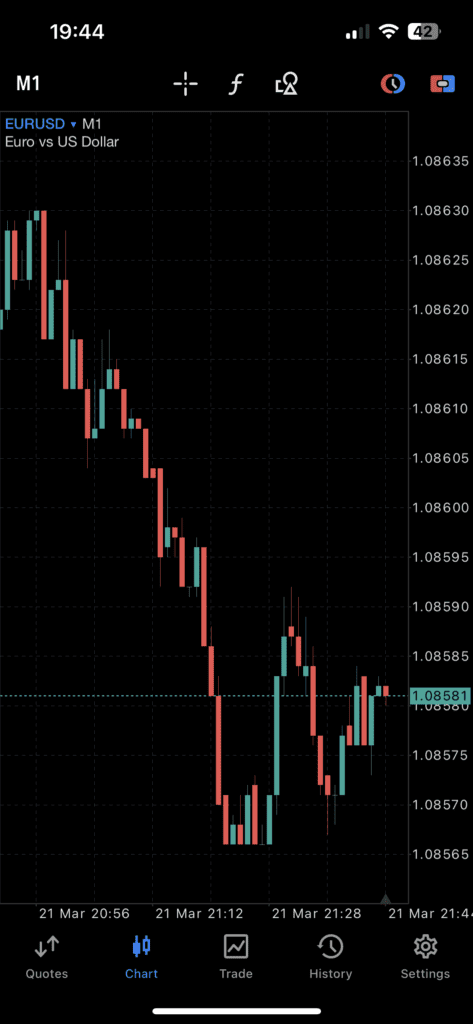
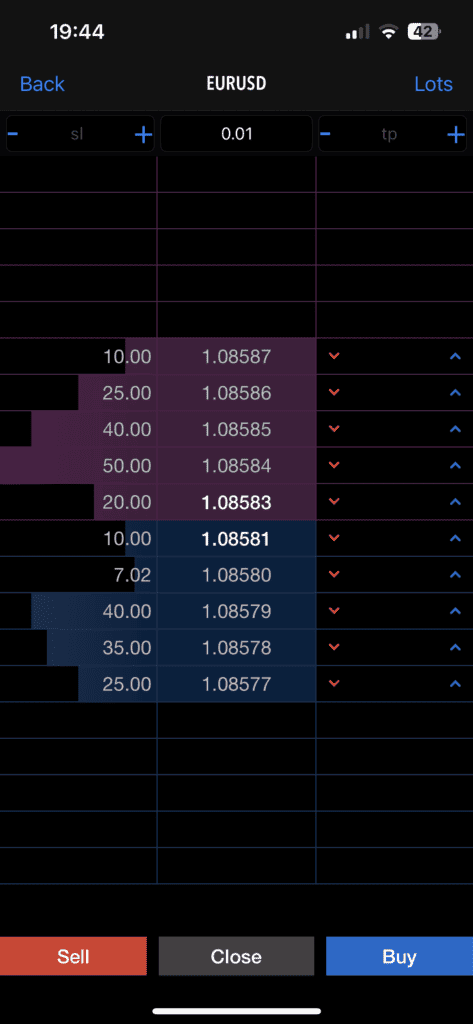
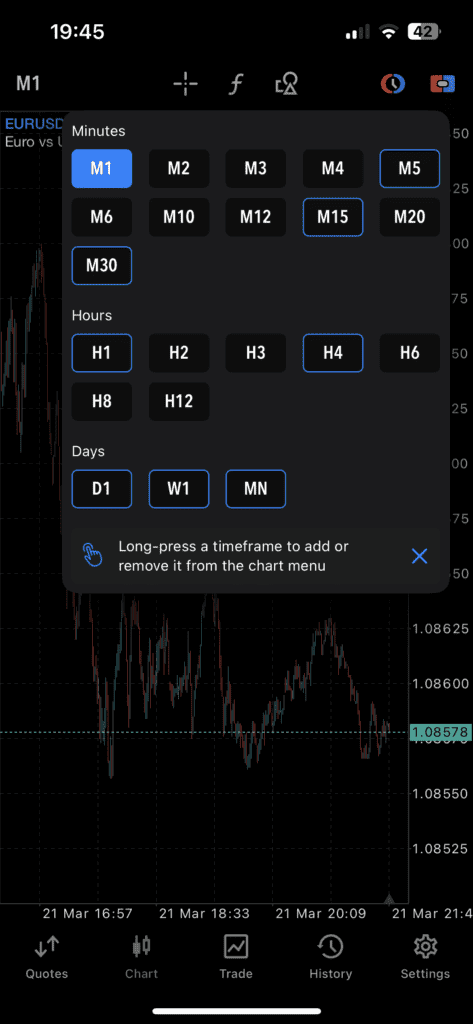
2. BlackBull Markets

Average spread
EUR/USD = 0.1 GBP/USD = 0.1 AUD/USD = 0.2
Platforms
MT4, MT5, cTrader, TradingView, BlackBull Social, BlackBull Shares, BlackBull Trade
Minimum deposit
$0
Why I Recommend BlackBull Markets
For me, BlackBull Markets nailed it in terms of execution speed, but what truly sets the broker apart is the generous leverage of up to 1:500, available to traders globally. Sometimes referred to as ‘trading on margin,’ leverage allows you to amplify the size of your position exponentially by borrowing money from your broker.
This high leverage is possible because the broker operates out of New Zealand, where the Financial Markets Authority (FMA) supervises brokers with less restrictive rules than many other regimes. If you’re keen on maximising your exposure while using MT5, then BlackBull Markets is my top recommendation.
Pros & cons
- Leverage up to 1:500 on forex
- Good range of trading products
- Low spreads
- Withdrawal fees
- Limited in-house analysis of the markets
- A high minimum deposit is required for ECN Prime
Broker Details
While BlackBull Markets has earned top marks for fast execution speeds, for me this broker stood out more for having 1:500 leverage on MetaTrader5. I would also like to mention their excellent platform tools which improved my overall trading experience on MT5.
Fastest Execution Speeds
Based on my execution speeds testing, BlackBull Markets is the fastest MT5 broker overall. The broker averaged execution speeds of 72 ms for limit orders and 90 ms for market orders, putting it at the top of my list.
In my opinion, having fast execution speeds is crucial when trading with BlackBull Market’s high leverage of 1:500. Lower latency can greatly reduce your risk of slippage, which high leveraged trading can amplify.
High 1:500 Margin on MT5
Sometimes called trading on margin, leverage lets you amplify your position size by borrowing capital from your broker. While this can lead to significantly larger profit margins if you’ve read the market correctly, it can also mean considerable losses if you fall victim to slippage or requotes.
Most regulators cap the amount of leverage a broker can offer non-professional traders at 1:20 or 1:30. BlackBull Markets, on the other hand, gives you access to leverage of up to 1:500 no matter where in the world you’re trading from. They can can offer high leverage because they are based in New Zealand, where the Financial Markets Authority sets leverage rules that are more relaxed than those of many other regulators.
Excellent Trading Platform Tools
Other with MT5, it was delightful to find that BlackBull Markets offers a decent range of platforms, including MT4, cTrader and TradingView. I’d also like to highlight the useful trading tool add-ons BlackBull Markets offers. If you’re a social trader, then you’ll have access to a MyFxBook integration for MetaTrader 4, as well as ZuluTrade and Hokocloud.
What stood out to me, however, was the broker’s offering of both a VPS (Virtual Private Server) and API FIX service, which gave me better trading connectivity, faster execution speeds and lower latency.
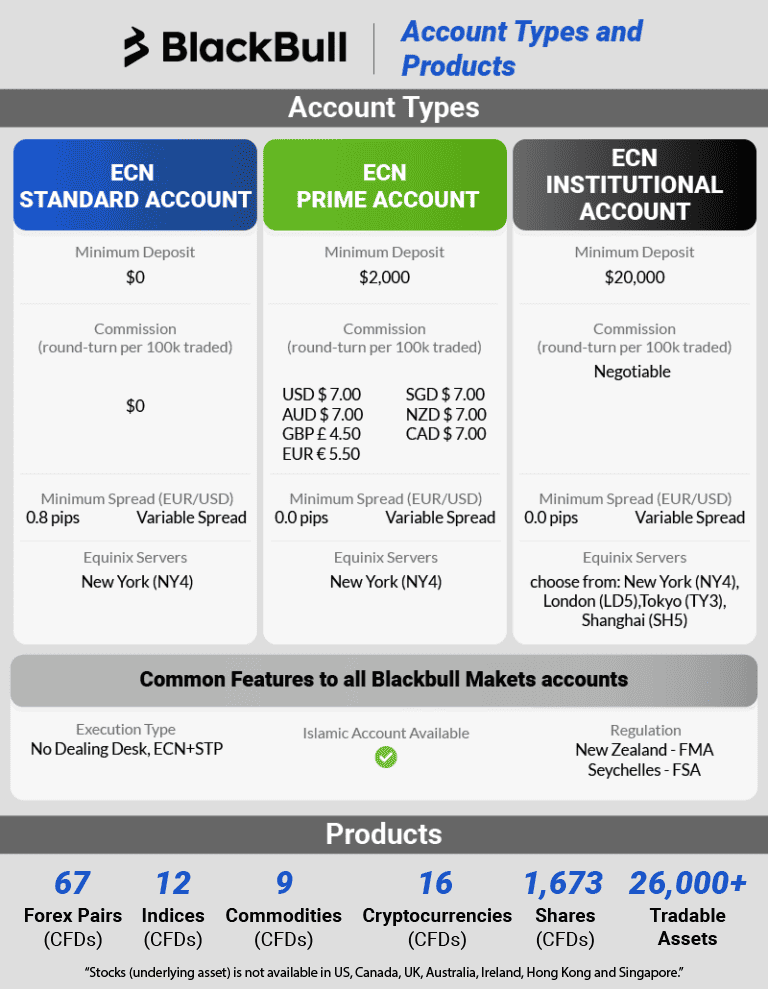
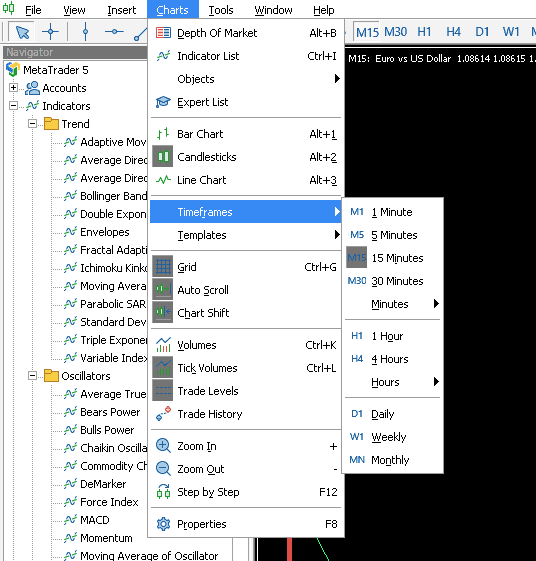
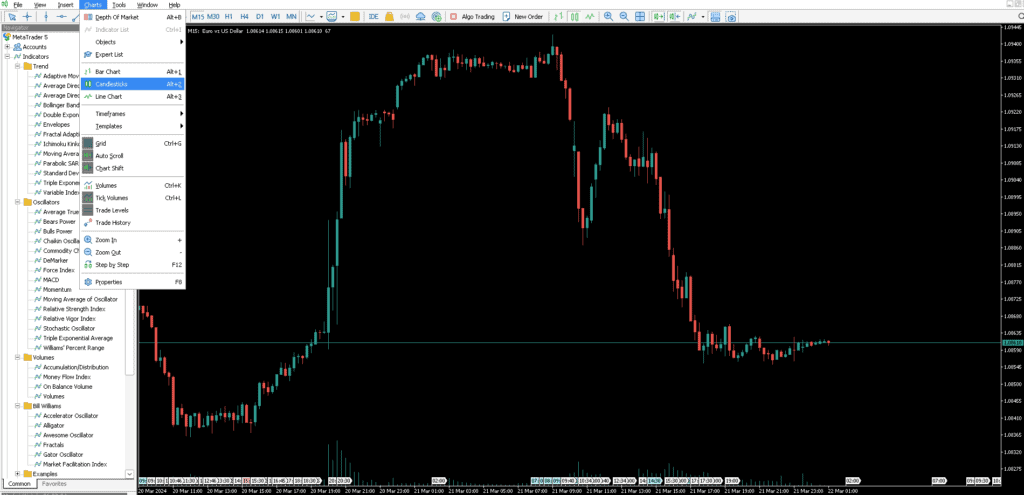
BlackBull Markets screenshots
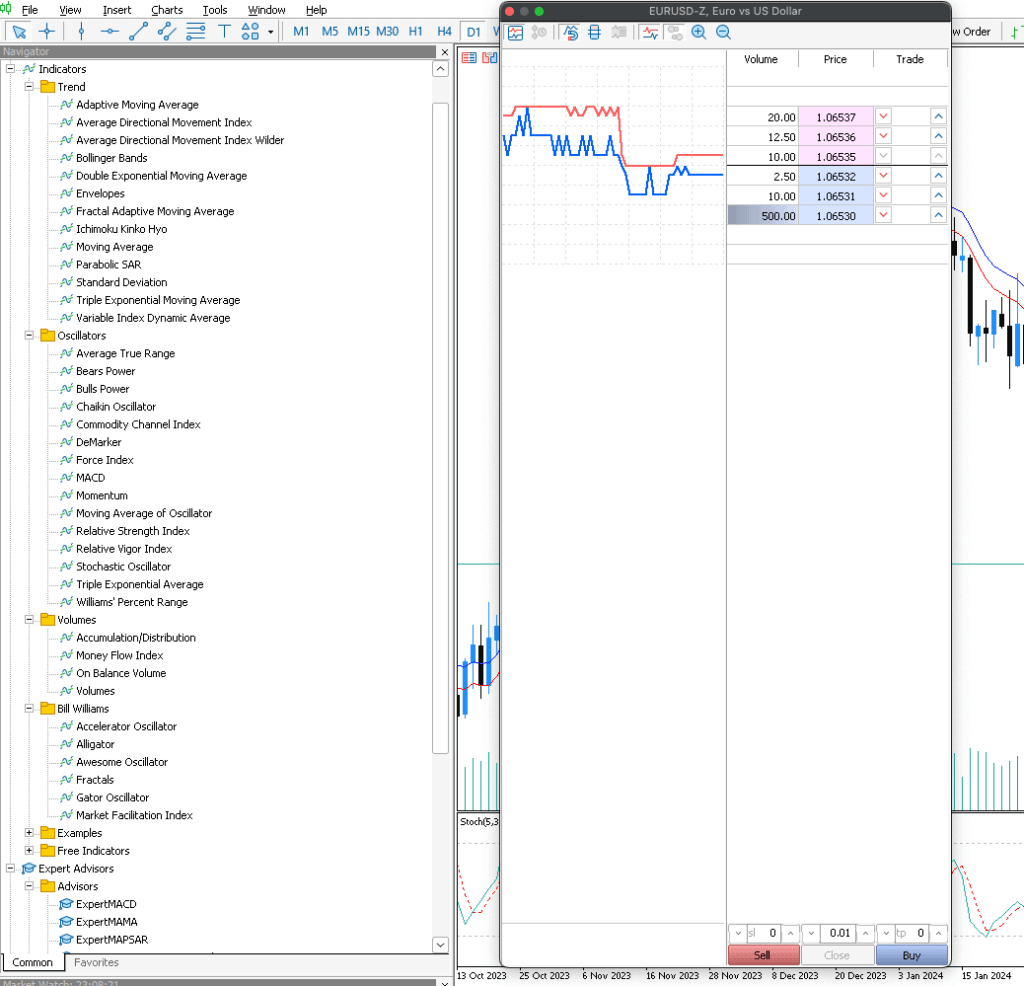
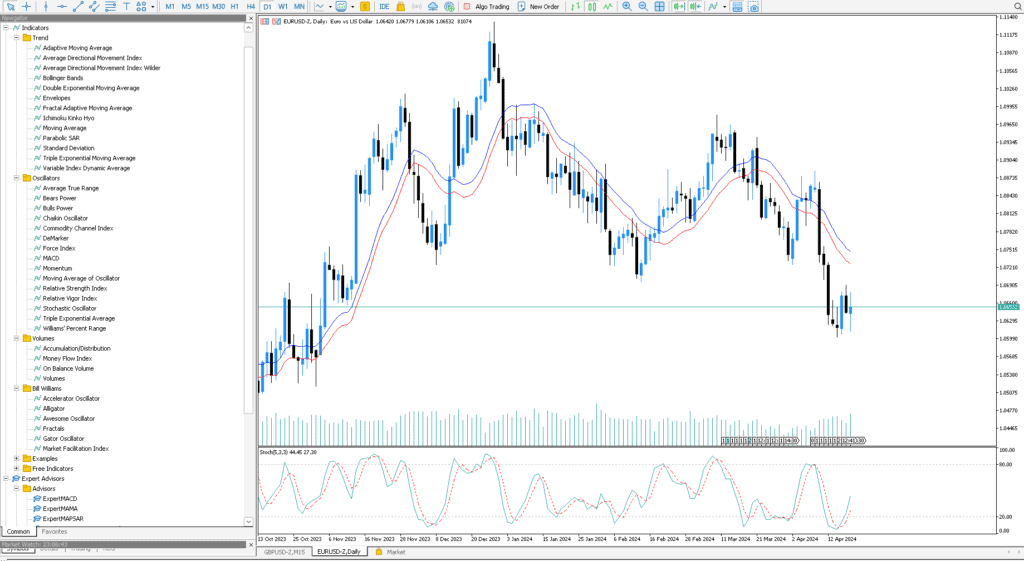
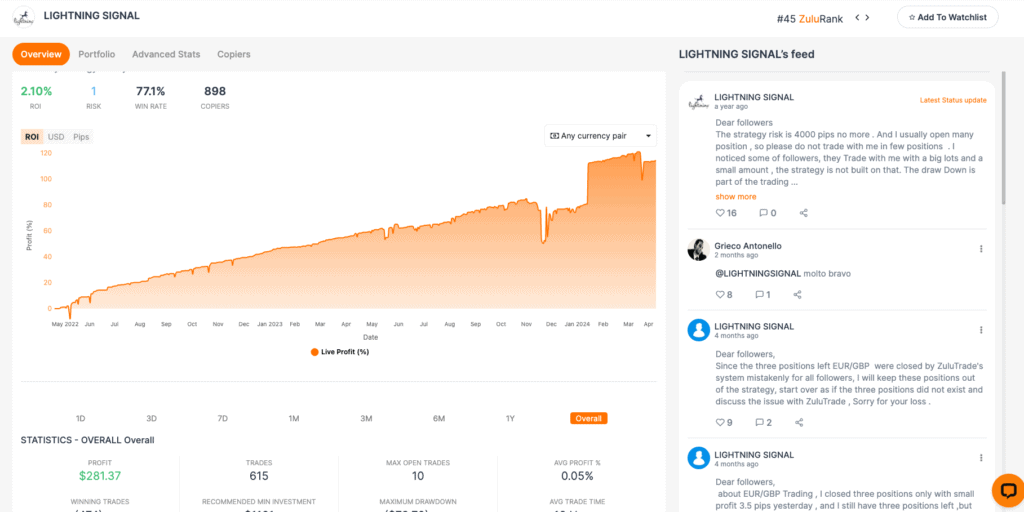
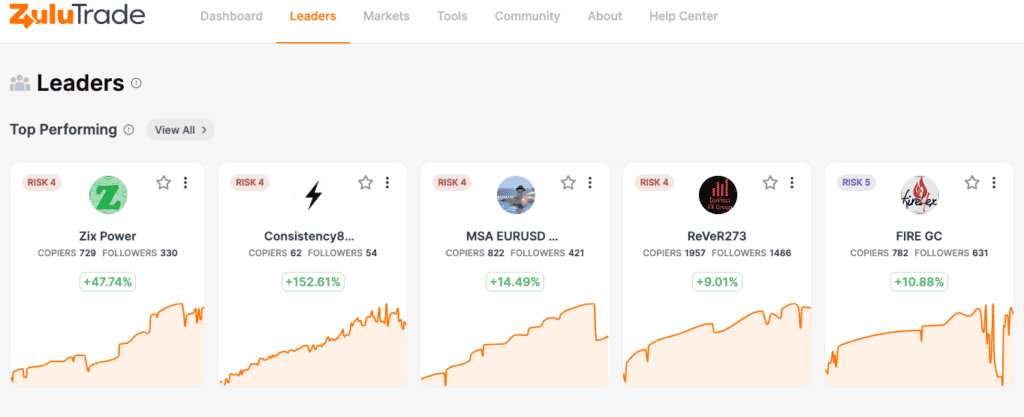
3. Eightcap

Average spread
EUR/USD = 0.0 GBP/USD = 0.1 AUD/USD = 0.2
Platforms
MT4, MT5, TradingView
Minimum deposit
$100
Why I Recommend Eightcap
I liked Eightcap for the extensive range of cryptocurrencies and crypto CFDs. If I am being honest, this broker left competitors in the dust when it comes to crypto trading.
For context, Pepperstone offers 19 cryptos while IC Markets has 25, and Eightcap outperformed both with a broader selection of 141+ cryptocurrencies on MetaTrader5.
With this, I advise traders looking to capitalize on the volatile crypto market to check into Eightcap. This broker is the most popular MT5 broker for crypto CFDs.
Pros & cons
- Tight spreads on crypto markets
- Has automated tools for MT5
- Provides good MT5 market analysis
- Limited range of trading products
- Lacks copy trading tools
- Customer support is not 24/7
Broker Details
Top Crypto Offering for MT5
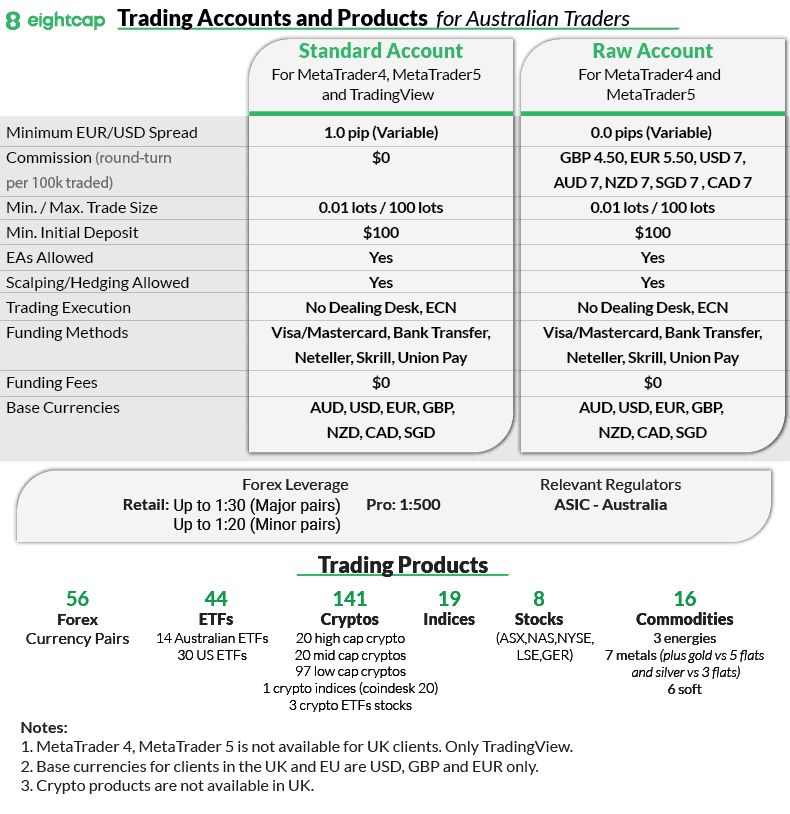
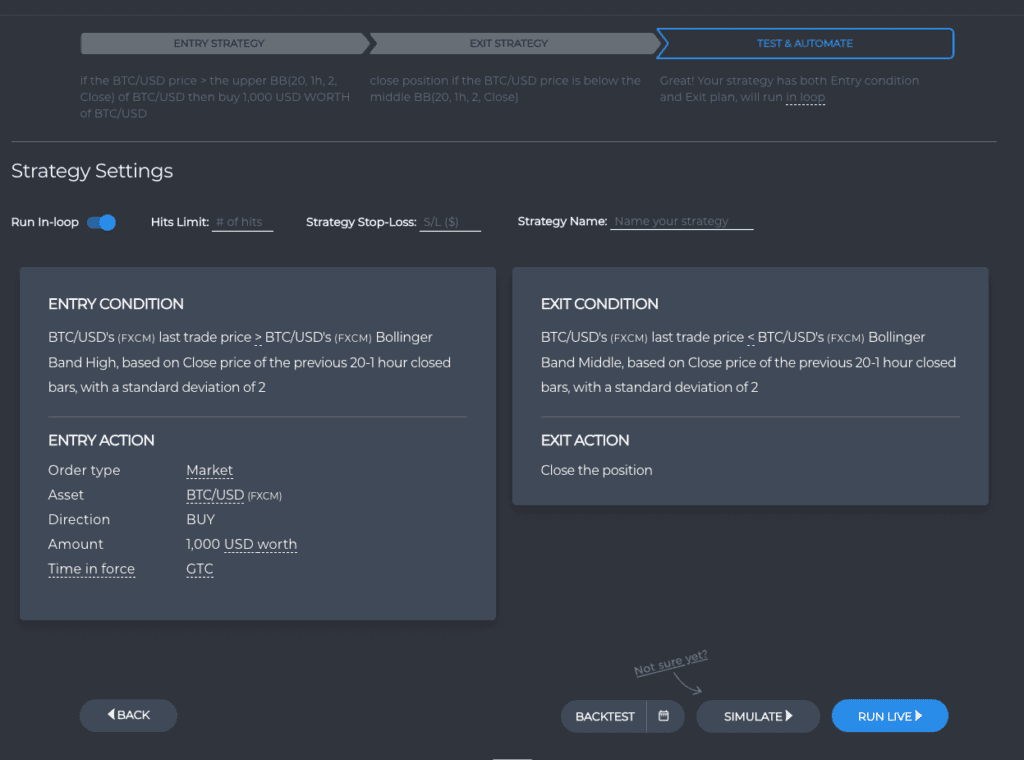
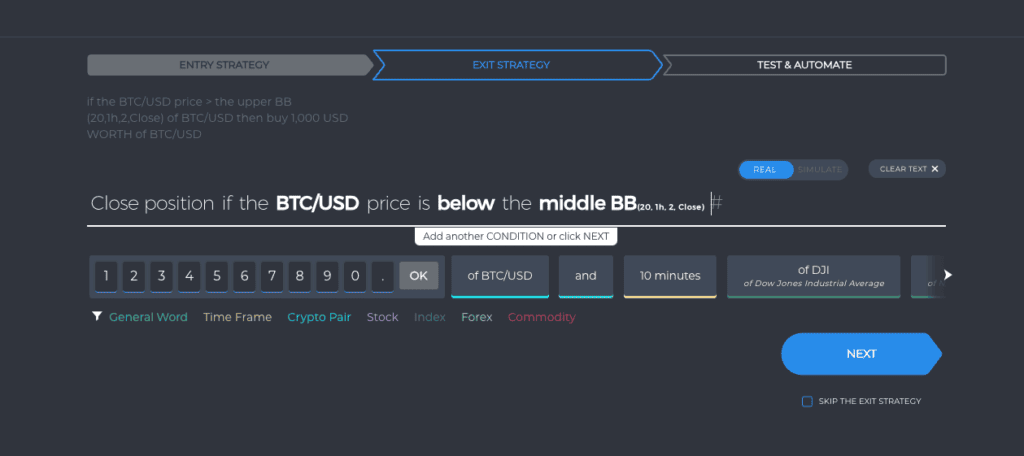
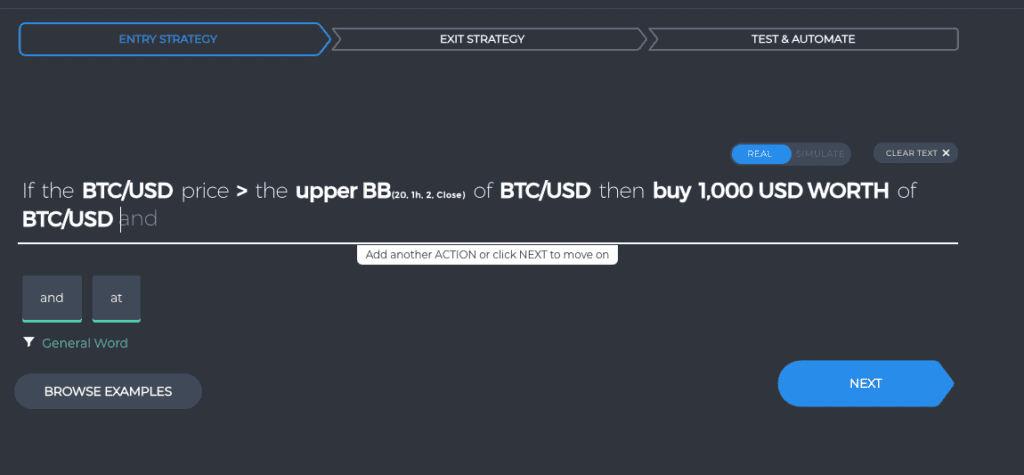
Compared to the other brokers I reviewed for this roundup, Eightcap had the widest selection of 141+ cryptocurrencies using MetaTrader5. By way of example, other MT5 brokers include Pepperstone offering 19 cryptos, IC Markets with 25, and ThinkMarkets with 27.
From my extensive analysis, the table below highlights that Eightcap offers the largest crypto range against other brokers by some margin.
Competitive Crypto Spreads with MT5
When looking at spreads, I tasked Ross with testing the average spreads for cryptocurrencies for other MT5 brokers including eToro, IG Group, and IC Markets. He found that Eightcap’s spreads compared favourably overall.
The broker averaged 12 points for Bitcoin compared to IC Markets of 18.2 pts, 0.45 pts for Ethereum compared to IG Group’s 1.2 pts and 0.004 pts Cardano compared to eToro’s 0.0085 pts.
Top MT5 Tools
Eightcap will provide you with some helpful trading tools for crypto trading, such as FlashTrader. This is a pretty solid line-up, although you will need to use MT4 to take advantage of them.
As someone who has been in this market for a while, I personally grew fond of FlashTrader, which is an execution tool that lets you target multiple profits, calculate position size, and place stops and limits in just one click, using your trade ticket.
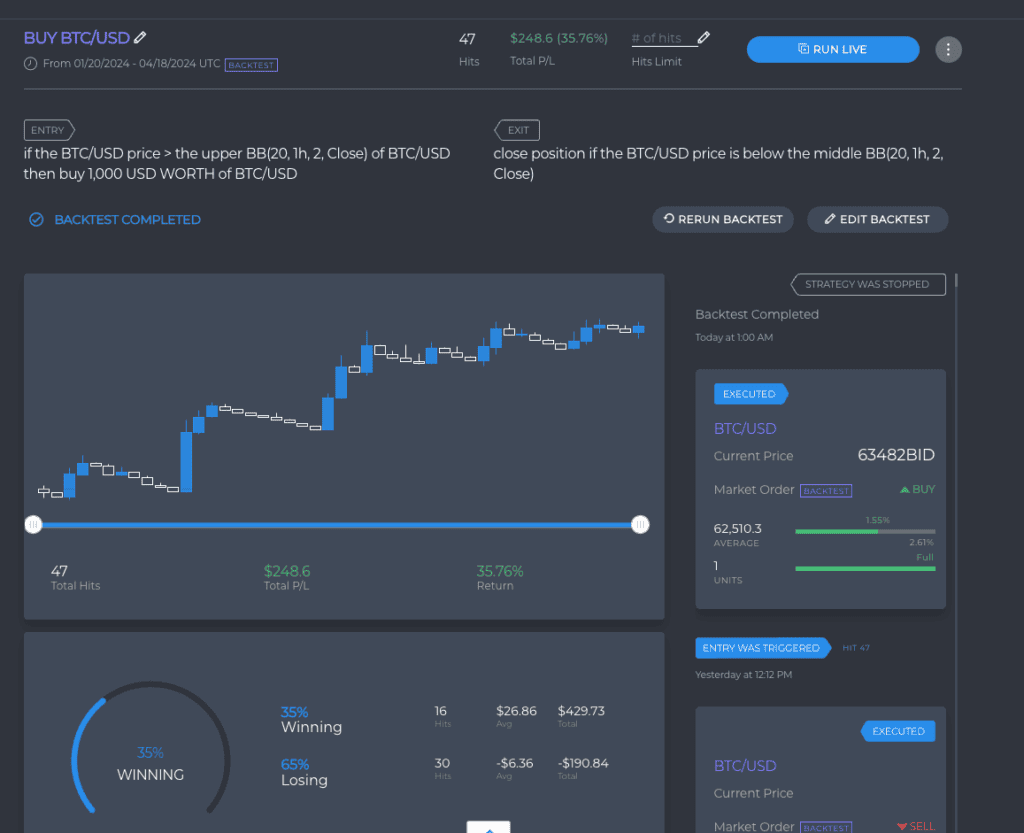
Eightcap screenshots
4. IC Markets

Average spread
EUR/USD = 0.01 GBP/USD = 0.04 AUD/USD = 0.02
Platforms
MT4, MT5, cTrader, TradingView, IC Markets Mobile App
Minimum deposit
$200
Why I Recommend IC Markets
I liked that IC Markets has a blend of tight spreads, low commissions, and excellent MT5 integrations. The broker has earned its place as my top choice for the best Forex broker on MT5.
Based on my experience, IC Markets consistently delivers top-notch service in a field where every pip and millisecond counts, and this is the main reason why it is ahead of the competition.
While the broker may not sweep the board in every category, IC Markets has given me a consistent high-level performance, making them a standout choice.
Pros & cons
- Low spreads
- Fast execution speed
- No withdrawal or deposit fees
- $200 minimum deposit
- Limited educational resources
Broker Details
As well as being the best MT5 forex broker, IC Markets stood out from our testing for the following reasons:
- Tight average spreads, 1.03 pips
- Good range of trading platforms
- Excellent MT5 integrations
Tightest MT5 Commission-Free Spreads
When looking at spreads, Ross Collins, our Head of Research, tested the average spreads you can expect if you trade on a Standard account with our website’s top brokers. Based on his findings, IC Markets offers the tightest spreads of any Tier-1 FX broker at 1.03 pips for the major currency pairs.
To break it down for you, a spread of 1.03 pips means each lot costs USD 9.63, so you’ll pay USD 9.63 for every USD 100,000 you trade. Compare that to our worst-performing broker, FXPro, which posted average spreads of 2.22 pips. Under these trading conditions, a single lot costs USD 20.83, almost twice as much as IC Markets.
| Broker | Spread | Spread Cost |
|---|---|---|
| IC Markets | 1.03 | $9.63 |
| CMC Markets | 1.11 | $10.10 |
| Fusion Markets | 1.19 | $11.07 |
| TMGM | 1.21 | $11.18 |
| Admiral Markets | 1.31 | $11.96 |
Low RAW Spreads on MT5
Along with the lowest Standard account spreads, I also found that IC Markets offers ultra competitive RAW/ECN account spreads. Referencing my observation to the tests conducted by Ross, the broker has affordable trading fees, third lowest RAW spreads of 0.32 pips across the USD-backed majors. Only Fusion Markets (0.22 pips) and StoneX Trading (0.25 pips) had lower spreads.
While both of the spread tests were done using MT4, I suppose that MT5 will almost certainly produce lower spreads being a more powerful and faster platform. As such, IC Markets can back up my claim as one of the lowest spread, MT5 forex brokers.
| IC Markets Raw Account Spreads | EUR/USD | USD/JPY | USD/CAD | EUR/GBP | AUD/USD |
|---|---|---|---|---|---|
 | 0.01 | 0.03 | 0.04 | 0.27 | 0.02 |
 | 0.10 | 0.30 | 0.30 | 0.20 | 0.10 |
 | 0.10 | 0.10 | 0.10 | 0.50 | 0.10 |
 | 0.44 | 0.39 | 0.82 | 0.71 | 0.57 |
 | 0.10 | 0.10 | 0.60 | 0.60 | 0.20 |
 | 0.00 | 0.40 | 1.20 | 0.40 | 0.90 |
 | 0.00 | 0.00 | 0.00 | 0.20 | 0.00 |
 | 0.20 | 0.30 | 0.70 | 0.50 | 0.40 |
Avg. spreads are taken from each broker's website and updated monthly. Last update on 1 Sep 2026

Excellent MT5 Integrations to Enhance Your Trading
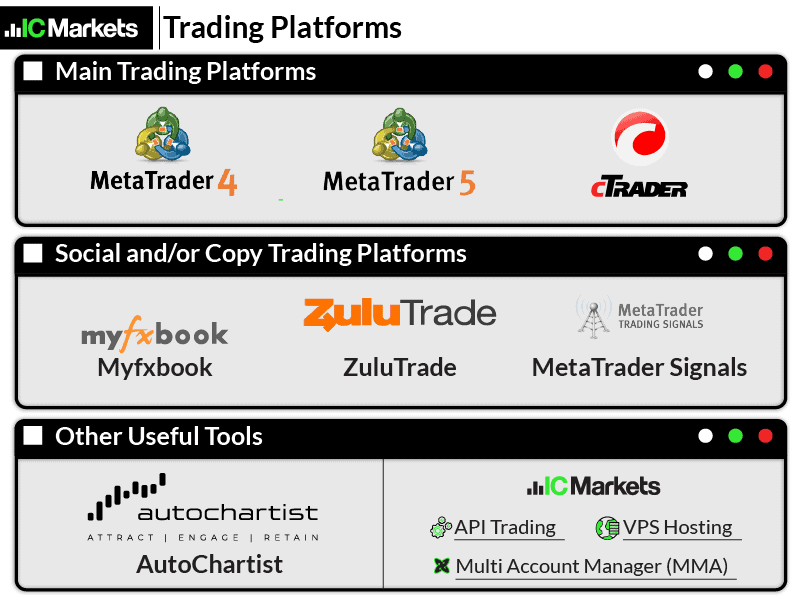
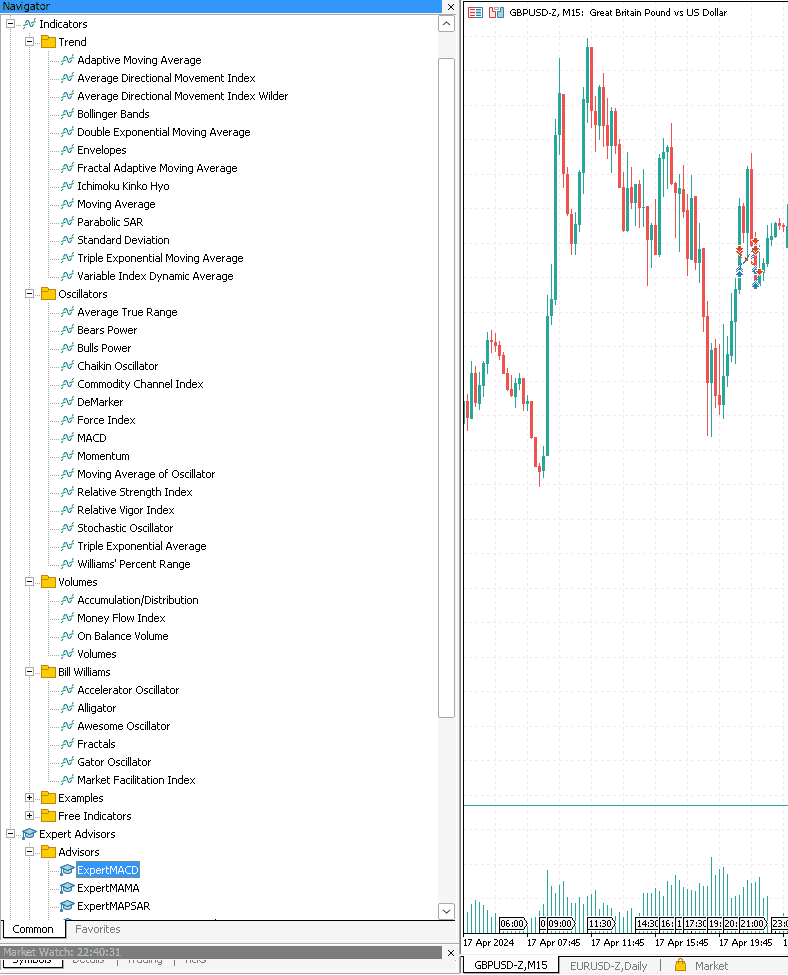
While IC Markets offers a range of third-party platforms (including MT4, MT5, and cTrader), if you opt to trade with MT5, you’ll find the broker supports most trading strategies and styles. This includes scalping, hedging, automated trading, social trading, and copy trading.
However, in addition to MetaQuotes’ tool, MetaTrader Signals, IC Markets account holders can integrate copy trading and social trading tools like ZuluTrade and Myfxbook with MT5.
If I am being completely transparent, I don’t love that this requires opening two accounts. In fact, my colleague, Dave, found it time-consuming and tedious to manage both interfaces. Nevertheless, we reached consensus that both of us do like that the broker provides tools for these strategies.
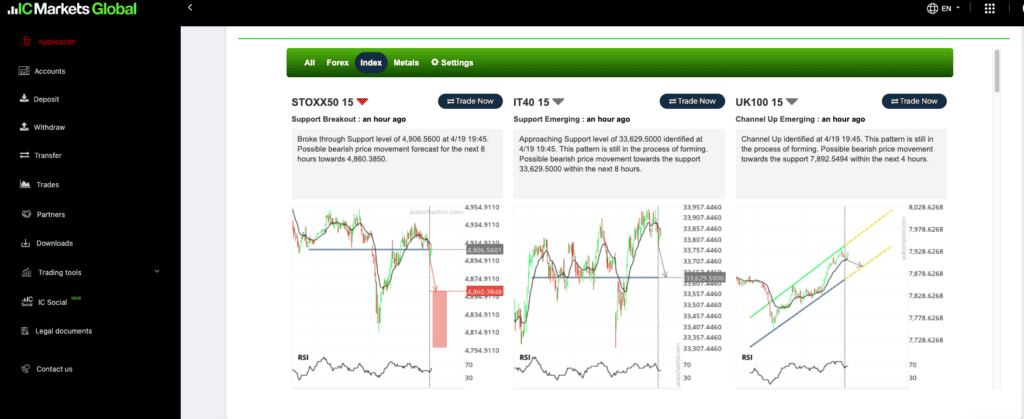
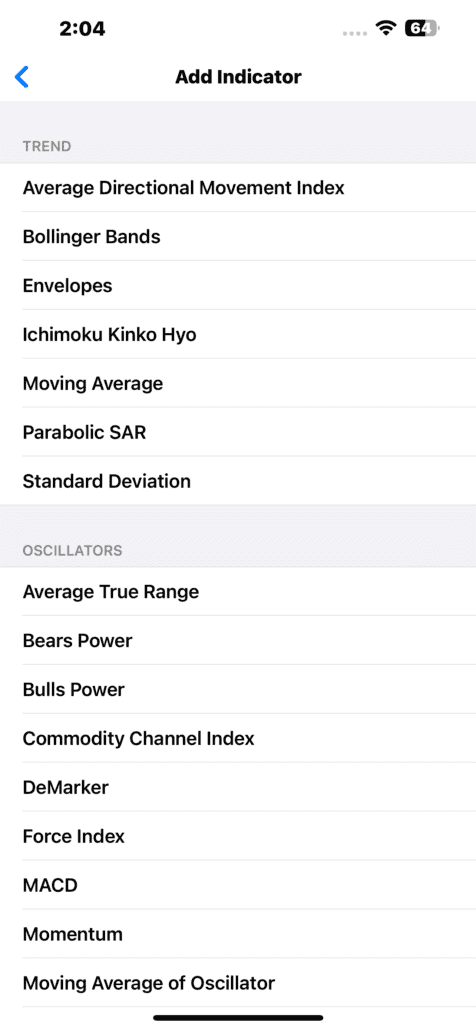
If you’re a more traditional trader like myself, you’ll appreciate the option to supercharge your analysis with an Autochartist integration. Combined with MT5’s 38 technical indicators, Autochartist’s scanning and pattern recognition tools can give you a remarkable depth of insight into market movements and refine your overall strategy.
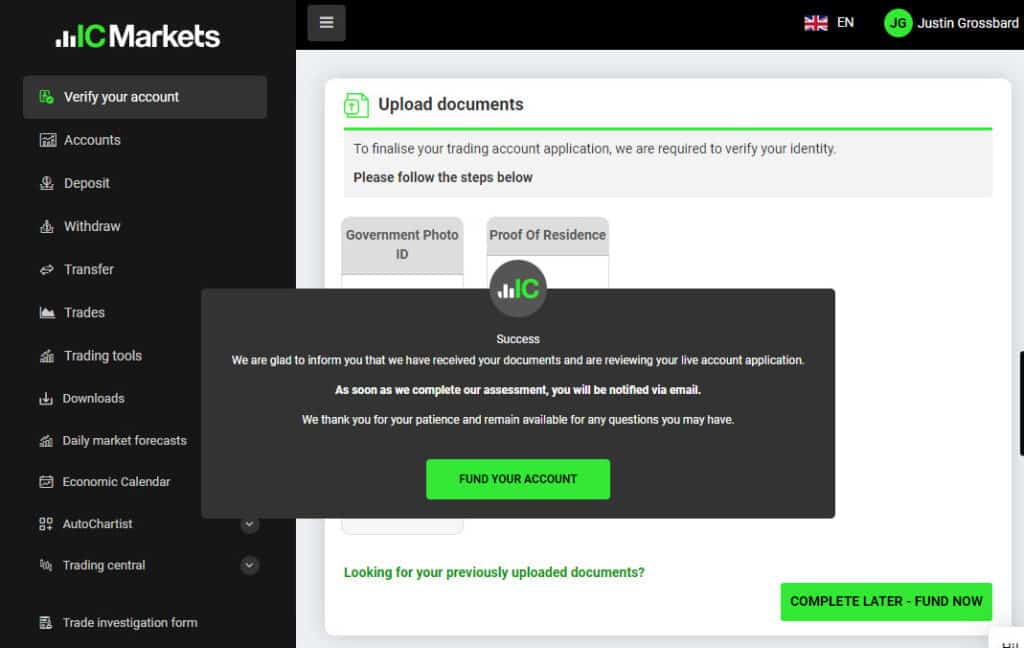
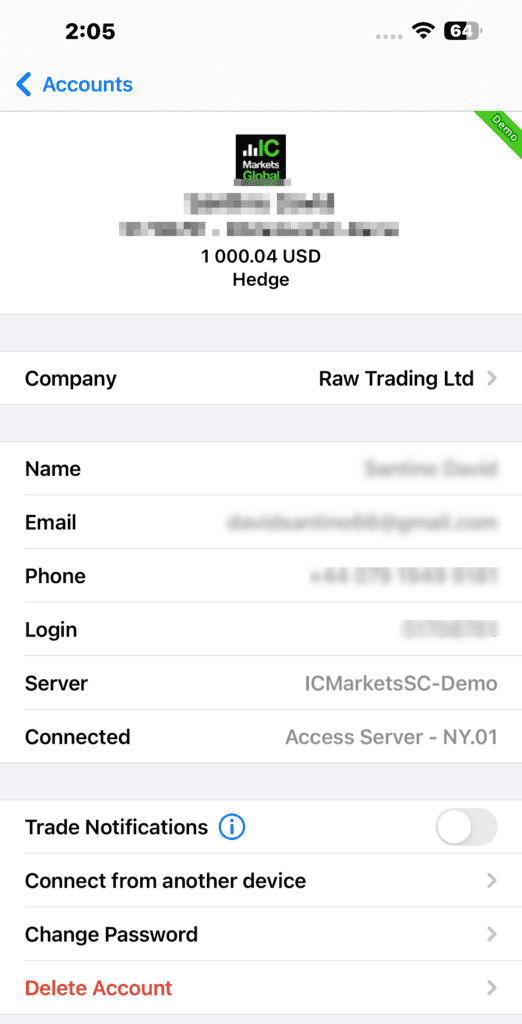
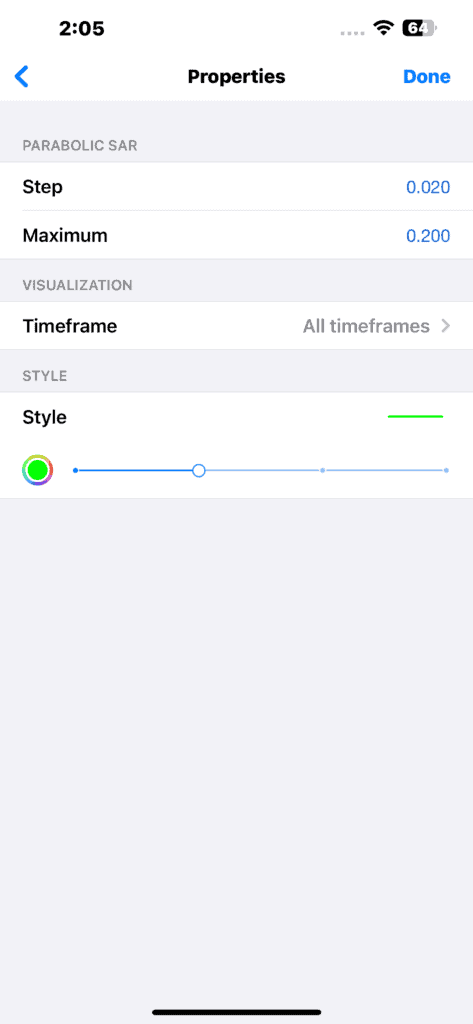
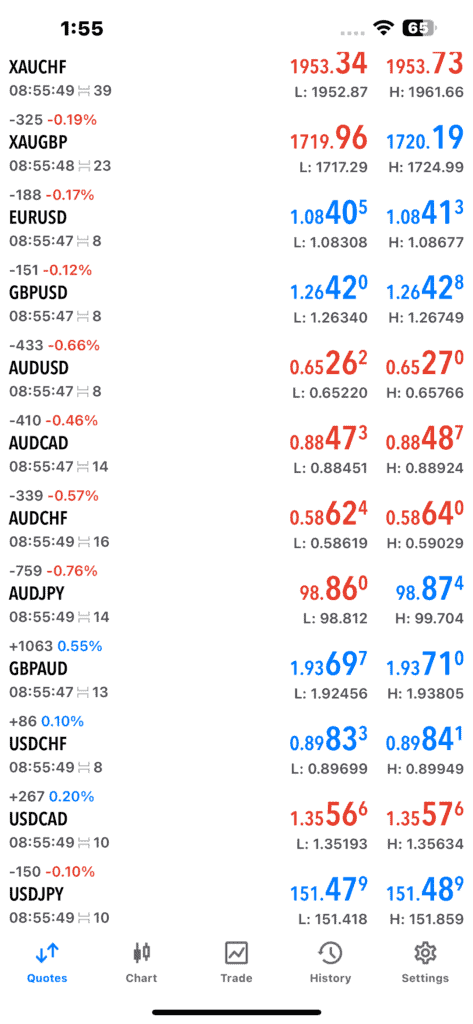
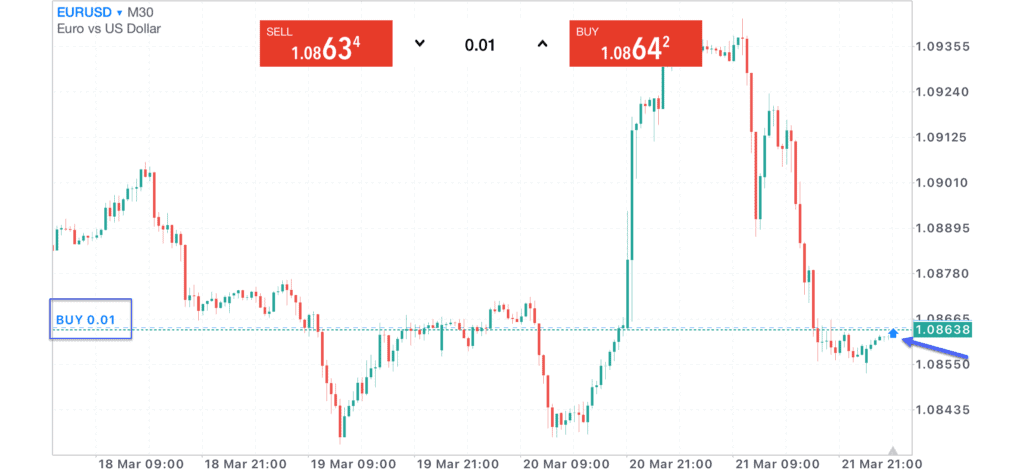
IC Markets screenshots
5. Fusion Markets

Average spread
EUR/USD = 0.12 GBP/USD = 0.33 AUD/USD = 0.12
Platforms
MT4, MT5, cTrader, TradingView
Minimum deposit
$0
Why I Recommend Fusion Markets
I liked Fusion Markets specifically for the unbeatable low commissions when using MetaTrader 5. This broker stands out as my top option for cost-conscious traders in a trading landscape where fees can quickly eat into profits.
Based on my experience, this isn’t just a promotional gimmick; Fusion Markets genuinely offers some of the most competitive rates in the industry.
Pros & cons
- Lowest commissions
- Good choice of trading tools
- Fast execution speeds
- A high deposit fee for wire transfers
- Lacks TradingView platform
- Limited Range of trading products
Broker Details
After analysing trading costs, including spreads and commissions, Fusion Markets stood out as having some of the lowest spreads and cheapest commissions for an MT5 broker. Here is a summary of my test findings.
- 3rd for Standard Accounts spreads (avg 1.19 pips for major pairs, 1.01 pips for EUR/USD)
- 1st for RAW Account Spreads (0.22 pips for major pairs, 0.26 pips for EUR/USD)
- 2nd for order execution speeds (79 ms limit orders, 77 ms market orders)
Ultra Competitive Spreads and Fast Execution Speeds
To interpret the spread results above, the industry average for Standard accounts is 1.52 pips, while it is 0.44 pips for RAW accounts across the 5 most traded currency pairs. As such, Fusion Markets is well below the average for both, only IC Markets (1.03 pips) and CMC Markets (1.11 pips) had tighter spreads for Standard accounts. This means you’ll get solidly affordable rates in both account types with Fusion Markets.
For execution speeds, the broker ranked second for the fastest overall speeds, only BlackBull Markets had faster limit order speeds of 77 ms.
Lowest MT5 Commissions
When comparing commission costs, I found that Fusion Markets has the cheapest commissions of any MT5 broker I tested. Of all the ASIC-regulated brokers, the broker came out on top with a commission of AUD $4.50 round turn per standard lot, which is $2.50 less than the industry standard of $7.
And while the commission cost is definitely a cost to consider, it is only good if the spreads remain competitive, which I had proven in my tests.
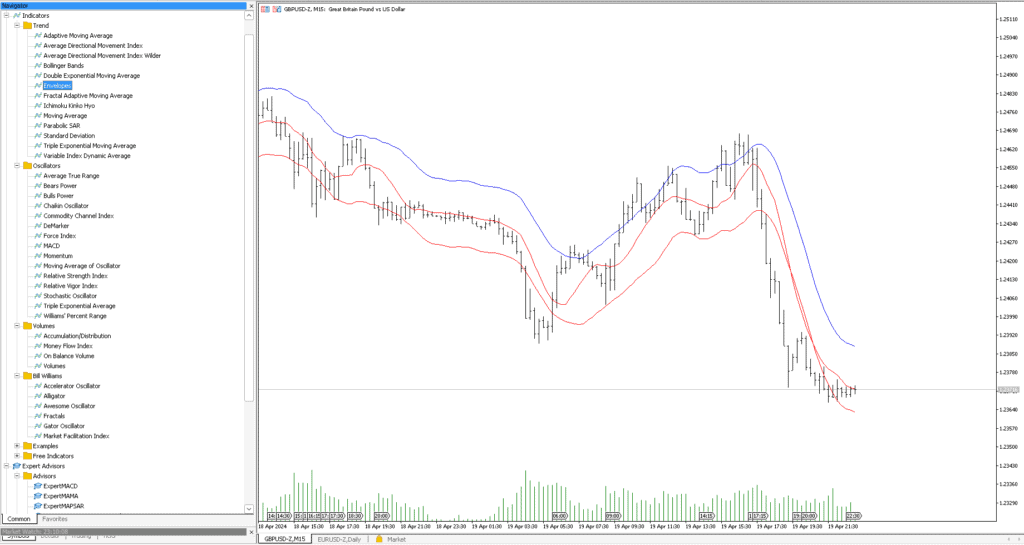
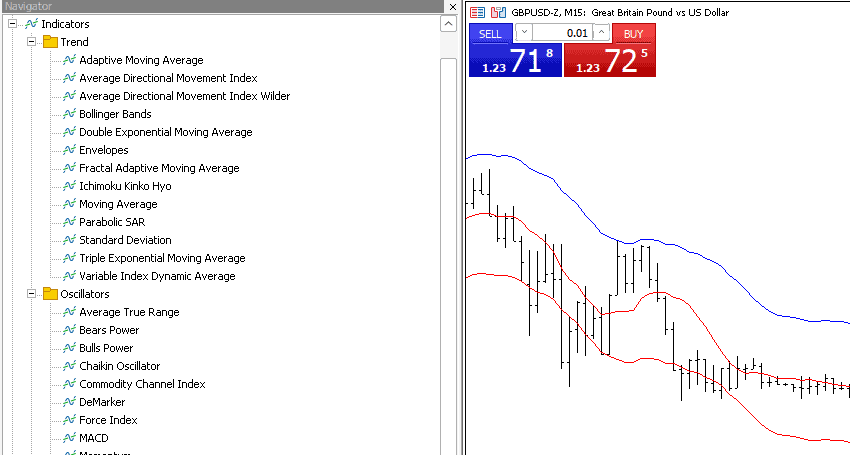
Fusion Markets screenshots
6. FOREX.com

Average spread
EUR/USD = 0.1 GBP/USD = 0.1 AUD/USD = 0.45
Platforms
MT4, MT5, TradingView, FOREX.com Trading Platform
Minimum deposit
$100
Why I Recommend FOREX.com
We liked the range of features that FOREX.com provides that can help you manage and execute your trades better on the MetaTrader 5 platform. These EAs fill in the gaps that the original MT5 platform skips.
The broker stood out for its solid all-around service, especially with its low trading costs through its Raw account (spreads from 0.1 pips).
Pros & cons
- Raw spreads from 0.1 pips
- Free MT5 trading tools
- Solid range of forex pairs
- Lacks social trading tools
- The commission is slightly above average
Broker Details
During our MetaTrader 5 tests, we found that FOREX.com’s desktop version of MT5 has a few standout tools to enhance the trading platform. One such tool is the FX Blue Expert Advisors, a collection of nine indicators similar to Pepperstone’s Smart Trader Tools that adds improved trade and account management within MT5.
The included Mini-terminal EA extends MT5’s built-in one-click trading tool by adding stop-loss and take-profit orders to your market orders. This tool allowed us to ensure we didn’t forget to add our risk management, making trade management much faster.
We also noticed that FOREX.com includes a Reuters news integration for MT5, providing actual market updates in real-time, not just headlines from aggregated news sources that other brokers offer.
Interestingly, FOREX.com uses a straight-through process (STP) to execute your trades when you use the Raw pricing account (the broker uses a different process for its Standard account).
Using an STP broker is beneficial as it means the broker passes your orders directly to the market, so your trades are matched with other traders almost instantly. This makes it an ideal choice if you are algo trading or scalping on the MetaTrader 5 platform.
If you trade large volumes or frequently, the Active Trader program is a free opt-in that reduces your spreads and issues you with cash rebates based on your trading activity. The higher the activity, the better the rewards, earning up to $10 rebate per million traded.
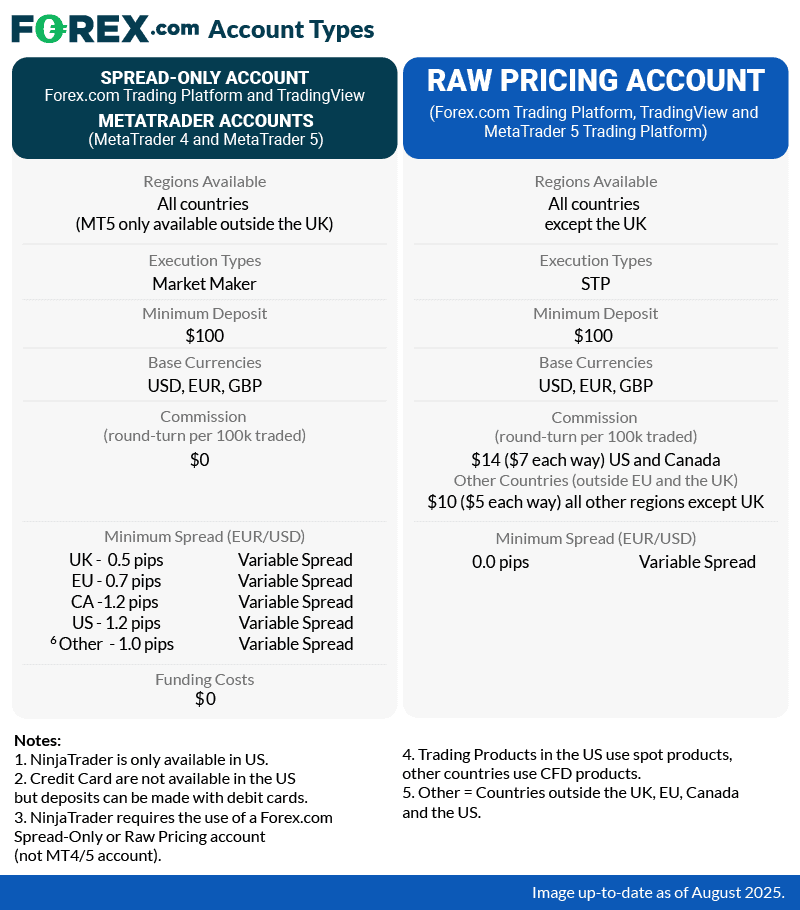
*Note: MT5 or Raw Spread accounts are not available in the United States.
*Your capital is at risk up to ‘74% of retail CFD accounts lose money with FOREX.com’
7. FXTM

Average spread
EUR/USD = 0.1 GBP/USD = 0.1 AUD/USD = 0.2
Platforms
MT4, MT5
Minimum deposit
$200
Why I Recommend FXTM
FXTM is my top pick if you are just dipping their toes into the MT5 trading waters. With the broker’s straightforward cost structure and narrow spreads, especially in its ECN accounts for retail traders, FXTM makes it easy for beginners to navigate the complexities of forex trading.
Unlike with a Standard account, you can sidestep the added costs and risks of slippage. Essentially, it’s a no-nonsense approach that lets you focus on what matters most: your trades.
Pros & cons
- Excellent range of educational resources
- Solid selection of trading tools
- Good choice of CFDs to trade
- Withdrawal fees
- Lacks a choice for trading platforms
- 24/5 customer service
Broker Details
Top MT5 Broker for Beginners
While most new traders of the forex markets are naturally drawn to Standard accounts due to their no-commission fee structures, my experience says otherwise. You’ll save more money on a RAW spread or ECN-like account.
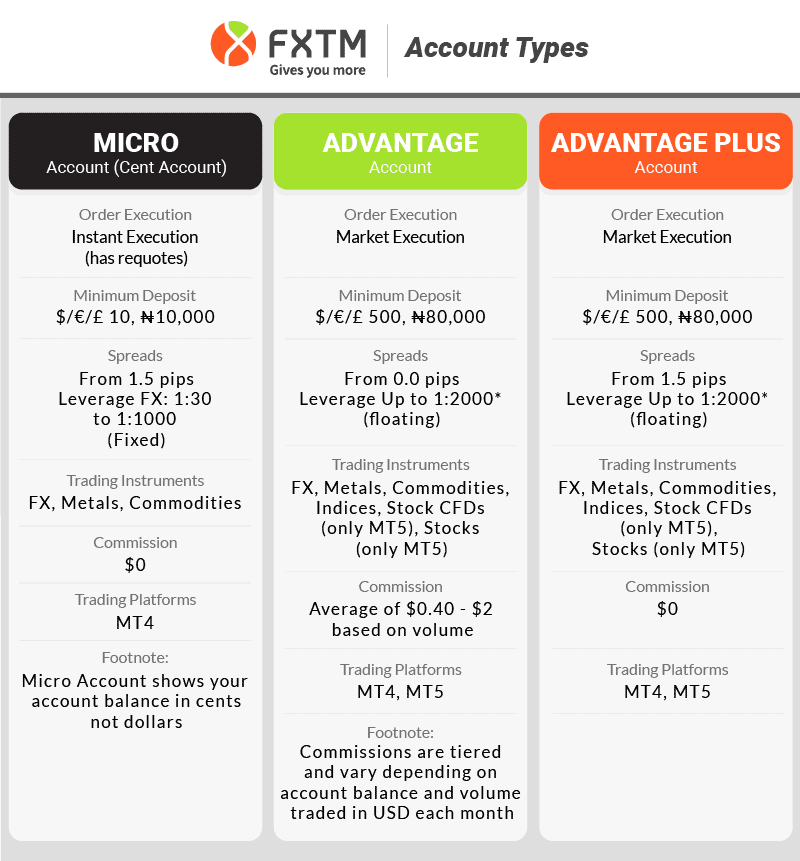
As such, I highly recommend FXTM’s Advantage (RAW) account for beginners, due to its straightforward cost structure. From my spreads analysis, I found the broker averaged 0.22 pips across the 5 most traded currency pairs, putting it well below the industry average of 0.44 spreads.
In addition to low spreads, FXTM offers cheap commissions (USD $2.50 per side) which is just amongst the lowest I’ve tested, just behind Fusion Markets at $2.25.
This is why I like FXTM’s Advantage account for new traders using MT5. You lose the extra expense and potential for slippage that come with a Standard account’s higher spreads without the overwhelm of a complex set of commissions.
8. FxPro

Average spread
EUR/USD = 0.64 GBP/USD = 0.54 AUD/USD = 0.54
Platforms
MT4, MT5, cTrader, TradingView, FxPro Trading Platform
Minimum deposit
$0
Why I Recommend FxPro
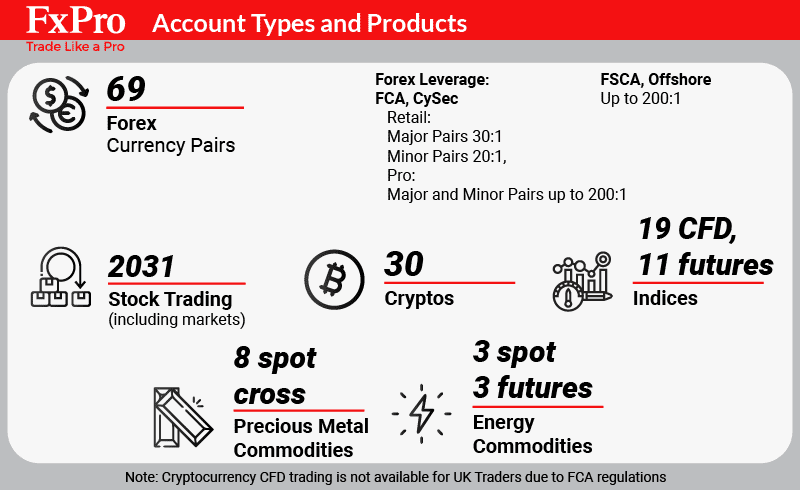
I liked FxPro for the unmatched variety of currency pairs when using MetaTrader 5. With more than 69 currency pairings, including majors, minors, and exotics, this broker offers the most options in the FX market.
On top of that, FxPro provides an array of asset classes like equities, indices, and commodities for CFD trading. They also offer up to 30 cryptocurrencies and crypto CFDs for international traders.
Pros & cons
- Over 65+ currency pairs
- Excellent choice of trading tools
- No minimum stop loss
- Has inactivity fees
- Requires a minimum deposit
- Spreads are not competitive enough
Broker Details
Large Range of FX Pairs on MT5
First up, I found it astounding that FxPro gives you access to a large range of 69 currency pairs on MT5, including majors, minors, and exotics. If you think that the path to riches is in pairing the Norwegian Krone, Russian Ruble, Polish Zloty, and Turkish Lira with the US dollar and Euro, then you’ll find lots to like about FxPro.
In addition to forex, you can trade CFDs across a wide range of asset classes, including +2000 shares, indices and commodities and cryptocurrencies.
Best Account Features with MT5
When you open an account with FxPro, you can choose MT4, MT5, cTrader or the FxPro platform.
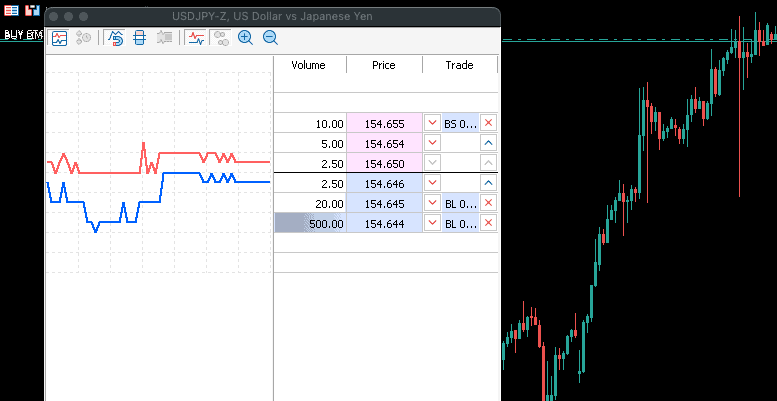
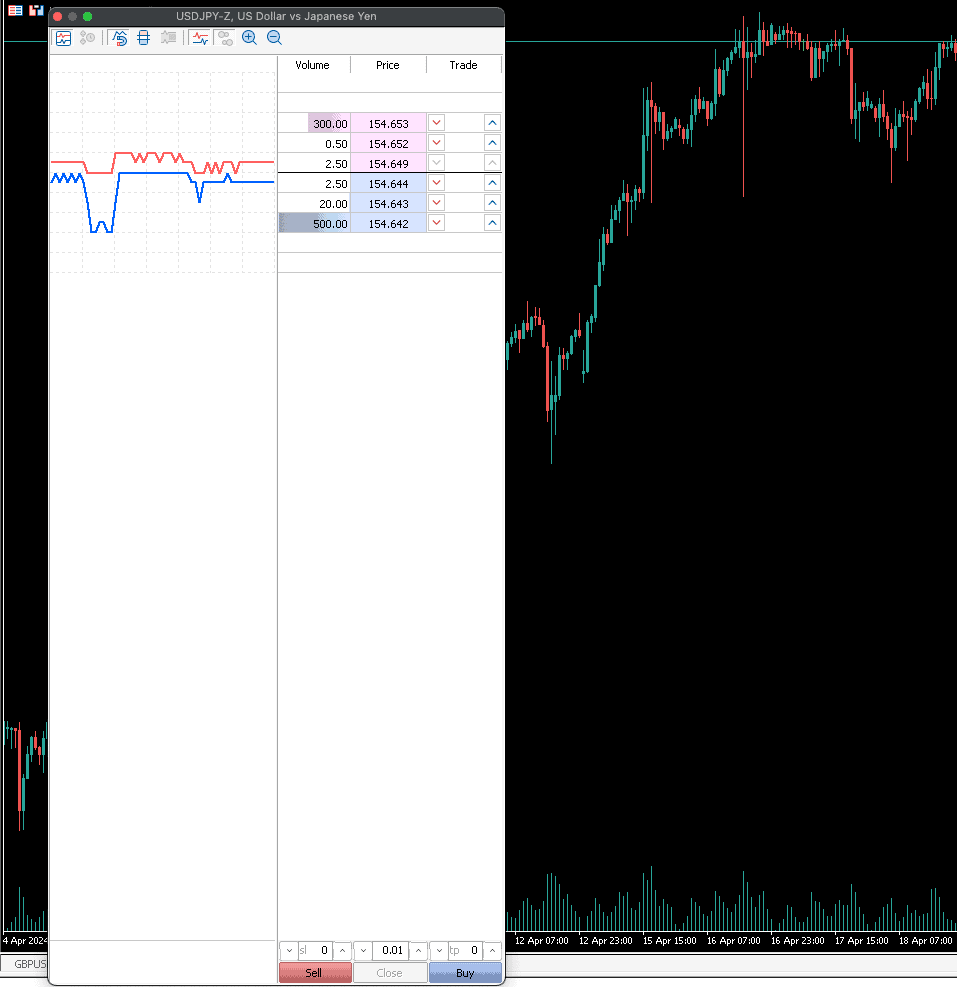
For the best features and lowest spreads, I highly recommend the MT5 RAW account. The added benefit of MT5 compared to the other platforms is that you have access to EA trading, DoM (depth of market) liquidity, over 35 indicators, 21 timeframes and an integrated economic calendar. By comparison, FxPro and MT4 don’t have DoM trading, a less powerful programming language and fewer charting tools.
By comparison, FxPro and MT4 don’t have DoM trading, a less powerful programming language and fewer charting tools.
In terms of minimum spreads, FxPro claims average spreads for its RAW account are 0.2 pips for EUR/USD but my testing has them at 0.32 pips, which is higher than the industry average of 0.24 pips.
FxPro screenshots
Comparing The Top MT5 Brokers
We’ve reviewed the best MT5 brokers and below summarise the key takeaways for each broker.
Both MetaTrader platforms sit alongside a large instrument list at the broker assessed in the MultiBank Group Review Of 2026.
Both MetaTrader platforms are offered by the broker assessed in the ACY Securities Review of 2026.
MT5 is one option among several, and the field is compared in Forex Trading Software In 2026.
MetaTrader 5 Broker Comparison Table
| MT5 | Average EUR/USD Spread | Trading Platforms | Social Trading or Copy Trading | Account Types | Forex Pairs | Minimum Deposit |
|---|---|---|---|---|---|---|
| IC Markets | 0.1 | MT4, MT5,cTrader | Myfxbook, Zulu Trade, Signals | Standard, RAW | 60 | $200 |
| Pepperstone | 0.13 | MT4, MT5, cTrader, TradingView | Myfxbook, DupliTrade, Signals | Standard, Razor | 61 | $200 |
| FP Markets | 0.1 | MT4, MT5, IRESS | Signals | Account, RAW | 45 | $100 |
| GO Markets | 0.2 | MT4, MT5 | Myfxbook, Signals | Standard, Go Plus+ | 50 | $200 |
| Admiral Markets | 0.4 | MT4, MT5 | Signals | Trade.MT5, Zero.MT5 | 47 | $100 |
| FXTM | 0.3 | MT4, MT5 | Signals, FXTM Invest | Advantage, Advantage Plus | 59 | $500 |
| FxPro | 1.51 | MT4, MT5m cTRader, FxPro Trading Platform | Signals | Standard, Raw+, Elite | 70 | $100 |
| HotForex | 1.2 | MT4, MT5 | Signals, HFcopy | Cent, Zero, Pro | 50 | $200 |
| XM | 1.7 | MT5, MT5 | Signals | Micro, Standard, XM Ultra Low | 57 | $5 |
| AvaTrade | 0.9 | MT4, MT5, AvaTradeGO, AvaOptions | Signals, DupliTrade | Standard | 55 | $100 |
| ThinkMarkets | 1.3 | MT4, MT5, ThinkTrader | Signals | Standard, ThinkZero | 38 | $250 |
When comparing the top MT5 brokers, I looked at four key categories:
- Top 6 Most Traded Currency Pair Spreads
- Social Trading Tools/Platforms
- Range of Markets (Forex, shares CFDs and tradeable CFDs)
- Minimum Deposit
As you can see from the table, IC Markets came out on top in nearly every category. The broker had the lowest average spreads using MT5, a good range of trading products across the board, a solid social trading platform in ZuluTrade and an industry-standard minimum deposit of $200.
Other notable MT5 online brokers include FP Markets for its huge range of trading instruments including ETFs and 10,000 share CFDs. XM has the lowest minimum deposit of $5 and FXPro has the biggest range of 70 forex pairs.
What is MT5?
MetaTrader 5 (MT5) is a multi-asset trading platform by MetaQuotes in 2010. Released as an upgrade of MT4, MT5 improved the platform by offering more advanced trading tools for technical analysis and the ability to trade on centralised exchanges.
I have compared MT4 and MT5, as well as listed the key features of MT5 below.
Should I Choose MT4 and MT5?
Whether you choose MT4 or MT5 is down to you as both platforms are popular among traders.
If you are new to trading, MT4 is a good choice to start with. The basic functions in MT4 are more than enough for trading. Although MT4 is specifically built for forex trading, the platform can also be used to trade other assets such as stocks, indices, and commodities via CFDs.
Both beginners and experienced traders can appreciate MT4 because it is multi-functional, user-friendly, and allows you to customise the interface to your needs. It also offers advanced analysis tools such as EAs that allow you to implement your favourite trading strategies.
If you already have trading experience, MT5 has more features. MT5 is faster and more efficient than MT4, but it is not necessarily better, just offers more than MT4 does. With MT5, you can trade more instruments in almost all financial markets, including forex, stocks, indices, commodities, and even cryptocurrencies.
MT5 provides all the necessary tools for successful trading: advanced technical and fundamental analysis, trading signals, algorithmic and copy trading, as well as trading robots.
| MT4 | MT5 | |
|---|---|---|
| Markets | Forex and CFDs | Forex, Futures, Stocks, Bonds, and Option Markets |
| Technical Indicators | 30 | 38 |
| Graphical Objects | 31 | 44 |
| Timeframes | 9 | 21 |
| Pending Order types | 4 | 6 |
| Order fill policy | Fill or Kill | Fill or Kill, Immediate or Cancel Return |
| Partial order fill policy | No | Yes |
| Economic Calendar | No | Yes |
| Email System | Yes (no attachments) | Yes (with attachments) |
| Fund Transfer between accounts | No | Yes |
| Depth of market | No | Yes |
| Hedging | Yes | Yes |
| Netting | No | Yes |
| Exchange trading | No | Yes |
| Programming Language | MQL4 | MQL5 |
What Are The Key Features Of MT5?
MT5 offers many key features, from Expert Advisors (EAs) to a vast array of technical indicators, graphical objects, pending order types and forex signals.
I have explained each of MT5’s key features, below.
1. Expert Advisors
Expert Advisors (EAs) are trading robots that perform in-depth technical analysis and automate trading activities. EAs allow markets to be monitored 24 hours a day while following an algorithm that increases trading efficiency.
Analysing markets manually can be time-consuming, yet when using EAs you can calculate large amounts of data nearly instantly. Therefore, algorithmic trading strategies such as EAs can execute orders quickly when markets become volatile, meaning you will benefit from favourable price movements.
2. MQL5 Integrated Development Environment
The MetaQuotes Language 5 (MQL5) is an advanced programming language that allows traders to write algorithmic trading strategies as well as technical indicators. Compared to MQL4, the upgraded MQL5 is easier to use and a more efficient coding language.
3. Pending Orders
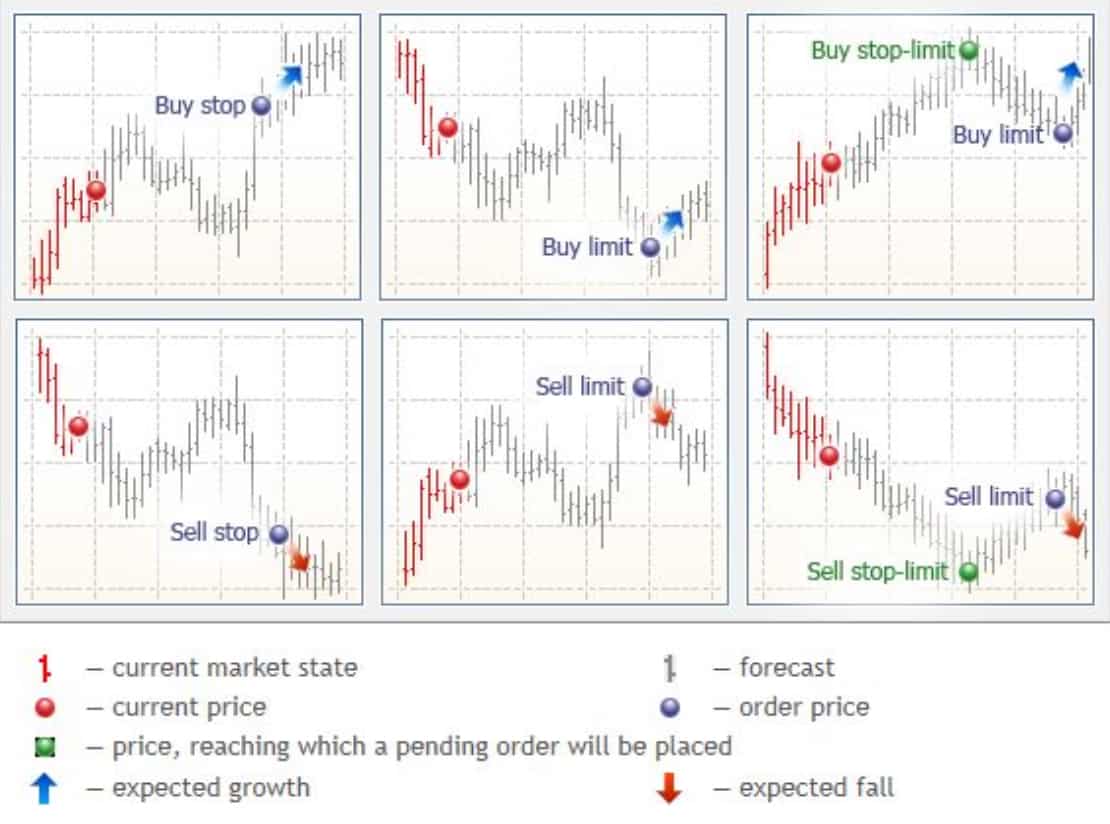
MT5 offers 6 pending orders, which are orders to buy or sell an asset at a certain price in the future. These 6 pending orders are broken down into limits and stops.
- Buy Limit: A buy order that can only be executed at below the market price.
- Sell Limit: A sell order that can only be executed above a certain price.
- Buy Stop: A Buy Stop order is placed above the current price.
- Sell Stop: An order to be executed below market price.
- Buy Stop Limit: An order that is a combination of a Buy Limit order and a Buy Stop order.
- Sell Stop Limit: Features of a Sell Limit order and a Sell Stop order.
4. Analytical Tools
MetaTrader 5 has 38 inbuilt indicators, 46 graphical objects and 21 timeframes for technical analysis. The platform also gives you an unlimited number of charts and a 1-minute history, further enhancing your ability to analyse the markets.
The analytical tool we like is MT5’s economic calendar, which MT4 doesn’t have, and allows you to stay on top of important economic data announcements.
5. Strategy Tester
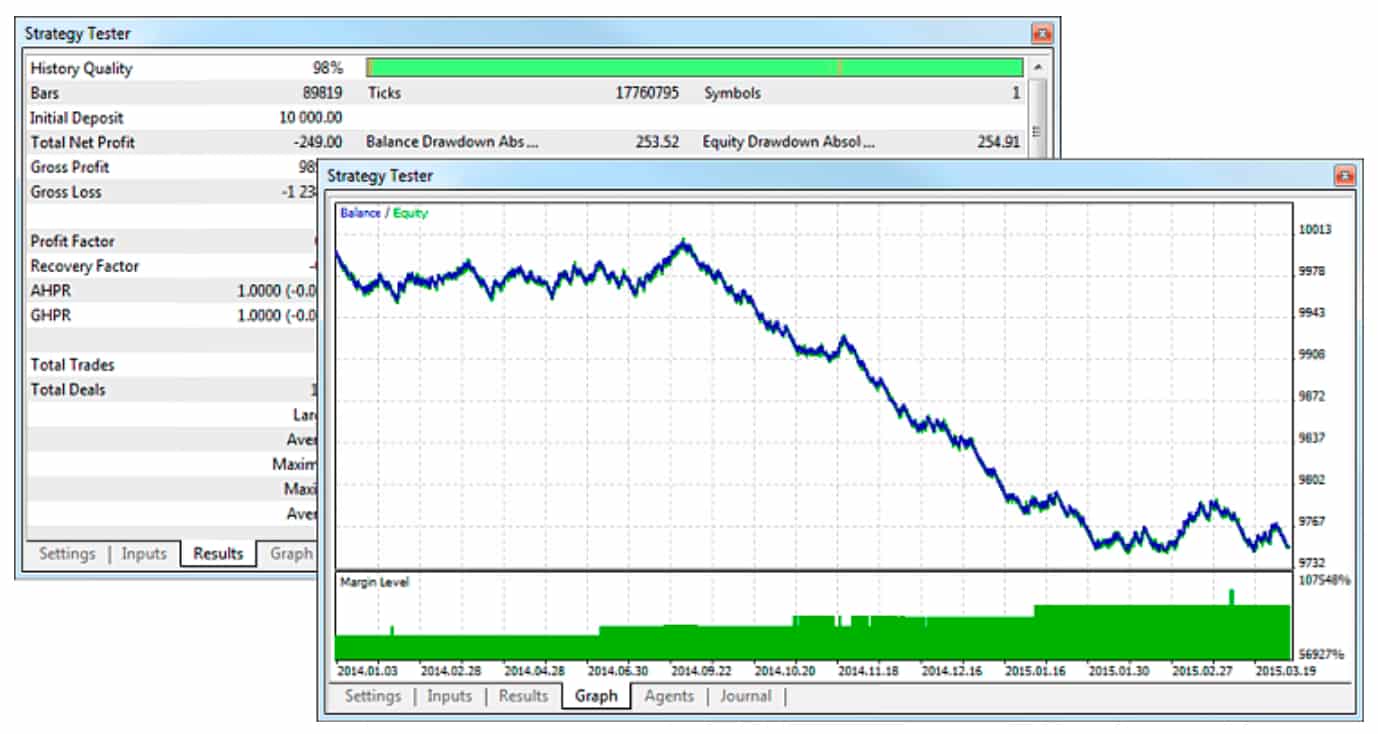
MT5’s built-in Strategy Tester allows for multi-currency backtesting. This allows traders to test EA strategies against historical data before executing orders in the real market. This feature allows you to test even more sophisticated Expert Advisors to analyse multiple forex pairs and identify the correlation between them.
What CFDs Can You Trade With MT5?
While MT5 doesn’t specifically define the list of CFDS you can trade, the common markets include forex, stocks, indices, commodities and cryptocurrencies.
What specific CFDs you can trade will depend on the brokerage you open a trading account with.
Is MT5 The Best CFD Trading Platform?
In my opinion, MT5 is the best CFD trading platform. MT5 is a powerful and fast multi-asset platform that offers trading on both centralised and decentralised exchanges. This means you can trade a wider range of CFD products on a reliable and advanced platform.
Should I Use MT4 or MT5 As a Beginner?
While both platforms have their benefits, we recommend starting with MT4 as a beginner. MT4 is easier and simpler to use than MT5 as MT5 can be a little more complex as a platform. You also don’t necessarily need all the advanced trading tools and extra markets that MT5 offers when you start trading.
Is MT5 Good For Scalping?
MT5 is good for scalping as the platform provides great technical indicators, including 21 different timeframes, 38 inbuilt indicators, and 44 analytical objects.
Scalpers can also access level 2 quotes from the MT5 platform. This enables you to see the market depth of orders at different prices.
Is MT5 The Best Platform For Automated Trading?
MT5 is one of the best platforms for automated trading platforms out there. While MT4 is better for foreign exchange algorithmic trading, I believe MT5 is the best platform for CFD algorithmic trading.
MT5 offers full automation capabilities in the form of Expert Advisors (EAs), written in the MQL5 programming language which offers flexibility and enhanced execution speed, as well as a large selection of indicators.
Can You Use MT5 For Copy Trading?
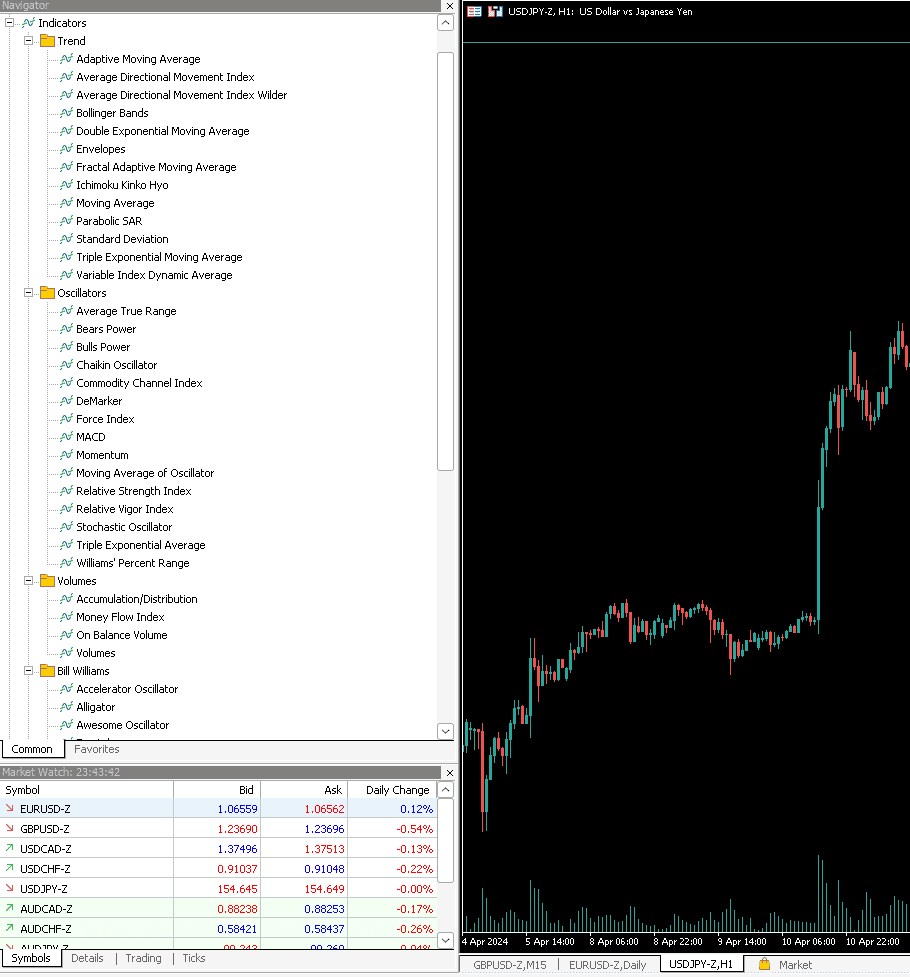
Yes, MT5 allows you to copy-trade using trading signals. Once you download MT5, the Navigator window can be seen on the left-hand side of the platform. If you click on the Signals tab, you can see a list of available signal providers.
Then, you simply select an expert trader that aligns with your trading style and subscribe to this signal.
My Verdict: IC Markets Is the Top MT5 Broker
After my rigorous testing, IC Markets stood out as the top MT5 broker, achieving top scores in nearly every category. I tested many factors, covering everything from trading costs and customer service to platform features and execution speed.
IC Markets offered the best combination of low spreads, a good range of tradeable assets and social trading tools.
Background To MetaTrader 5
Software developer MetaQuotes offers two of the most popular trading systems retail investors use. In 2010, MetaTrader 5 (MT5) was released by MetaQuotes to meet the demand for a multi-asset CFD trading platform that provided access to Share CFD trading and more advanced features. Our MT5 review found the benefits of MT5 include:
- The ability to trade Share CFDs
- More intuitive and user-friendly interface
- Improved charting and analysis tools
- Expert Advisors and MQL5
- A range of order types
Share CFD Trading with MT5
Although MetaTrader 4 is the gold standard for forex trading, Share CFD trading is prohibited, leading to the demand for MT5. The trading system is popular among retail investors, as hedging is allowed with no FIFO rule. As well as Share CFDs, multiple asset classes are available to trade on the MT5 platform.
MT5 Interface
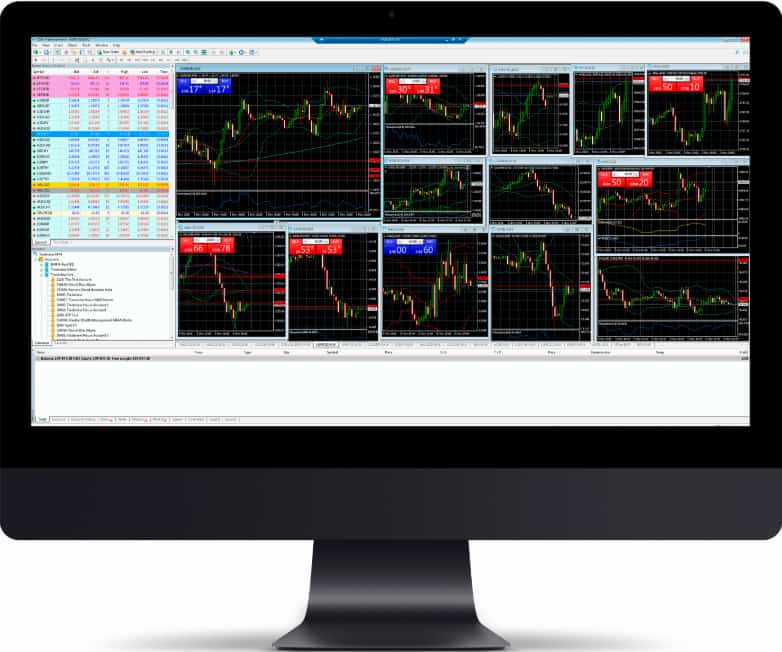
Compared to MT4, MT5 is easy to install and use. The MetaQuotes software is available as a desktop platform (Windows and Mac OSX), WebTrader platform, and iOS and Android apps. The desktop and WebTrader interfaces allow retail investors to trade in a professional environment, with extensive tools and features available to trade forex and CFDs. Similarly to the desktop and WebTrader platforms, MT5’s mobile apps allow for easy access to financial markets and fast order execution while a trader is on the move.
This comparison sits inside our wider work on trading platforms.
Technical Analysis
Traders using MT5 can utilise the platform’s 21 timeframes, much more than MT4’s 9 and an excellent upgrade suited to day traders and scalpers. Regarding technical analysis, MT5 offers 38 indicators (compared to MT4’s 30) to assist traders with complex trading strategies.
Fundamental analysis tools are also available on MT5, including an economic calendar with news, upcoming events, and market conditions.
Order Types
Pending Orders
- Buy Limit: A buy order that can only be executed at below the market price. A buy limit order is usually placed when the price of a CFD has fallen, and it’s expected to rise.
- Sell Limit: A sell order that can only be executed above a certain price. A useful pending order when the instrument’s price has risen and is to decrease.
- Buy Stop: Used if a CFD price is increasing and expected to continue to increase. A Buy Stop order is placed above the current price.
- Sell Stop: An order to be executed below market price. A Sell Stop is useful if the instrument’s price is decreasing and is anticipated to continue decreasing.
- Buy Stop Limit: An order that is a combination of a Buy Limit order and a Buy Stop order.
- Sell Stop Limit: Features of a Sell Limit order and a Sell Stop order.
Market Orders
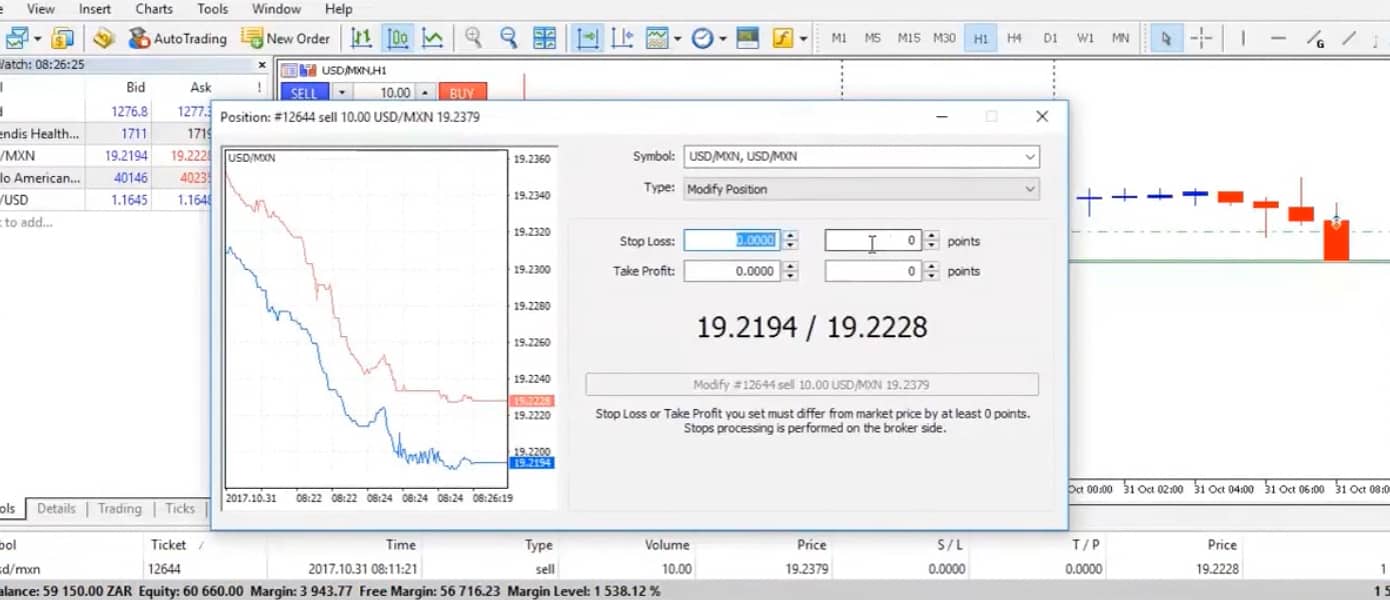
- Stop Loss: This order automatically closes out positions when a CFD’s price moves in an unfavourable direction to limit losses during times of volatility.
- Take Profit: A Take Profit order automatically closes out an open position when a CFD has increased to a certain price. This allows traders to secure profits when securities are rising in price.
Expert Advisors and MQL5
Expert Advisors (EAs) are trading robots that perform technical analysis and automate trading activities. EAs allow markets to be monitored 24 hours a day while following an algorithm that increases trading efficiency. Analysing markets manually can be time-consuming, yet when using EAs, large amounts of data can be calculated nearly instantly. Algorithmic strategies like EAs can react to volatile markets faster than a human can, which lets traders catch favourable price movements before they’re gone.
A benefit of MT5 over MT4 includes the multi-thread backtesting abilities. When backtesting What Is The Best Automated Trading Platform on MT4, only a single currency can be tested, while MT5 allows for multi-currency backtesting. This allows traders to test EA strategies against historical data before executing orders in the real market. If you’re still unsure, read our guide on MT5 vs MT4.
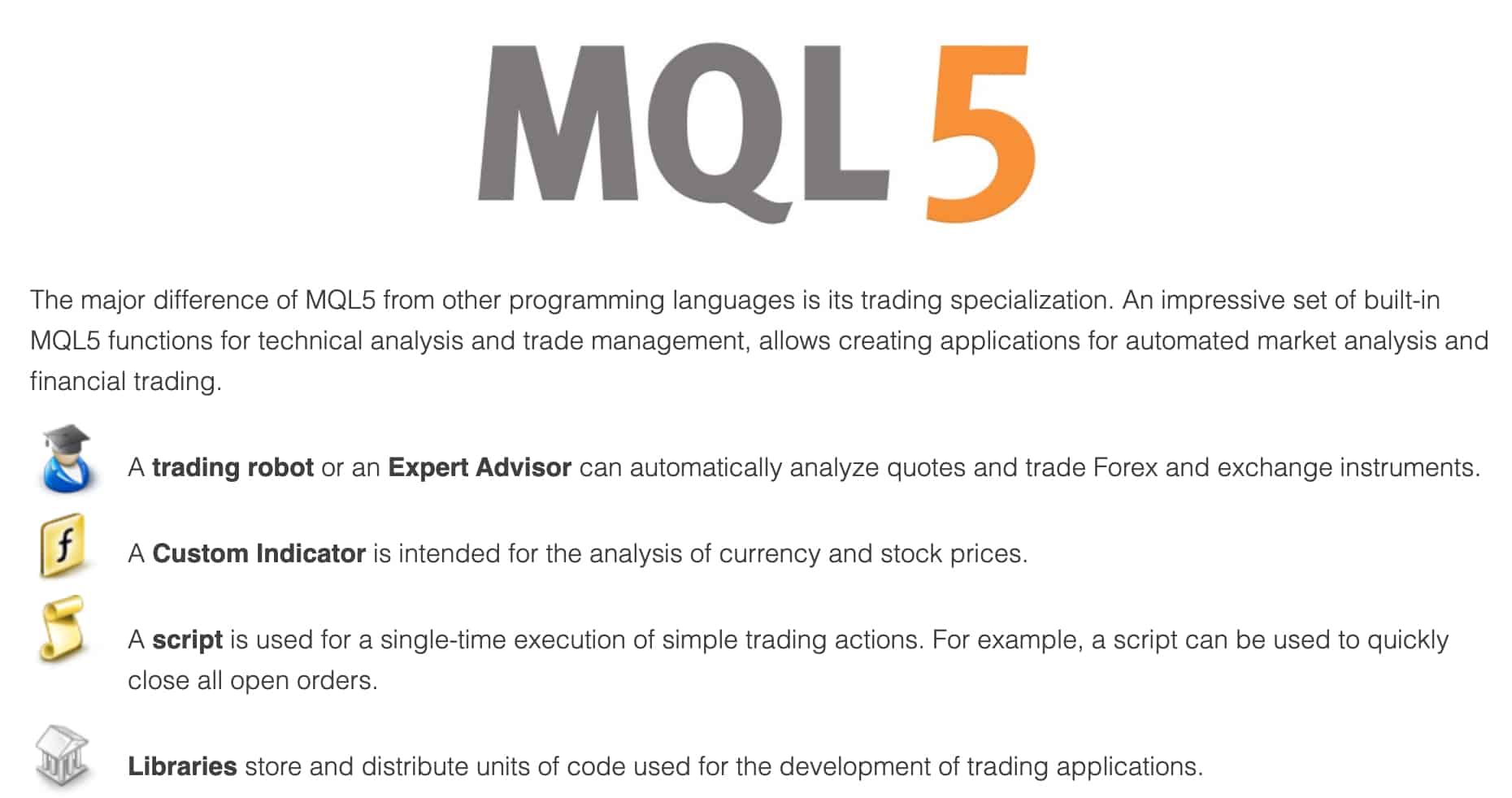
The MetaQuotes Language 5, aka MQL5, is an advanced programming language that allows traders to write algorithmic trading strategies as well as technical indicators. Compared to MQL4, the upgraded MQL5 is easier to use and a more efficient coding language.

Our Verdict on MetaTrader 5?
1) Improved Timeframes and Charting
MetaTrader 5 offers 21 timeframes compared to just 9 for MT4. There are also unlimited charting options, with over a hundred that can be open at one time.
2) Fundamental Analysis Availability
There is an inbuilt MT5 forex calendar that has features such as schedules, new events, forecasts, expected impacts and other elements. These are perfect for traders who prefer fundamental analysis to make their trading decisions.
3) Commerce Integration
Unlike MT4, the newer platform has commerce integration that allows traders to rent or purchase currency (forex) products directly. This can be done through the market tab.
4) Extra Indicators
MetaTrader 5 has 38 inbuilt indicators, 22 analytical objects, and 46 graphical objects. Compare this to MT4’s 30 indicators, and it’s the financial instruments advancements made.
5) A Plethora Of Market Order Ability
MT5 allows for 2 market orders and 6 pending orders, as well as 2 stop orders. Compare this to MT4, which only allows 2 market orders and 4 pending orders.
Major Benefits of MT5
One of the major benefits of the MetaTrader 5 platform is that traders are not confined to just utilising the built-in analytical resources such as the MetaTrader 5 tables, graphs, and market indicators. Thanks to MQL5, a high-performance programming language, traders can create their very own technical indicators.
With a bit of coding know-how, traders can even create trading robots, often called “Expert Advisors.” Trading robots can automatically implement nearly any trading strategy based on several key input calculations, allowing traders to access highly accurate market analysis and forecasts.

Risk Disclaimer
Trading forex and contracts for difference carries a high degree of inherent risk, no matter which brokerage you choose. Our team advises new traders to take advantage of demo accounts and other tools to develop a strategy and familiarise themselves with a preferred trading platform before beginning to trade ‘live’. Never trade with money you cannot afford to lose; use extreme caution when trading with leverage.
Trading with a licenced, regulated retail investment brokerage does not guarantee success in trading. Still, it will protect your funds against loss due to unethical practices, such as pooling customer and broker money. Likewise, do not attempt to circumvent relevant regulations or restrictions in your jurisdiction, as doing so may subject you to legal action or forfeiture of your trading profits.
Other Region MT5 Brokers

FAQs
Is MT5 A Safe Trading Platform?
Which Is The Best MT5 Broker?
Is MT5 A Broker?
Does MT5 Have A Stop-Loss?
How Much Leverage Does the MT5 Trading Platform Have?
Can You Use a Demo Account With MT5?
Can You Use MT5 In Australia?
Can You Spread Bet With MT5?
Does MT5 Have a WebTrader?
Is MT5 Available As An App?
Can You Use MT5 With A Mac?
Is MT5 Free?
About the author

Justin Grossbard is the CEO & Co-Founder of CompareForexBrokers established in 2014, along with Noam Korbl and works as Strategic Head Of Research.
Our reviews are reader-supported. We may receive payment when you click a link to a partner site. Learn how we make money.