
Regulators named in full: a broker regulated by ASIC is regulated by the Australian Securities and Investments Commission; by DFSA, the Dubai Financial Services Authority.
What is the best TradingView broker?
Pepperstone is the best TradingView broker with zero-pip spreads on major pairs (Razor account) and 0.1 pips average spread on EUR/USD (Razor account).. TradingView’s platform includes 100+ indicators and advanced charting tools for technical analysis. We also compared integration quality and trading costs across 6 other brokers.
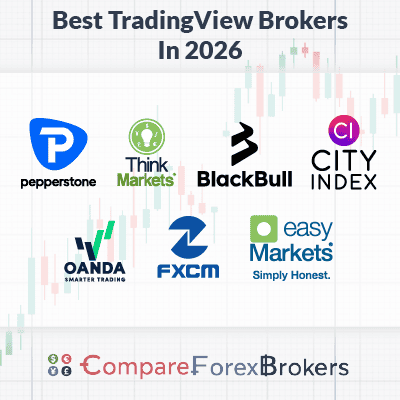
Our Top 7 TradingView Forex Brokers are:
Ordered by our overall rating, highest first.
- Pepperstone - Best TradingView Provider
- BlackBull Markets - Top Broker For High Leverage and Fast Execution
- OANDA - Wide Range of Forex Pairs with TradingView
- ThinkMarkets - Low Spread TradingView Broker
- FXCM - Best Free Upgrade to TradingView Pro
- Forex.com - Lowest Spreads When Using TradingView
- easyMarkets - Good Fixed Spreads on TradingView
Broker comparison table
| Rank | Broker | Score | Regulation | EUR/USD raw | EUR/USD standard | Commission | Min. deposit | Platforms | Leverage | Visit |
|---|---|---|---|---|---|---|---|---|---|---|
| 1 |  Pepperstone Pepperstone | 98 | ASIC, FCA, BaFin CySEC, DFSA | 0.1 | 1.10 | $3.50 | $0 | MetaTrader 4, MetaTrader 5, cTrader | 30:1 | Visit |
| 2 |  BlackBull Markets BlackBull Markets | 94 | FMA, FSA-S | 0.1 | 1.10 | $3.00 | $0 | MetaTrader 4, MetaTrader 5, cTrader | 500:1 | Visit |
| 3 |  OANDA OANDA | 92 | MAS, CIRO, ASIC FCA, NFA/CFTC | 0.0 | 0.94 | - | $0 | MetaTrader 4 | 30:1 | Visit |
| 4 |  ThinkMarkets ThinkMarkets | 70 | FCA, FSCA ASIC, FSA-S, CySEC,DFSA | 0.11 | 1.10 | $3.50 | $0 | MetaTrader 4, MetaTrader 5 | 30:1 | Visit |
| 5 |  FXCM FXCM | 68.6 | ASIC, FCA, CySEC CIRO, BaFin, FSCA | 0.30 | 0.7 | $4.00 | $50 | MetaTrader 4 | 30:1 | Visit |
| 6 |  Forex.com Forex.com | 67.6 | FCA, ASIC, CIRO NFA/CFTC, CySEC, BaFin MAS, JFSA, CIMA, SFC | 0.1 | 1.2 | $6.00 | $100 | MetaTrader 4, MetaTrader 5 | 30:1 | Visit |
| 7 |  easyMarkets easyMarkets | 58.9 | ASIC, CySEC FSA-S, FSC-BVI, FSCA | - | 1.2 | - | 200 AUD (Australia) 25 USD (Europe & Rest of World) | MetaTrader 4, MetaTrader 5 | 30:1 | Visit |
Broker reviews
1. Pepperstone

Average spread
EUR/USD = 0.1 GBP/USD = 0.2 AUD/USD = 0.1
Platforms
MT4, MT5, cTrader, TradingView, Pepperstone Trading App
Minimum deposit
$0
Why We Recommend Pepperstone
Pepperstone’s TradingView integration is one of the better ones we’ve used. Free access to the core features, fast execution, simple onboarding, and a wide market range together earned them 98/100 for overall TradingView experience.
Pros & cons
- Competitively low spreads
- Easily Integrates with TradingView
- Trade over 1,200 markets
- Doesn’t accept US traders
- No guaranteed stop-loss option
- No Standard account with TradingView
Broker Details
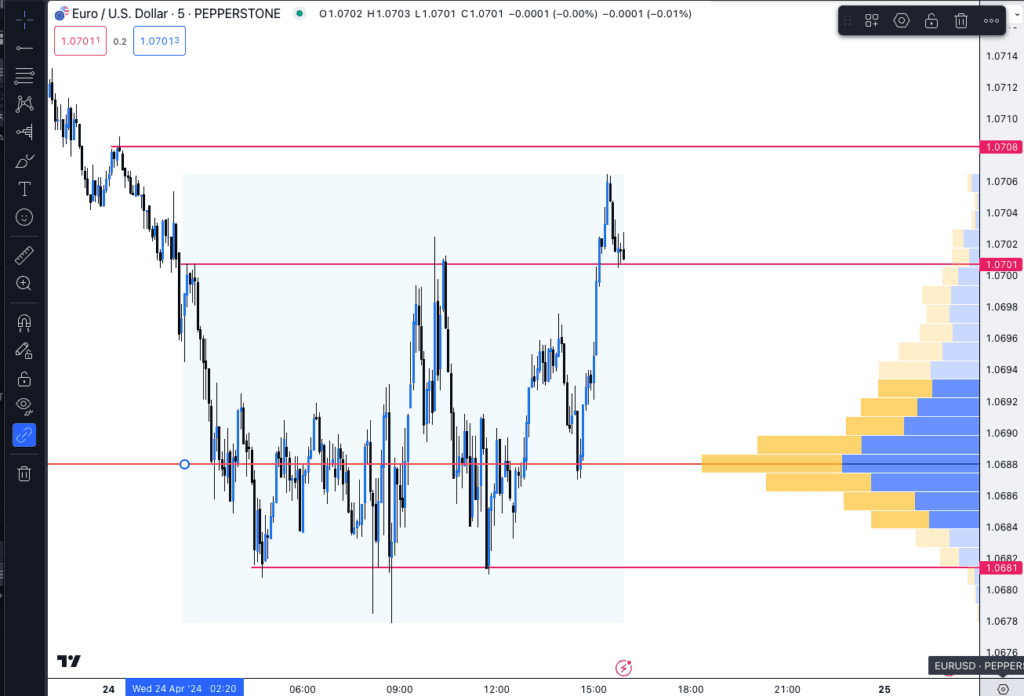
TradingView is one of our favourite trading platforms. It offers over 100 technical indicators, such as Bollinger Bands and MACD, and advanced drawing tools, like Anchored Volume Profiles.
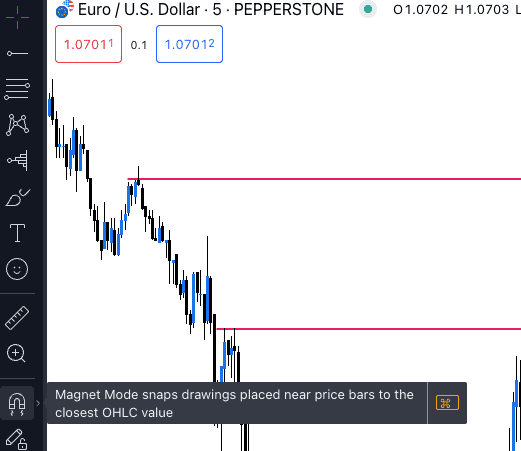
We tried the platform and found it easy to analyse the markets. It had a feature that snapped the drawing tools directly to the price, helping us place our drawings on the charts faster and with accuracy.
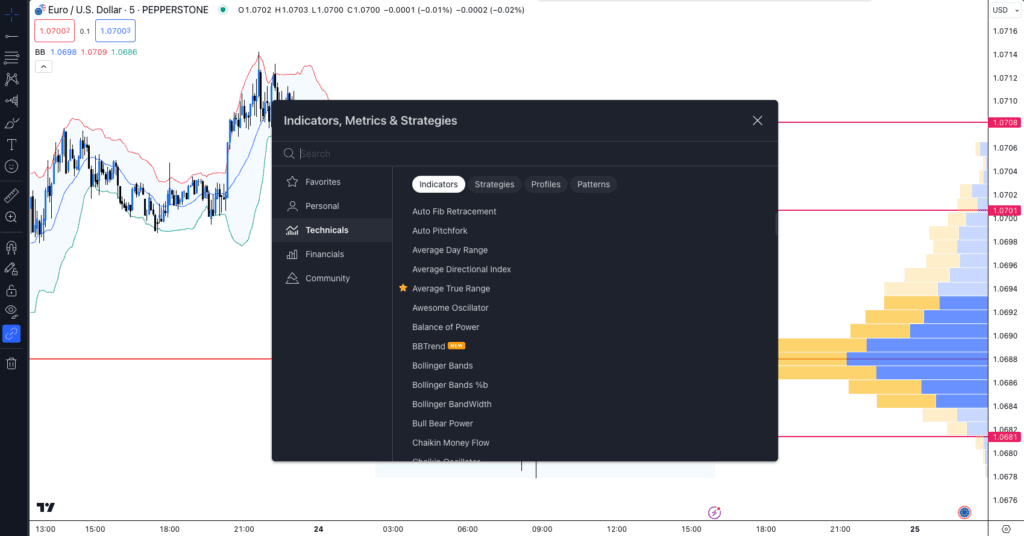
Adding indicators to the chart was simple too. We liked that we could set up a default template allowing us to rotate between the 1200+ markets on Pepperstone without adjusting our indicators or chart types. It also kept all the drawings we applied to previous markets, which is a bonus, as MetaTrader 4 deletes them after you accidentally close the chart window.
However, we found that the free trading account simultaneously limited us to just two indicators on a single chart. Platforms like MetaTrader 4 and 5 do not limit us. If you want more than two indicators, subscribe to TradingView and receive more features.
To get the most out of TradingView, we think having a broker who can provide the best trading environment is important, so Pepperstone is our top pick.
In our tests, we found that the broker offered two trading accounts. A standard account is spread only (with no commission), meaning all the trading costs are bundled into the spread, making it a straightforward transaction. The standard account had decent spreads, averaging 1.12 pips on EUR/USD, which is better than the industry average of 1.24 pips based on our findings.
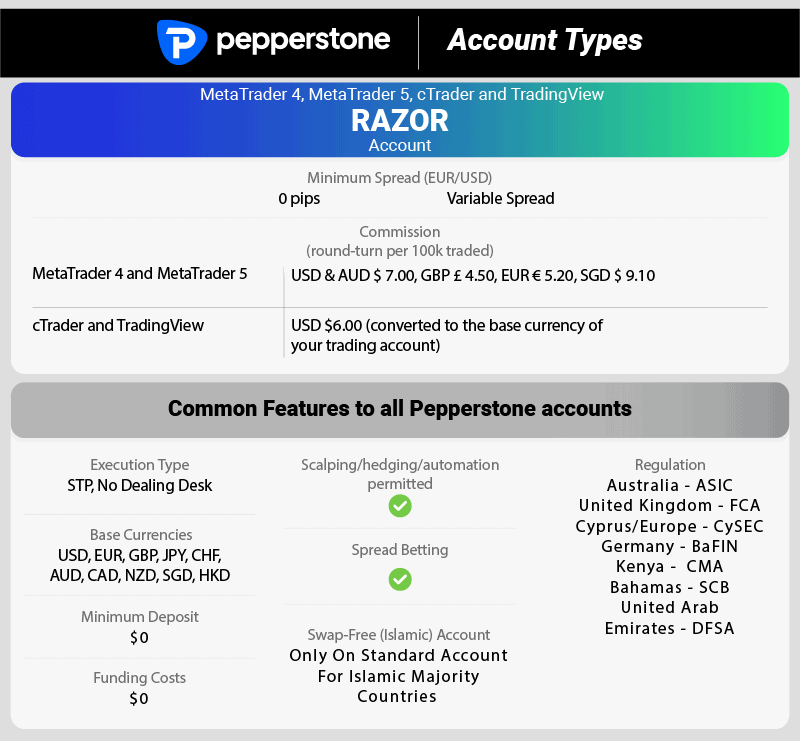
If you want tighter spreads, we recommend choosing the Razor account. Our analyst found that Pepperstone offers zero-pip spreads on its major pairs 100% of the time, significantly reducing your trading costs.
With zero-pip spreads, your only trading costs become the fixed commission ($3.50 per lot traded), allowing you to trade without worrying about market volatility affecting your spreads.
| Zero Spread Testing | |
|---|---|
| Broker | Time At Minimum Spread |
| Pepperstone | 100% |
| City Index | 100% |
| Fusion Markets | 98.55% |
| ThinkMarkets | 97.93% |
| IC Markets | 97.83% |
| TMGM | 97.83% |
| FP Markets | 97.83% |
| Eightcap | 97.83% |
| Admirals | 95.60% |
| Blueberry Markets | 94.20% |
| GO Markets | 87.68% |
| BlackBull Markets | 86.96% |
| GO Markets | 87.68% |
| Axi | 82.61% |
| CMC Markets | 81.88% |
*Your capital is at risk ‘79.6% of retail CFD accounts lose money’
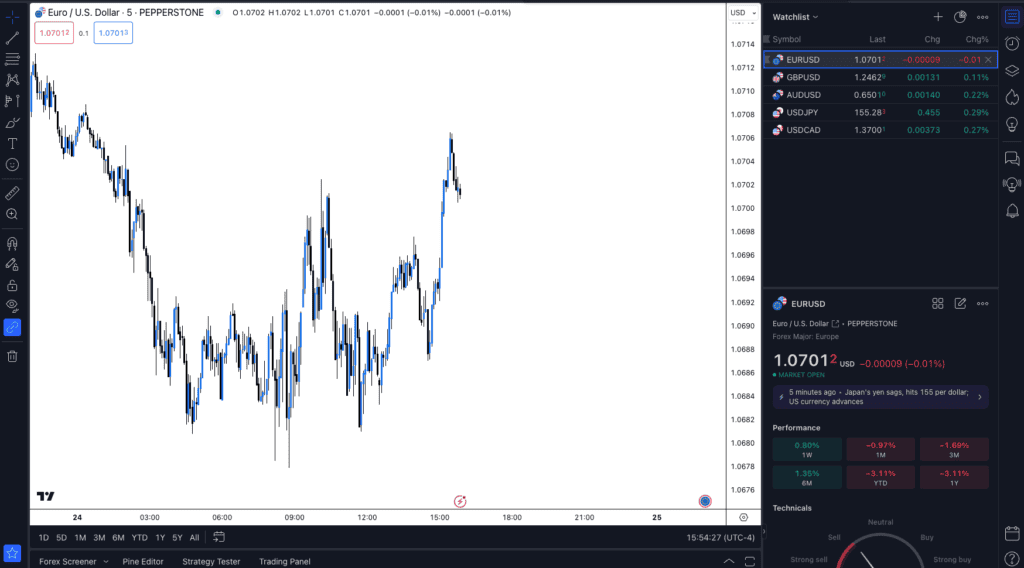
Pepperstone screenshots
2. BlackBull Markets

Average spread
EUR/USD = 0.1 GBP/USD = 0.1 AUD/USD = 0.2
Platforms
MT4, MT5, cTrader, TradingView, BlackBull Social, BlackBull Shares, BlackBull Trade
Minimum deposit
$0
Why We Recommend BlackBull Markets
We liked BlackBull Markets’ generous offering of TradingView Pro at no cost, provided you trade at least one lot each month. TradingView Pro elevates your analysis with indicators per chart, and you can view two charts in a single layout. Plus, with server-side alerts, you’ll always be in the loop for potential trading prospects. BlackBull Markets is the top broker for those seeking high leverage and swift execution.
Pros & cons
- Excellent execution speeds
- Offers high leverage
- Good selection of trading products
- Charges a fee to withdraw funds
- Lacks major Tier 1 regulators
- High minimum deposit for ECN Prime account
Broker Details
We’ve tested over 20 brokers to find the fastest for limit orders and market order execution. Our analyst, Ross Collins, found that BlackBull Markets is the overall fastest, with an impressive 72ms limit order speed and 90ms market order speed.
| Broker | Overall | Limit Order Speed | Limit Order Rank | Market Order Speed | Market Order Rank |
|---|---|---|---|---|---|
| BlackBull Markets | 1 | 72 | 1 | 90 | 2 |
| Pepperstone | 2 | 77 | 2 | 100 | 3 |
| FXCM | 3 | 108 | 3 | 123 | 4 |
| City Index | 4 | 95 | 4 | 131 | 5 |
| easyMarkets | 5 | 155 | 5 | 155 | 6 |
Having fast execution speeds is vital as it lowers the chance of platform-to-market lag. This speed ensures your trades are executed as fast as possible while limiting potential price slippage, which can be costly.
In addition to its fast execution speeds, we found that the broker offers high leverage for its traders, as high as 1:500. This is far higher than that of brokers regulated by ASIC and the FCA, which restrict retail traders’ leverage to 1:30.
BlackBull Markets can offer high leverage as it is regulated by the New Zealand Financial Markets Authority (FMA) but still accepts clients from Australia.
We think that high leverage allows experienced traders to enhance their risk with lower trading accounts and scale their trading success without depositing more margin, like with ASIC-regulated brokers.
For example, a one-lot trade with an ASIC broker requires a margin of $3,500+ compared to the $210+ required by BlackBull Markets. Although you’ll have lower margins to trade large positions, the higher leverage will also increase your risk.
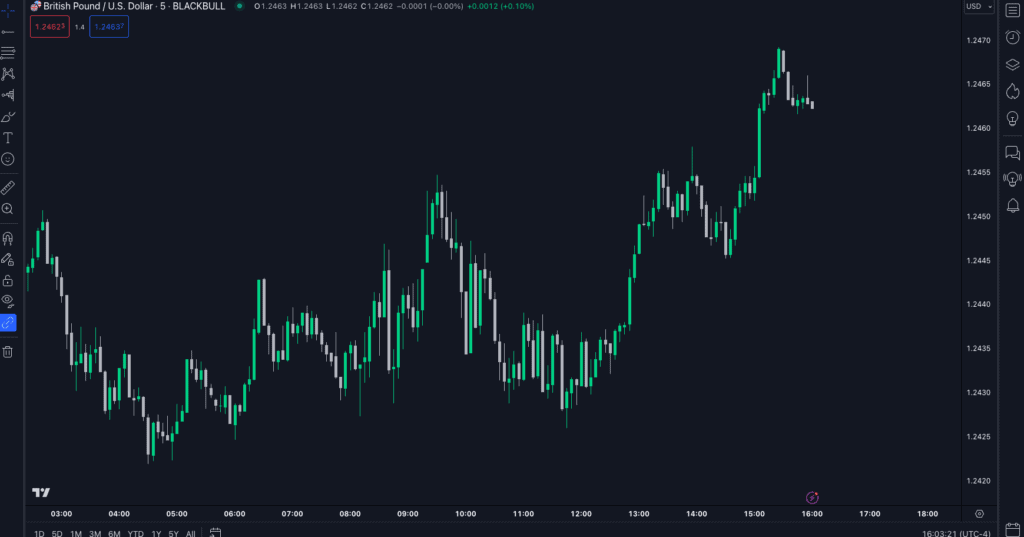
BlackBull Markets also offers TradingView, allowing you to use advanced charts to analyse the markets while benefiting from high-leverage trading accounts and fast execution speeds.
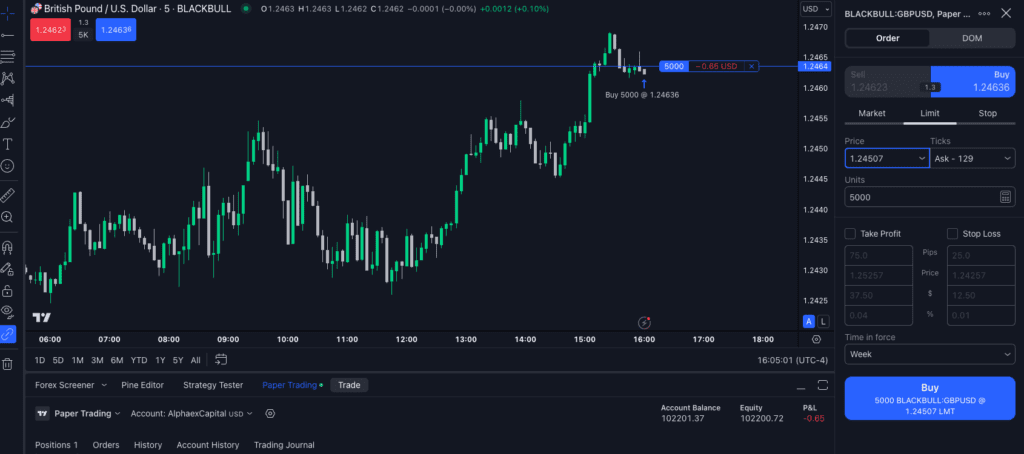
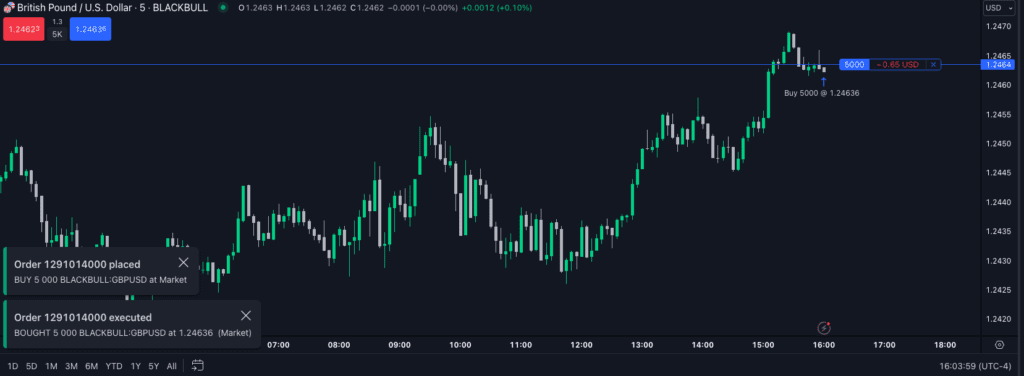
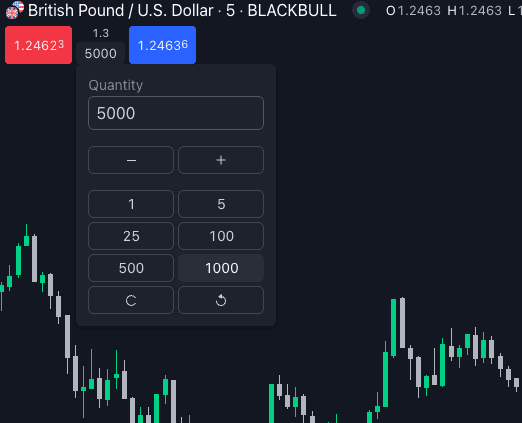
Based on our testing, we think that if you like to scalp the markets, the broker provides excellent conditions for the TradingView platform to benefit from its one-click trading feature. We liked this feature as we could place our trades from the chart without completing the order ticket.
Instead, it directly executes our trades at market price, allowing us to enter the scalp as fast as possible. After all, we found that filling out the order ticket took too long and that we missed potential scalps using this method.
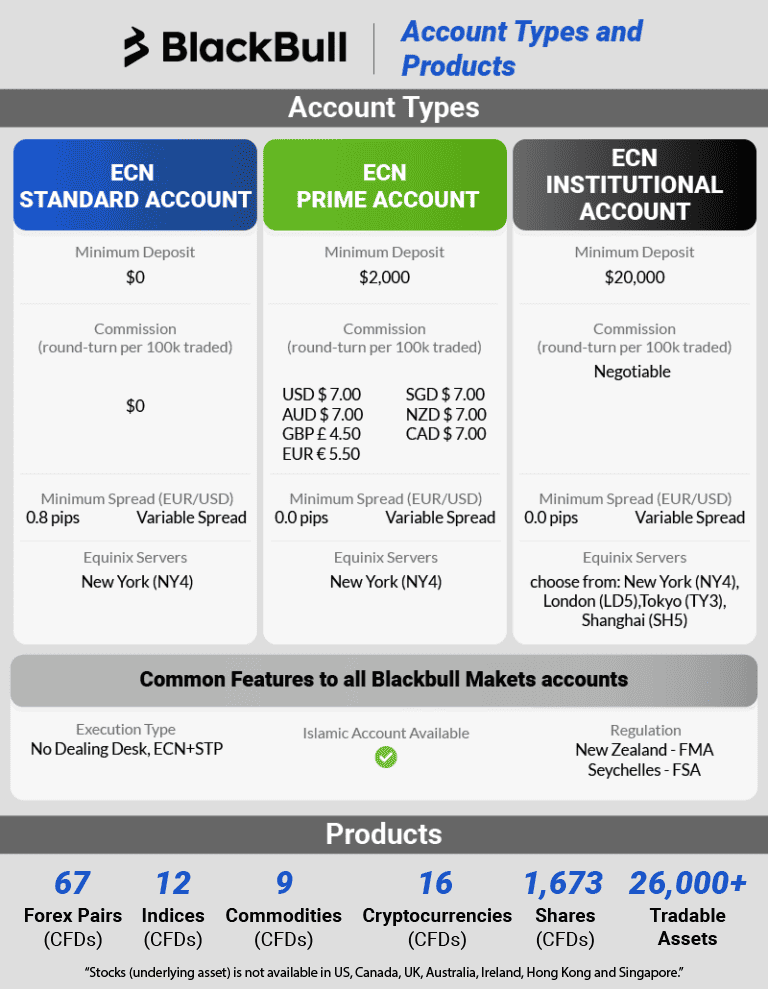
BlackBull Markets screenshots
3. Forex.com

Average spread
EUR/USD = 0.1 GBP/USD = 0.1 AUD/USD = 0.45
Platforms
MT4, TradingView, Forex.com WebTrader
Minimum deposit
$150
Why We Recommend Forex.com
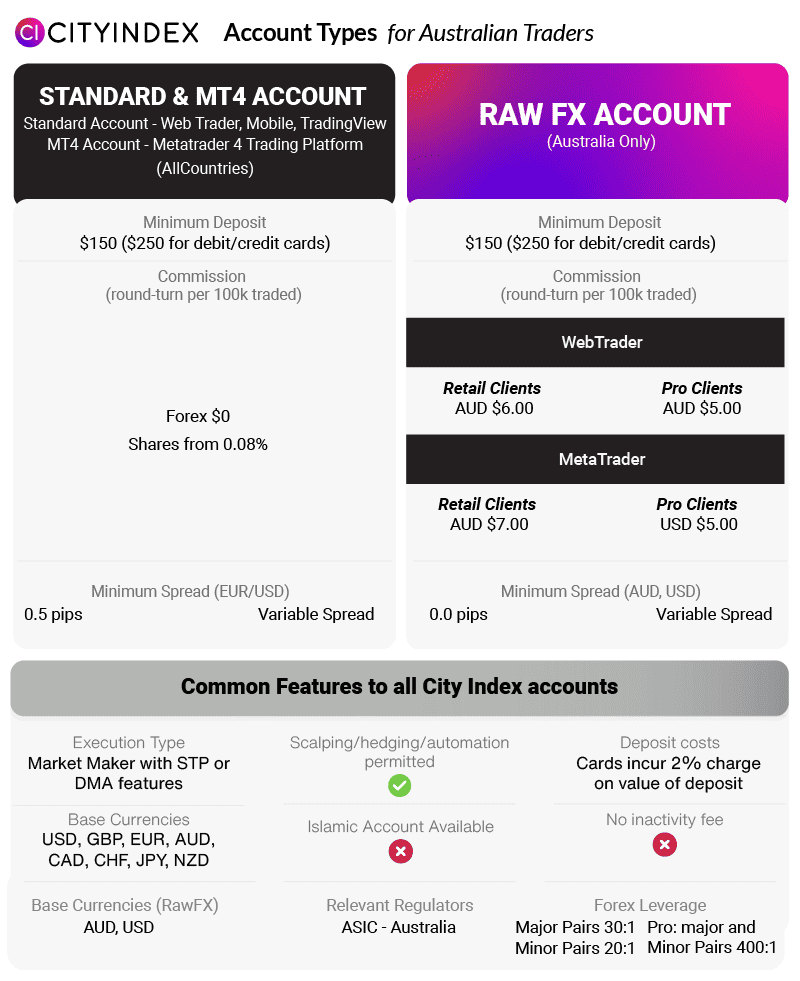
We liked the Forex.com RAW FX Account, specifically tailored for Australian traders. It boasts some of the lowest spreads in the industry, complemented by highly competitive commissions. If you want to minimise trading costs, the Forex.com RAW FX Account presents a persuasive option for TradingView users.
Pros & cons
- Low trading spreads
- Free performance analytics tools
- Solid choice of trading instruments
- Charges inactivity fees
- No 24/7 customer support
- You can’t manually change leverage levels
Broker Details
Out of the TradingView brokers we’ve tested, Forex.com had the lowest spreads, with its Raw FX Account averaging 0.07 pips on EUR/USD, much lower than the industry average of 0.22 pips.
To access these tighter spreads, Forex.com charges a fixed commission of $2.50 per lot traded, which is $1.00 lower than the industry average. This one-dollar savings can save you a fortune over time, especially if you trade frequently, making Forex.com one of the lowest commissions in Australia.
| Broker | USD |
|---|---|
| City Index | $2.50 |
| Blackbull Markets | $3.00 |
| Pepperstone | $3.50 |
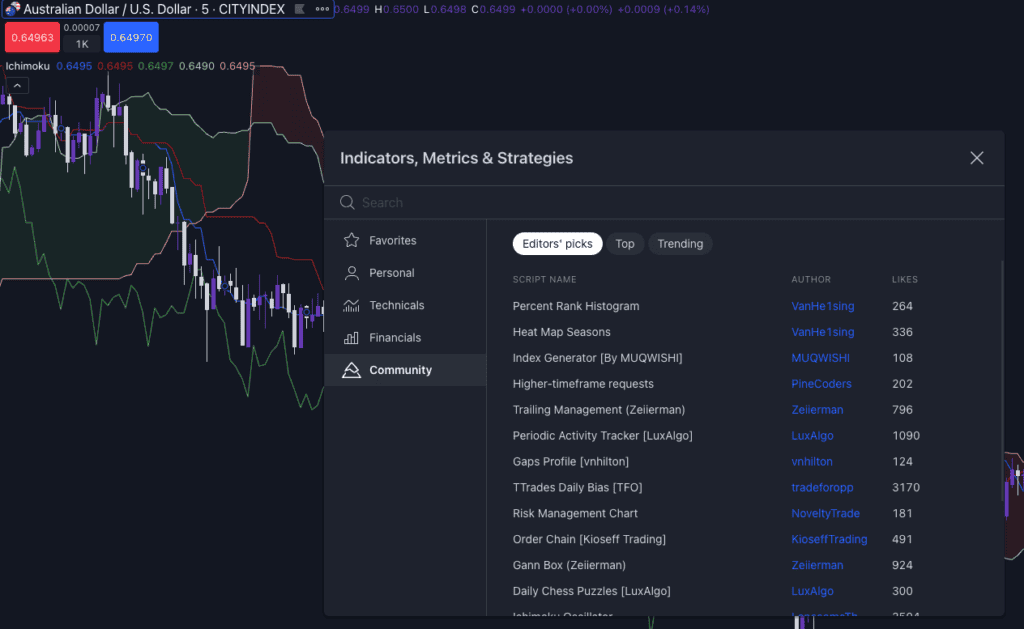
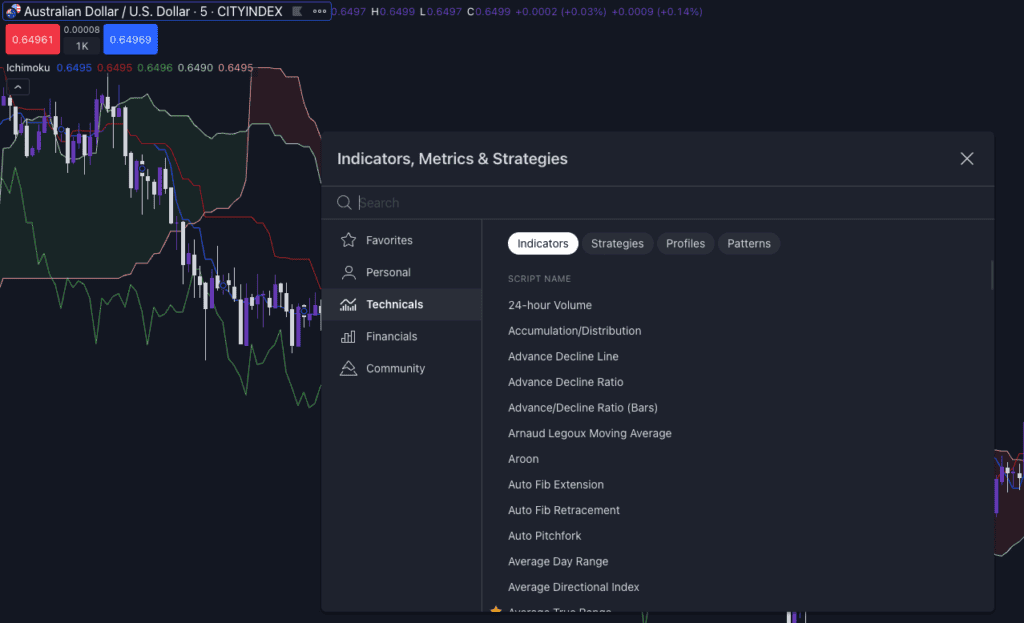
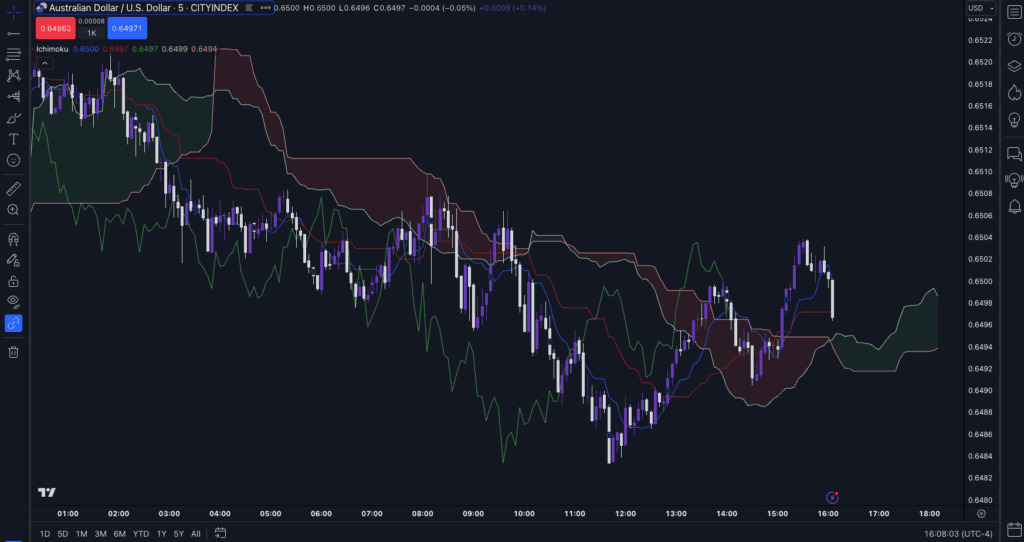
By offering TradingView, Forex.com offers one of the best platforms for analysing the markets with low trading costs. The platform is well known for its advanced charting tools and popular indicators like Ichimoku and Bollinger Bands. We also liked that you can browse and use community-made technical indicators.
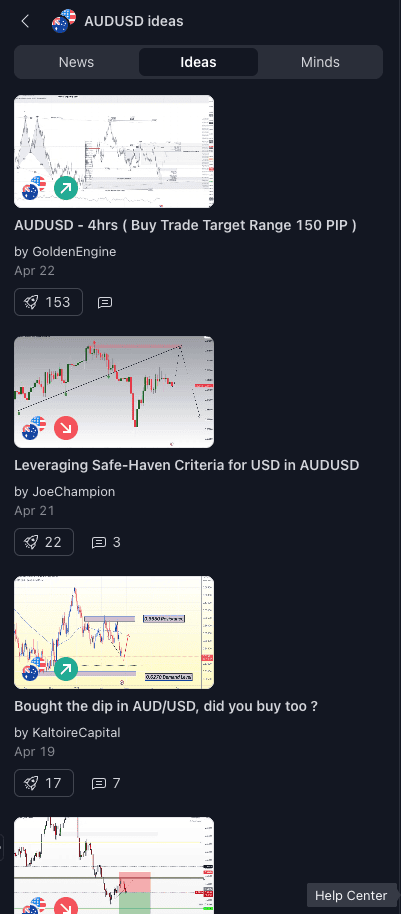
This community tab opens up new technical analysis opportunities to explore and potentially find a method that makes finding new ideas easier. Each indicator is rated so you can see which ones are popular and try them for free.
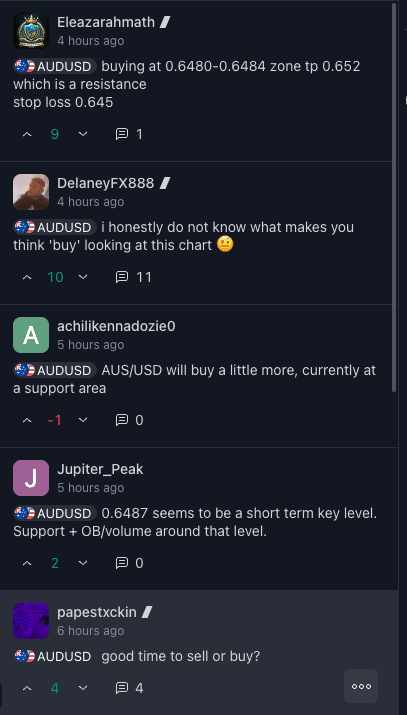
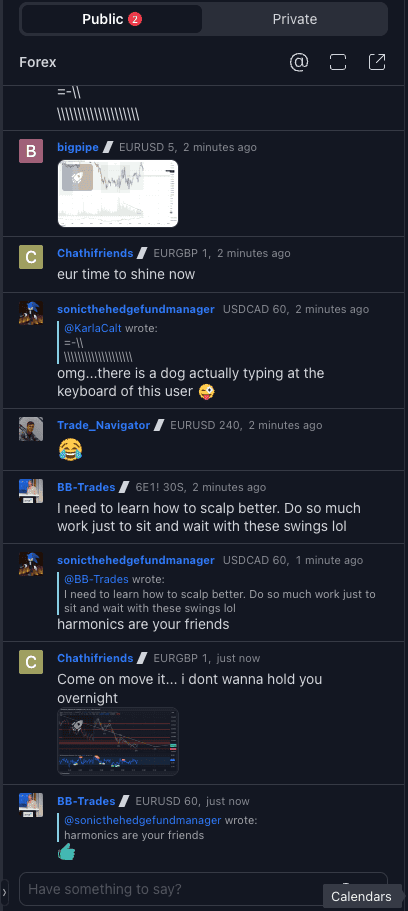
During our tests on the platform, we also liked that you can interact with other traders via social trading with a comment-based system, like Twitter, or in a live chat focused on each asset. This feature lets you share and review other market ideas in real-time.
You can even screenshot and publish your trade ideas for others to critique and provide feedback, which is a good mechanism for determining what you did right (or wrong) in your trading history.
With our Raw FX account on TradingView, we found the broker made all of its 4,500+ markets available on the platform, including 84 currency pairs, 20 indices, 30+ commodities, 4,500 stocks, and 25+ cryptocurrencies.
Forex.com screenshots
4. OANDA

Average spread
EUR/USD = 0.94 GBP/USD = 1.73 AUD/USD = 1.5
Platforms
MT4, TradingView, OANDA Trade (FxTrade)
Minimum deposit
$0
Why We Recommend OANDA
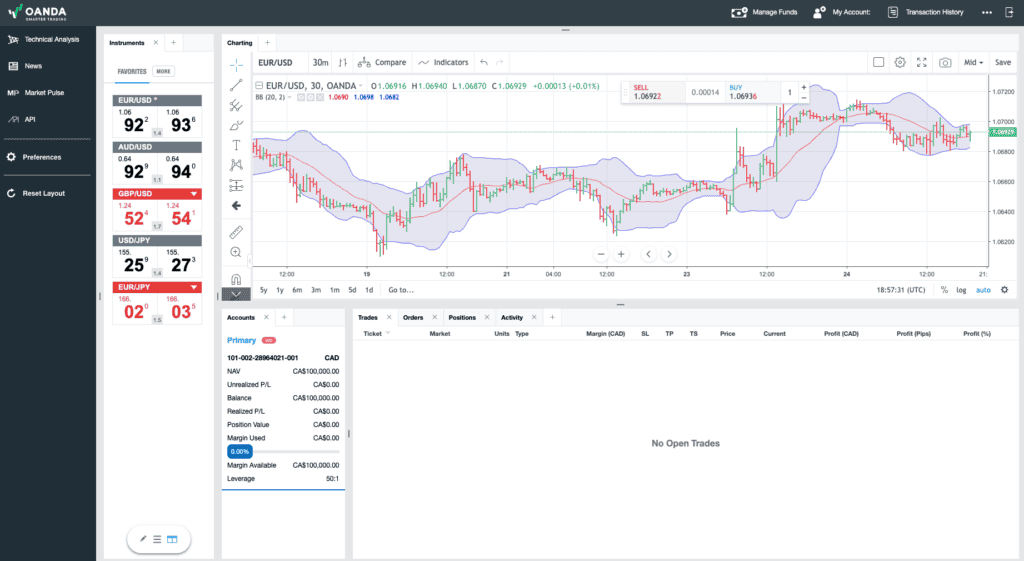
We liked OANDA’s approach, even though the pure TradingView platform isn’t available in Australia. Their flagship platform, OANDA Trade, incorporates TradingView charts, making it a powerful tool for traders. Being pioneers in adding TradingView to their platform lineup highlights their forward-thinking approach. With a comprehensive feature of currency pairs and indices, cryptos, bonds, and commodities, OANDA emerges as a top pick for traders seeking a broad range of Forex pairs using TradingView.
Pros & cons
- Access a large variety of forex pairs
- Provides excellent research tools
- Competitive spreads
- Doesn’t offer share trading
- Lacks 24/7 customer support
- No social or copy trading tools
Broker Details
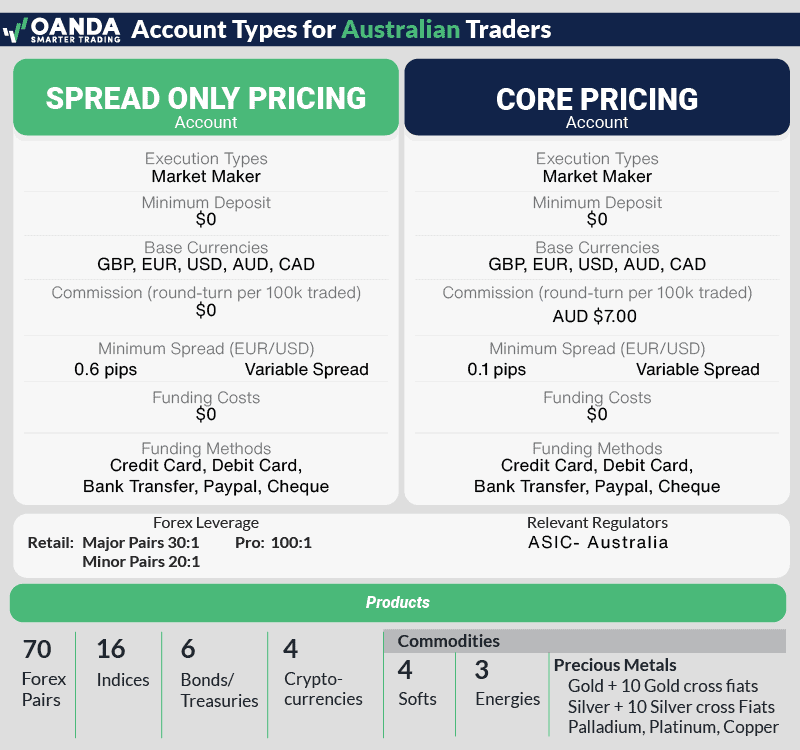
We found OANDA to offer the best range of forex pairs during our tests, with 69 currency markets available on TradingView. This extensive range covers majors, minors, and exotic pairs for those seeking higher volatility.
For other markets, OANDA offers 16 indices and 20+ commodities for other markets, but surprisingly, it doesn’t offer any share CFDs.
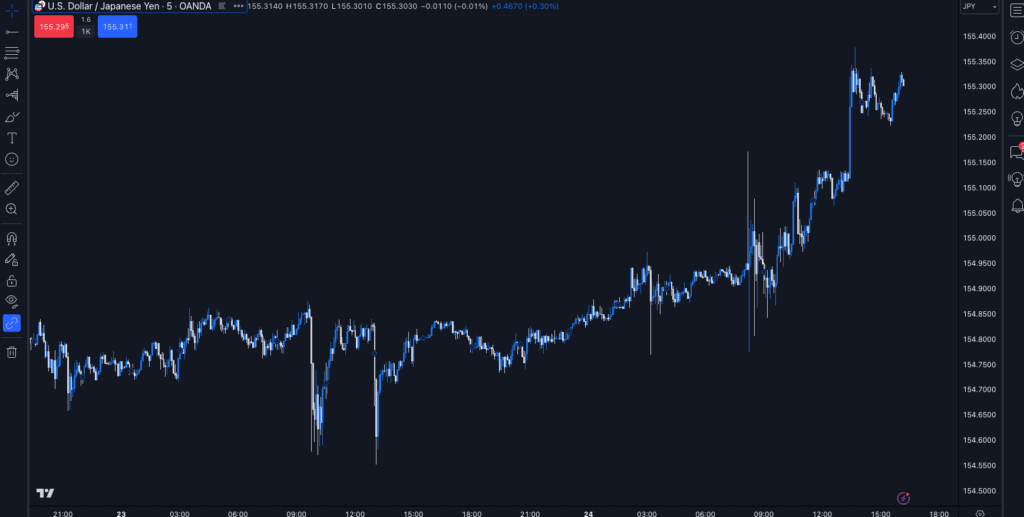
OANDA is one of a few brokers that only provides a Standard account, limiting the ways to pay for its brokerage services to spread-only pricing. With our live account, the spreads are lower than expected, offering 0.60 pips on EUR/USD, placing it as the lowest spread broker for standard accounts.
| Broker | EUR/USD |
|---|---|
| OANDA | 0.6 |
| City Index | 0.7 |
| Pepperstone | 1.12 |
| Blackbull Markets | 1.2 |
| FXCM | 1.3 |
| Industry Average | 1.24 |
With this in mind, it didn’t matter that they don’t offer Raw spread accounts, as the standard account spreads would be just as low when you factor in the commission charges.
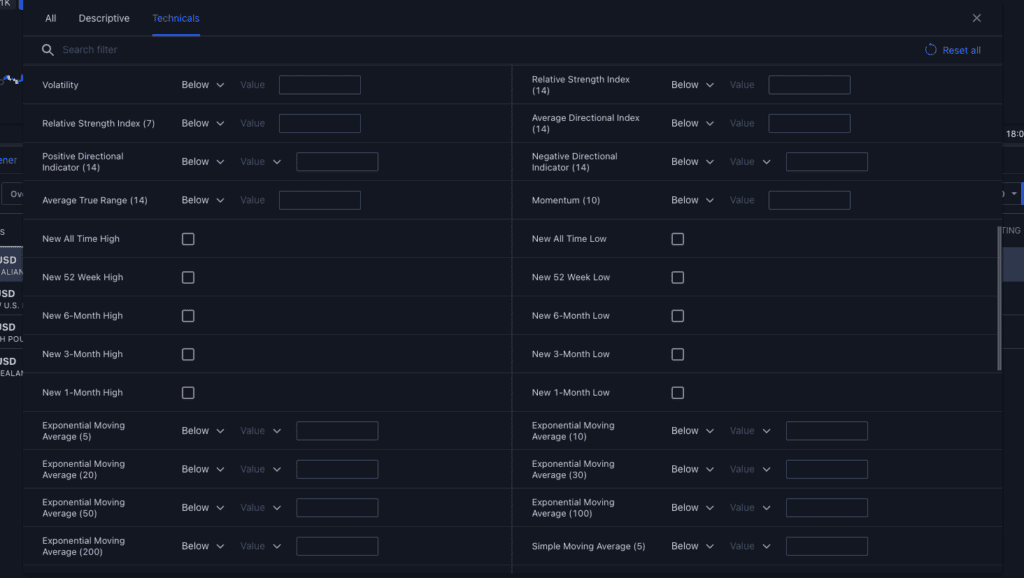
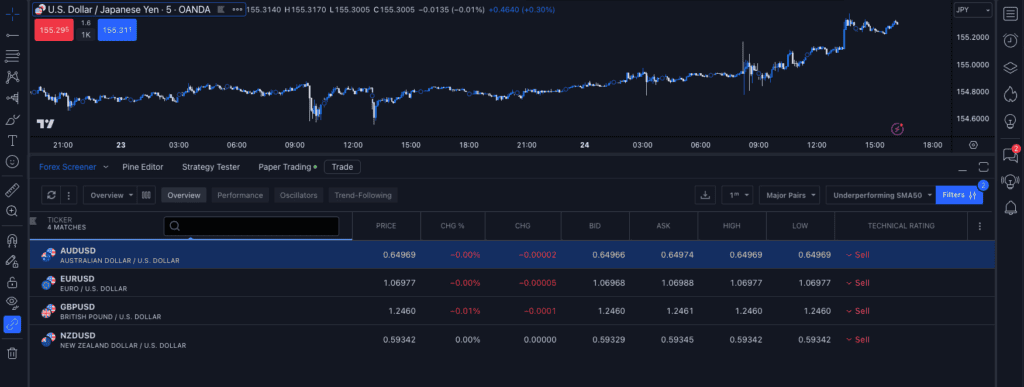
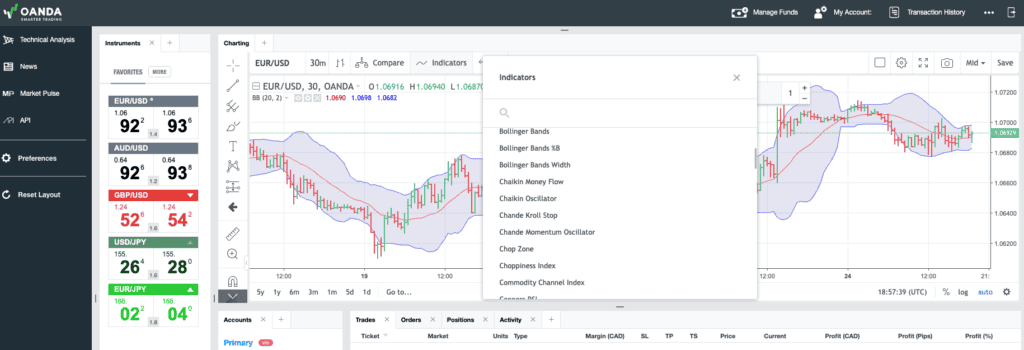
TradingView offers access to OANDA’s full spectrum of currency pairs, and if you like to monitor them, TradingView’s Market Scanner is a solid option. The scanner lets you enter specific parameters, such as price change or crossing, an indicator like a moving average, and it will show all markets that meet these parameters.
We liked this scanner because it allowed us to automatically filter the markets that matched our trading criteria. We monitor multiple currency markets for new opportunities all day, and when a market matches the scanner, you can click on it and validate the potential trade idea. This scanner helps speed up finding markets to trade by pre-qualifying each market based on our metrics, saving you from watching the charts all day.
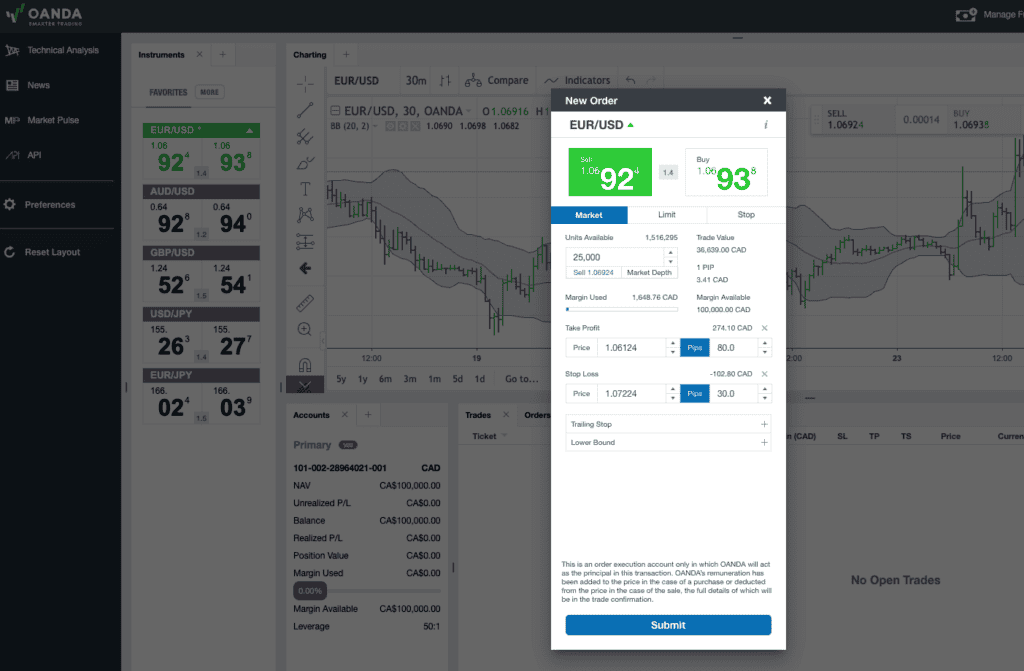
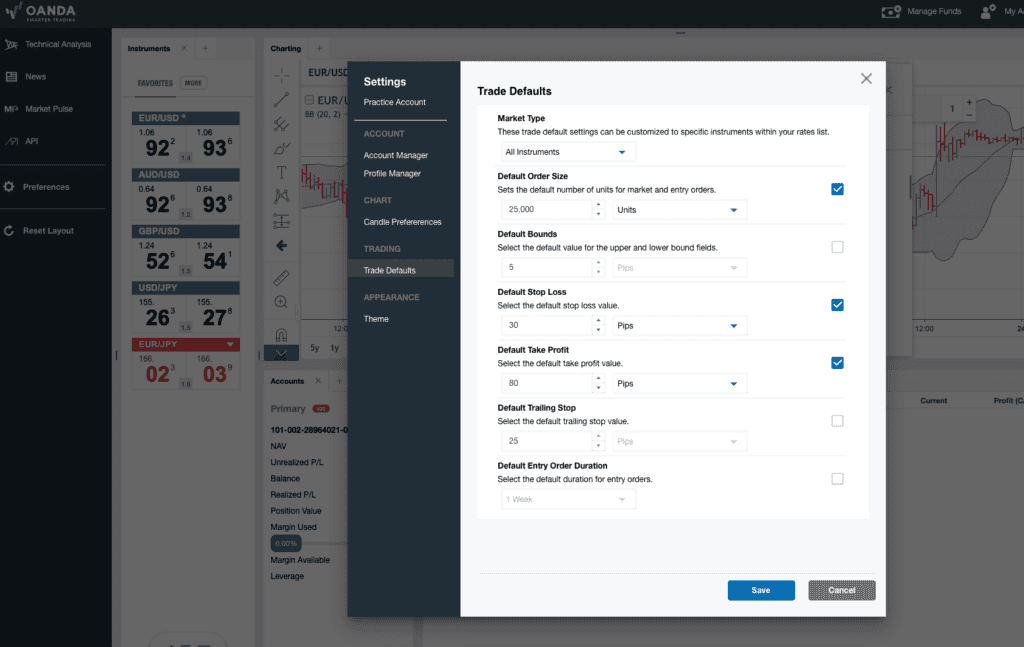
A unique option with OANDA is to use its proprietary trading platform, OANDA Trade, which has TradingView’s charting built into it. This allows you to benefit from TradingView’s charts and use OANDA Trades’ settings that let you trade lower unit sizes from one unit, which can help you transition from demo to live trading without risking too much at the start.
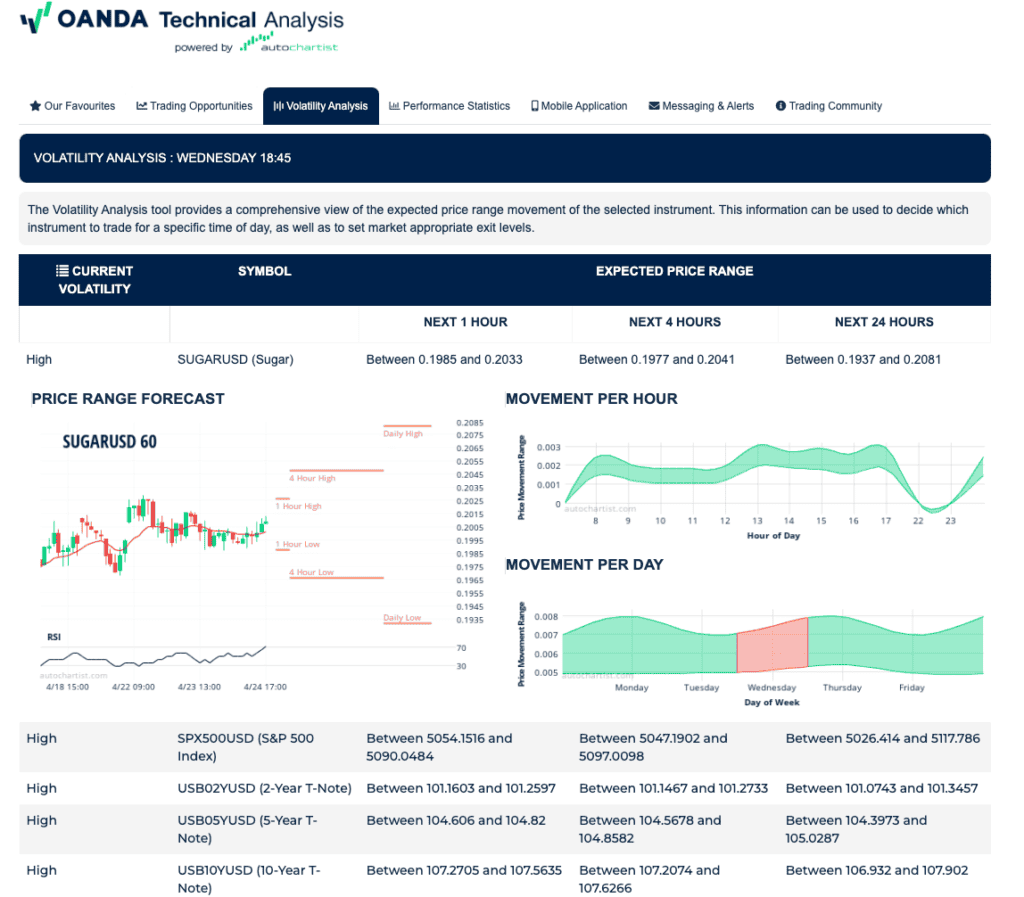
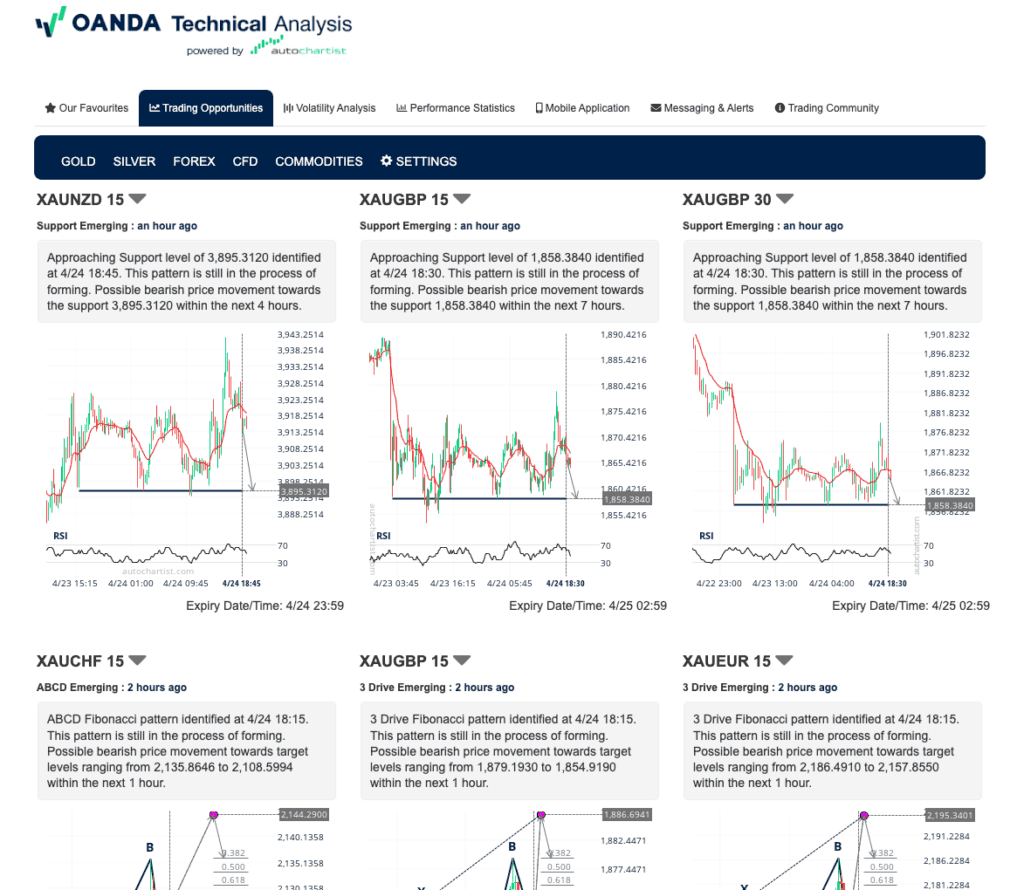
With the OANDA Trade platform, you can also access Autochartist analysis, which gives you free trading signals to follow. If you use the TradingView platform, you can do this; you just need to log into your OANDA Trade platform.
OANDA screenshots
5. FXCM

Average spread
EUR/USD = 0.3 GBP/USD = 0.9 AUD/USD = 0.4
Platforms
MT4, TradingView, Trading Station
Minimum deposit
$50
Why We Recommend FXCM
We liked FXCM’s offer, providing a TradingView Pro account complimentary for an entire year when you establish a trading account with them. It presents a fantastic chance to delve into the enhanced features of TradingView Pro. Coupled with FXCM’s merits, like a vast selection of currency pairs and favourable spreads, traders can genuinely harness TradingView Pro’s capabilities for analysis and trade execution.
Pros & cons
- Offers TradingView Pro for free
- Provides market analysis resources
- Solid selection of trading tools
- Product choice is limited
- Wire transfers have withdrawal fees
- Charges an inactivity fee
Broker Details
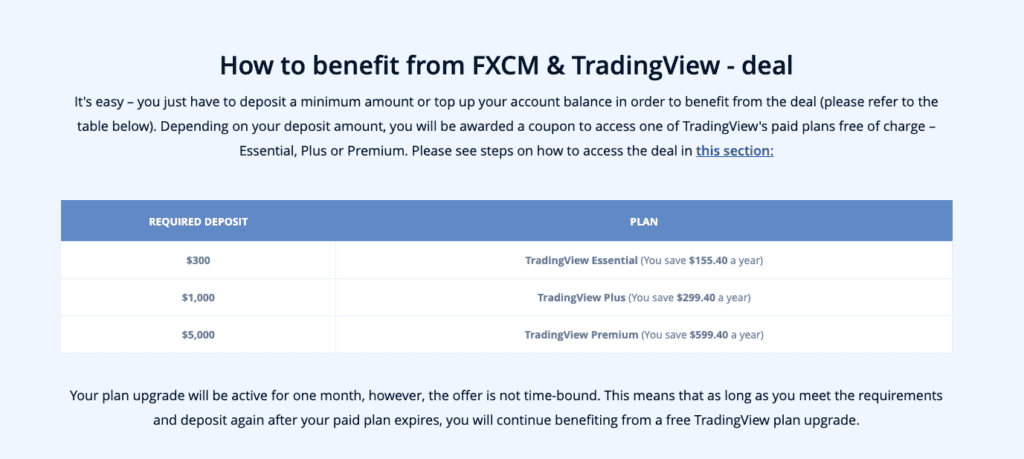
While exploring FXCM, we found that FXCM offers free TradingView plan upgrades based on how much you want to deposit. The minimum deposit to be eligible for a free upgrade to a paid account is $300, easily achievable for most traders. After the deposit, you will get a coupon to add to your TradingView account, unlocking the subscription plan.
As good as TradingView’s free account, it has limitations, such as the number of charts open at a time and the number of indicators allowed on a single chart. This free account can be a setback for traders who trade multiple markets or require more than two indicators on a screen to analyse the markets.
By receiving the free subscription, TradingView unlocks more features, such as:
- More historical data,
- 20 price alerts,
- Multiple watchlists,
- Five indicators per chart
- No adverts
Although the above may not be necessary for every trader, the threshold to get the free TradingView upgrade is so low that it’s worth getting anyway. Since the broker has a $50 minimum deposit, increasing it to at least $300 makes logical sense to enjoy the upgraded TradingView.
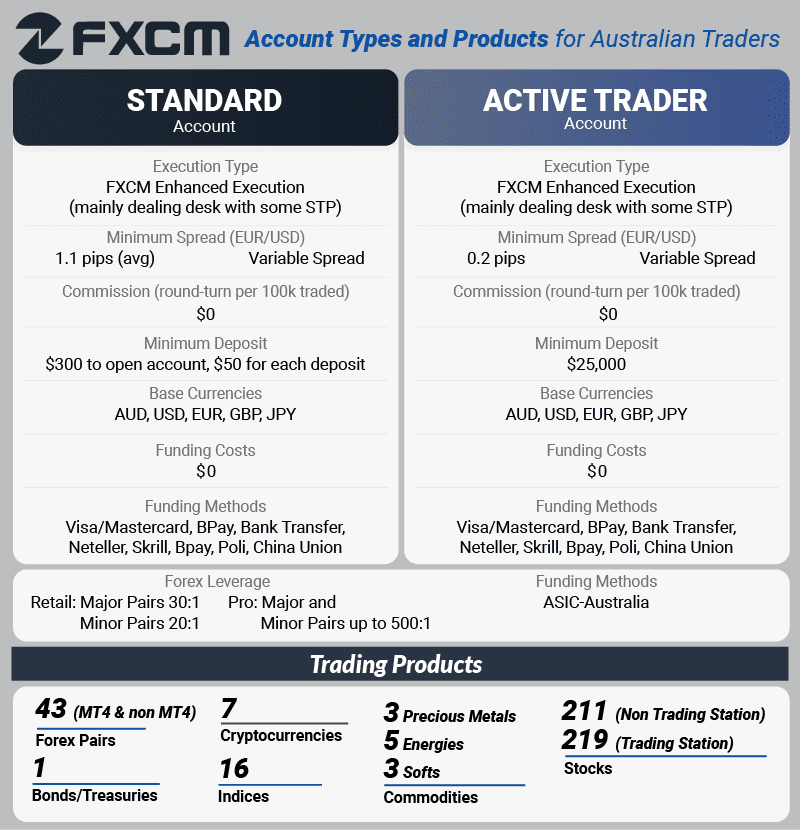
From our testing, we found that FXCM’s Standard account spreads were on par with the industry average, averaging 1.30 pips on EUR/USD. The broker does offer a way to reduce trading costs through its Active Trader account, which gives you cash rebates for your trading activity if you trade in large volumes.
In addition to the trading costs, FXCM offers a solid range of markets on TradingView. With a single account, you can easily switch between different markets, trading 42 currency pairs, 16 indices, 11 commodities, seven cryptocurrencies, and 210+ share CFDs.
FXCM screenshots
6. easyMarkets

Average spread
EUR/USD = 1.2 GBP/USD = 1.4 AUD/USD = 1.4
Platforms
MT4, MT5, TradingView, easyMarkets Trading
Minimum deposit
$200
Why We Recommend easyMarkets
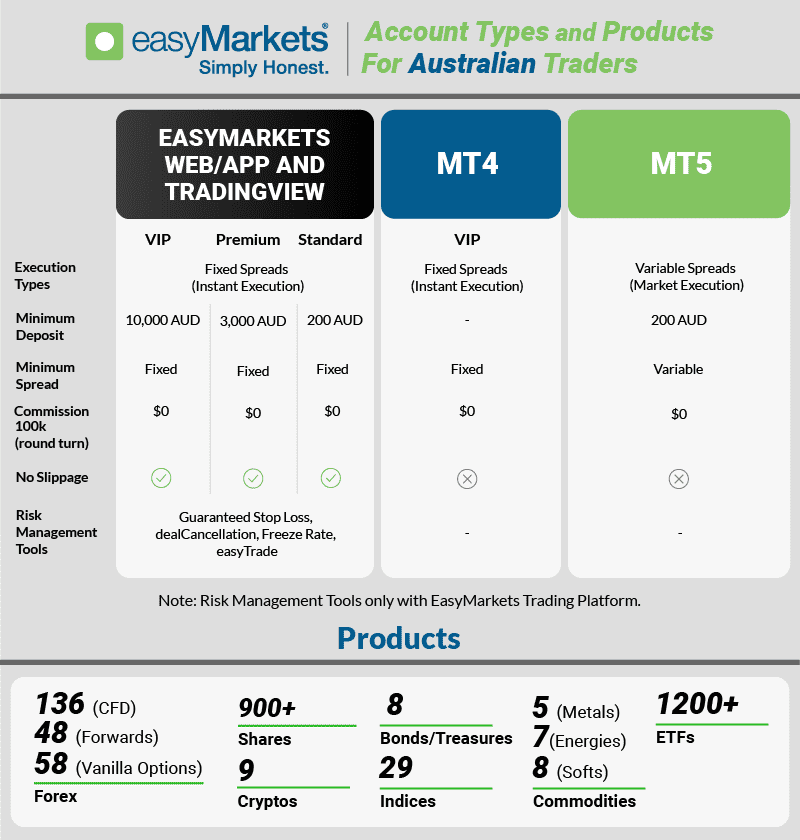
We liked easyMarkets for its unique offering of fixed spreads in conjunction with TradingView. What stands out is their guarantee on all stop-loss orders, a feature especially beneficial for newcomers wary of slippage in volatile periods. This blend of fixed spreads and assured stop losses on TradingView ensures a more consistent trading experience.
Pros & cons
- Low fixed spread trading account
- Decent choice of trading instruments
- Guaranteed stop-loss orders are free
- Customer support is limited to 24/5
- Slightly wider spreads than the average broker
- No RAW spread trading account
Broker Details
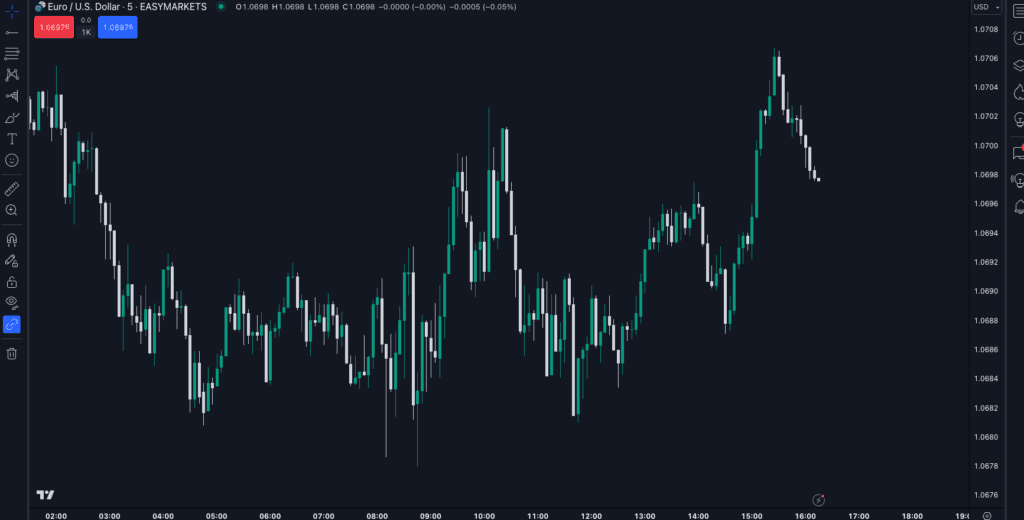
easyMarkets is one of a handful of brokers to offer fixed spreads on TradingView, allowing you to keep your trading costs the same even during volatile trading periods. Fixed spreads can be an ideal option if you trade multiple markets and want to avoid sudden widening of spreads, which makes the cost of trading expensive.
In our experience, fixed spreads tend to be more expensive than variable spread brokers as they always account for potential market volatility. This normally puts off traders looking for fixed spreads, as you typically want the lowest spreads.
The good news is that after reviewing easyMarkets, we found the broker’s fixed spreads were just as low, if not better than those of other variable spread brokers in our tests. The broker offers its EUR/USD fixed spreads at 0.80 pips, 0.44 pips lower than the variable spread industry average, which is impressive.
| Broker | EUR/USD (Average Spread) | Fixed/Variable |
|---|---|---|
| City Index | 0.70 | Variable |
| OANDA | 0.60 | Variable |
| easyMarkets | 0.80 | Fixed |
| FXCM | 1.30 | Variable |
| Pepperstone | 1.12 | Variable |
| BlackBull Markets | 1.20 | Variable |
A unique feature we found with easyMarkets is that they provide free guaranteed stop-loss orders with every trade you place. We think this is excellent as it means you’ll never suffer negative price slippage on your losing trades, saving you money when the markets become volatile.
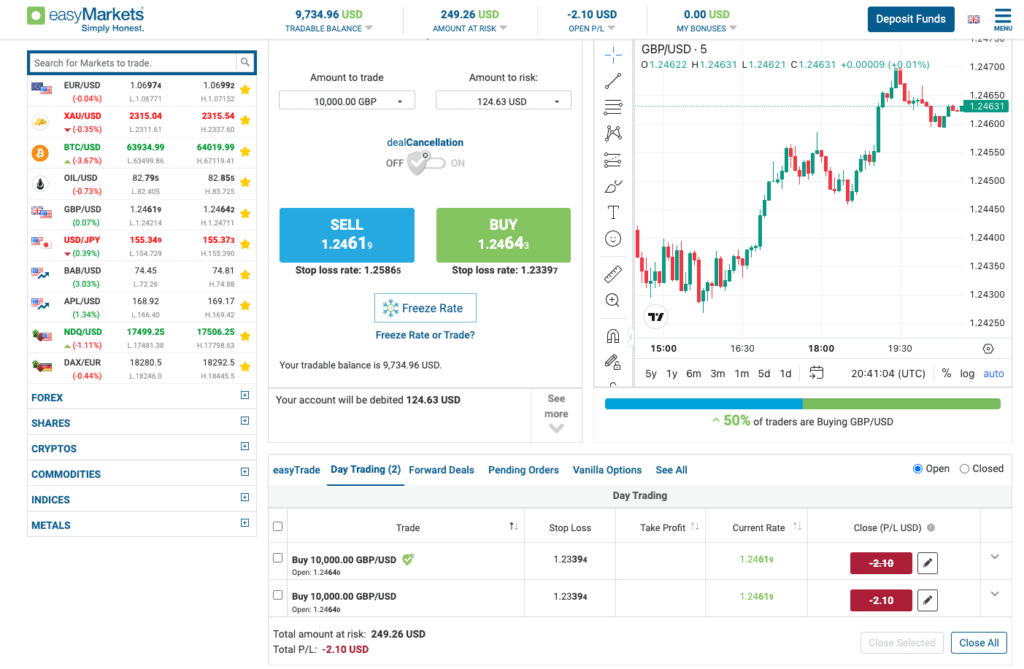
As good as the TradingView platform is, easyMarket has some interesting risk management tools available on its proprietary platform while still benefiting from TradingView’s charts.
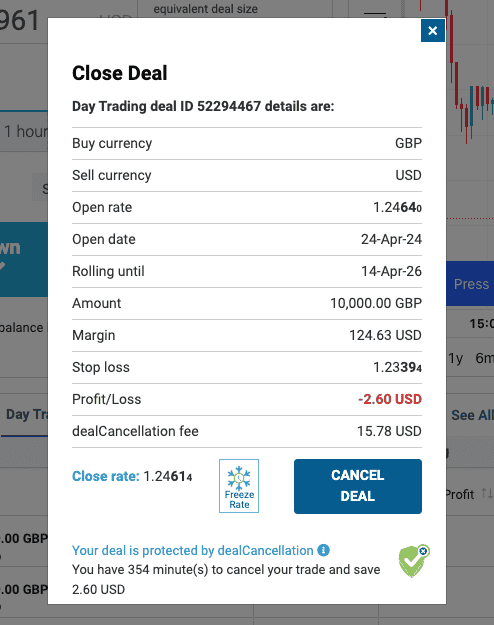
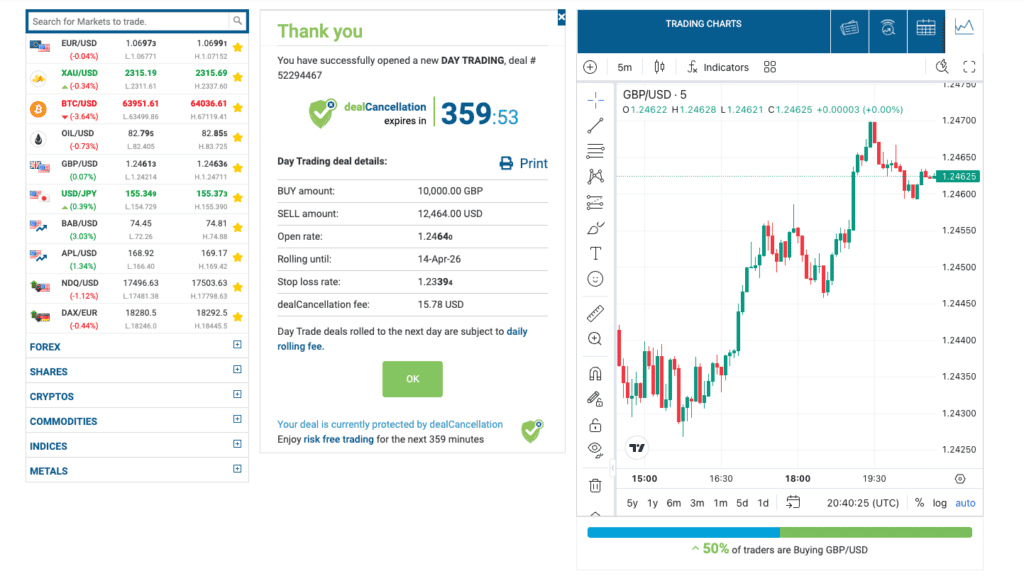
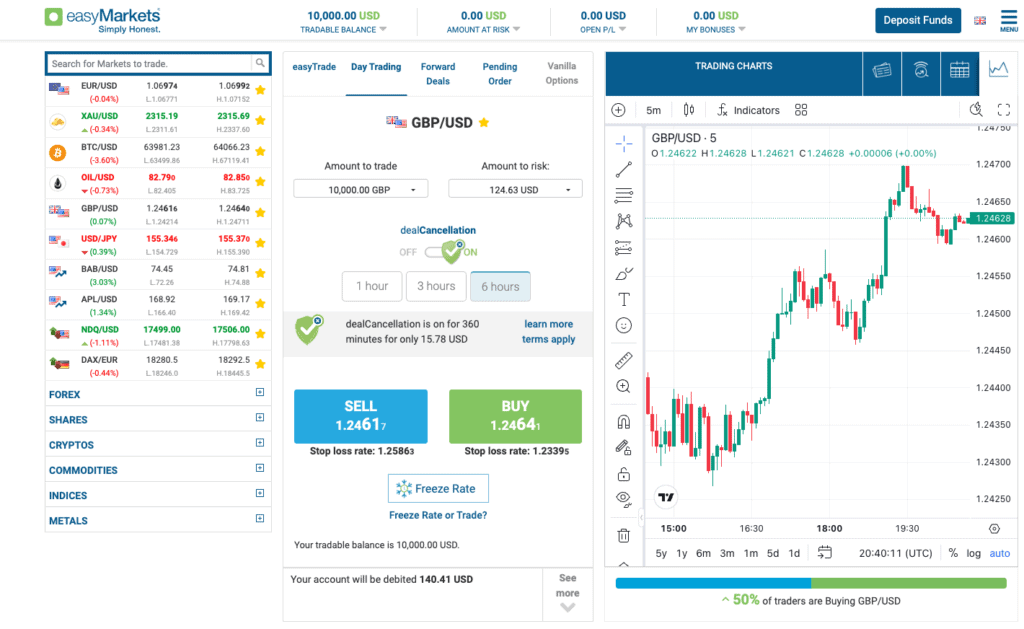
In particular, the dealCancellation feature of the easyMarket platform stood out. It allows you to cancel your position if the markets move against you, something we’ve never seen before.
We tested this feature against a standard GLSO and found its utility decent for risk management. When a traditional GLSO would close our position once the price hit the GLSO, dealCancellation kept our trade open, allowing the trade to rebound back into profit.
In particular, we think this tool would be useful for beginners, especially if you accidentally trade during volatile announcements. During these announcements, your trades can whipsaw from profitable to tapping your stop loss before returning.
For example, if you had an open position when the non-farm payrolls are announced, entering with a dealCancellation can protect you from the price spikes it generates. Using the dealCancellation gives you the breathing room to withstand large market volatility before the price is typically stable afterwards.
easyMarkets screenshots
Is TradingView Better than MT4?
Choosing between TradingView and MT4 depends on your preferences and trading style. We like TradingView for its user-friendly interface, innovative features, and social community.
It offers a wide range of chart types and indicators, plus direct integration with most major brokers. TradingView’s web-based platform is accessible from any device without the need to download it, which can be useful for people who try to trade while working their day in an office.
On the other hand, MT4 is known for simplicity, custom indicators, and Expert Advisors (EAs). It has a straightforward interface and is favoured by many experienced traders. MT4 is also offered by just about every broker you’ll be interested in using.
| Feature | TradingView | MetaTrader 4 |
|---|---|---|
| Cost | Pro Plan:$19.95 Pro+ Plan: $29.95 Premium: $59.95 | Free |
| Automation | Can create using Pine Script | Expert Advisors with MQL4 |
| Indicators | 100+ built-in indicators plus 1000s of community created indicators | 30 built-in indicators plus 1000s of custom indicators built by MT4 community |
| Access | Web, Android, iOS mobile | Windows and Mac Desktop Web Trader, Android, iOS mobile |
| Trading Instruments | No restrictions | Shares are limited |
| Brokers | Good number of brokers offer TradingView | Large number of brokers offer MT4 |
| Social trading | Share ideas with community built-in | Sign up for MetaTrader MQL4 Signals |
| Alerts | Can create alerts with indicators. Can get alerts offline | Must use a custom program and be online to receive |
| Lots size | Standard, mini, micro, nano | Standard, mini, micro |
| Other features | - Screeners for many markets - Economic calendar - Live streams - Scripts library (custom indicators and bots) - Largest number of markets available for charting - Get Trade Ideas from other community members | - Codebase library (custom indicators, EAs and scripts) - Many brokers available - Full-function programming app |
How Much Does TradingView Cost?
TradingView offers various pricing plans to suit different trading needs.
- Free Plan: The basic version is free, but it comes with ads and some limitations, such as a cap on the number of indicators on a chart.
- Pro Plan ($19.95 per month): This plan provides an ad-free experience with additional features, including more data points per chart and server-side alerts.
- Pro+ Plan ($29.95 per month): With this plan, users get all Pro features plus priority support and expanded access to server resources for a smoother experience.
- Premium Plan ($59.95 per month): The highest-tier plan offers all Pro+ features along with exclusive customer support, increased data and server resources, and priority feature requests.
Each plan is priced in US dollars, and there are discounts if you choose to sign up for 12 months or more. Alternatively, we’ve seen sales for TradingView occur throughout the year which often comes with hefty discounts.
Depending on which broker you use, you may have access to one or more of the TradingView plans included in your brokerage account, make sure to check.
Key Features Of TradingView
Below covers some of the key features of TradingView:
1. TradingView User Interface and Design
TradingView’s user interface is user-friendly, modern and visually appealing. Its sleek design and simplicity make it easy for traders of all experience levels to navigate. The platform offers a clean and intuitive layout, allowing users to access advanced charting tools quickly.
While the interface isn’t quite as simple as MetaTrader4, TradingView has far and away the more modern feeling program which could make for a more enjoyable trading experience.
2. TradingView’s SuperCharts
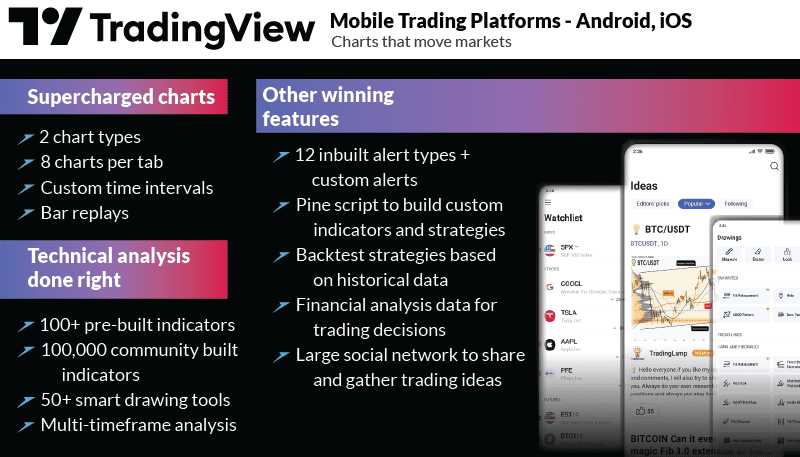
TradingView’s SuperCharts is heavenly for any technical analyst or chart addict, offering an extensive range of chart types like Renko and Heiken Ashi, to the classic bar charts and candlesticks, and it comes with 107 free indicators and powerful customisation options. Supercharts also has a feature for candlestick and chart pattern recognition which we find very useful. Overall, SuperCharts on TradingView is one of our favourite charting options available to the retail trader market.
3. Asset Screener for Chart Patterns
TradingView’s Asset Screener goes beyond basic scanning. It allows the inclusion of any SuperChart indicator and allows you to set criteria based on candlestick patterns, where it generates alerts for potential trading opportunities. This advanced scanner enhances precision in identifying patterns and charts, providing a valuable resource for traders focusing on forex markets.
4. Built-in Backtesting & Paper Trading
TradingView’s built-in Backtesting and Paper Trading make it easy to backtest and paper trade your chosen trading strategies. The Bar Replay feature lets you simulate strategies using past data in real-time, helping you develop your trading skills bar by bar.
With the Strategy Tester, you can test whether a particular indicator has shown profitability on historical data. These tools, when used correctly, can empower you to refine strategies before risking real money, that’s something we love about TradingView.
5. Trade Ideas & Learning From The Community
TradingView’s Trade Ideas and Community feature is a dynamic learning and social environment. With over 50 million traders, you can explore a continuous flow of new trading ideas shared by the community.
The Community tab showcases past ideas, enabling you to learn from other traders’ analyses.
Additionally, TradingView’s streaming service lets traders broadcast live sessions, which is fantastic if you’re a newbie trader looking to learn from someone who’s more experienced.
6. Synchronised Platform From Desktop to Mobile
TradingView syncs your layouts and watchlists across desktop and mobile so you don’t have to rebuild them when switching devices. Its web-based design allows access from any device with internet connectivity, so you can access your marked-up charts on just about any electronic device.
The synchronisation means that you can start chart analysis on your desktop and continue on mobile without losing progress. We would love this feature if we had to work office jobs, as it would allow us to view the same chart space at work, at home and on the mobile app.
7. TradingView Broker Integration
TradingView has added broker integration in the past few years, which can streamline your trading activities. By linking your broker account, you can access real-time market data, execute trades directly from TradingView’s intuitive charts, and manage open positions seamlessly. This integration eliminates the need to switch between platforms, making for a simpler trading process.
To integrate your broker with TradingView, first, choose a broker that supports TradingView integration, follow the simple connection process, and it should be up and running quickly.
How to Choose a TradingView Broker?
When choosing a TradingView broker, consider these points:
- Compatibility: Check that the broker actually integrates with TradingView before opening an account. Some brokers simply don’t offer TradingView integration.
- Regulation: Check if a credible authority for safety and reliability regulates the broker.
- Fees and Spreads: Look for low trading fees and tight spreads to reduce costs.
- Execution Speed: Choose a broker with fast execution speeds to take advantage of real-time market prices with minimal slippage.
- Customer Support: Good support is vital. They should offer quick and helpful assistance.
- Range of Instruments: A variety of trading instruments (like stocks, forex, and commodities) allows more trading options.
- Reviews: Review expert reviews on CompareForexBrokers to gauge reliability and user experience.
Pros and Cons of TradingView
While TradingView is one of our favourite charting platforms, it’s not for everyone. Here are a few of the pros and cons of using TradingView:
- User-Friendly Interface: TradingView's platform is easy to navigate, making it accessible for traders of all levels.
- Advanced Charting Tools: It offers a wide range of advanced charting tools, including various chart types and over 100 free indicators.
- Community and Social Features: With over 50 million users, TradingView fosters a vibrant community where traders can share ideas, and strategies, and learn from each other.
- Cost for Full Features: While a basic version is free, the full range of features comes with a cost, and higher-tier plans can be relatively expensive.
- Execution Depends on Broker: Trade execution and available assets can vary based on the integration with the user's chosen broker.
- Learning Curve for New Users: Some users might find it initially challenging to navigate all the features, especially if they are new to trading platforms.
Which forex broker offers the lowest spreads with TradingView?
After researching various forex brokers that offer integration with TradingView, we found that IC Markets consistently provides the Lowest Spread Forex Brokers. This was determined by tests done by our colleague Ross Collins who captured the broker’s spreads over a 24-hour period.
| RAW Spread Account | Standard Accounts | RAW Spread Account | Standard Accounts |
|---|---|---|---|
| EURUSD | SPREAD | EURUSD | Average Spread |
| IC Markets | 0.73 | IC Markets | 0.73 |
| FXCM | 0.93 | FXCM | 0.93 |
| OANDA | 1.06 | OANDA | 1.06 |
| City Index | 1.16 | City Index | 1.16 |
| EightCap | 1.16 | EightCap | 1.16 |
| FP Markets | 1.19 | FP Markets | 1.19 |
| Pepperstone | 1.21 | Pepperstone | 1.21 |
| Blackbull Markets | 1.34 | Blackbull Markets | 1.34 |
How you can connect a broker to the TradingView platform
Connecting a broker to TradingView is a straightforward process. Once you’ve chosen a broker that integrates with TradingView:
- Open an account with that broker.
- Log in to your TradingView account and go to the Trading Panel.
- Find and select your broker from the list of supported brokers.
- Follow the provided instructions to link your broker account by entering your credentials.
- Once connected, you can access real-time market data, execute trades directly from TradingView charts, and manage open positions seamlessly-all within one unified platform.
Full List Of TradingView Forex Brokers
Below shows all 2026 of TradingView brokers that offers CFD and forex trading services.
This comparison sits inside our wider work on forex trading platforms.
| Broker | Regulators |
|---|---|
| Activtrades | CMVM, FCA, SCB |
| Alor | None |
| BlackBull Markets | FMA, FSA-S |
| Capital.com | ASIC, CySEC, FCA, FSA, SCB |
| City Index | FCA |
| EasyMarkets | ASIC, CySEC, FSC-M, FSA-S |
| Eightcap | ASIC, SCB |
| FOREX.com | CFTC, CIRO, CIMA, FCA, JFSA, MAS, NFA, VFSC |
| FXCM | AMF, ASIC, CIRO, CySEC, FCA, FSCA, ISA |
| FXOpen | ASIC, CySEC, FCA |
| Interactive Brokers | ASIC, CBI, CIRO, CFTC, FCA, JFSA, MAS, NFA |
| OANDA | ASIC, CFTC, FCA, FSC-M, JFSA, KNF, MAS, NFA |
| Pepperstone | ASIC, BaFin, CMA, CySEC, DFSA, FCA, SCB |
| Phillip Nova | MAS |
| Saxo Markets | ASIC, FCA, FINMA, MAS |
| Skilling | CySEC, FSA |
| SpreadEX | FCA |
| Tickmill | CySEC, FCA, FSA Labauan, FSCA |
| WH Selfinvest | AFM, BaFin, CSSF, FSMA |
FAQs
Is TradingView free to use?
Does the TradingView platform support backtesting for forex trading?
Do I need a broker to use TradingView?
Can I use leverage when trading with TradingView?
TradingView vs. cTrader: What is the difference?
Is TradingView beginner-friendly?
Can you use TradingView On an Android Mobile App?
Can you social trade with TradingView?
About the author

Justin Grossbard is the CEO & Co-Founder of CompareForexBrokers established in 2014, along with Noam Korbl and works as Strategic Head Of Research.
Our reviews are reader-supported. We may receive payment when you click a link to a partner site. Learn how we make money.